Provision Users and Groups From Your Identity Provider
Updated
Managing private network access in a business environment is a critical yet often cumbersome task. As companies grow and evolve, the manual process of granting access for new employees and revoking it for departing ones becomes increasingly time-consuming and error-prone. This challenge strains IT resources, poses significant security risks, and impacts productivity.
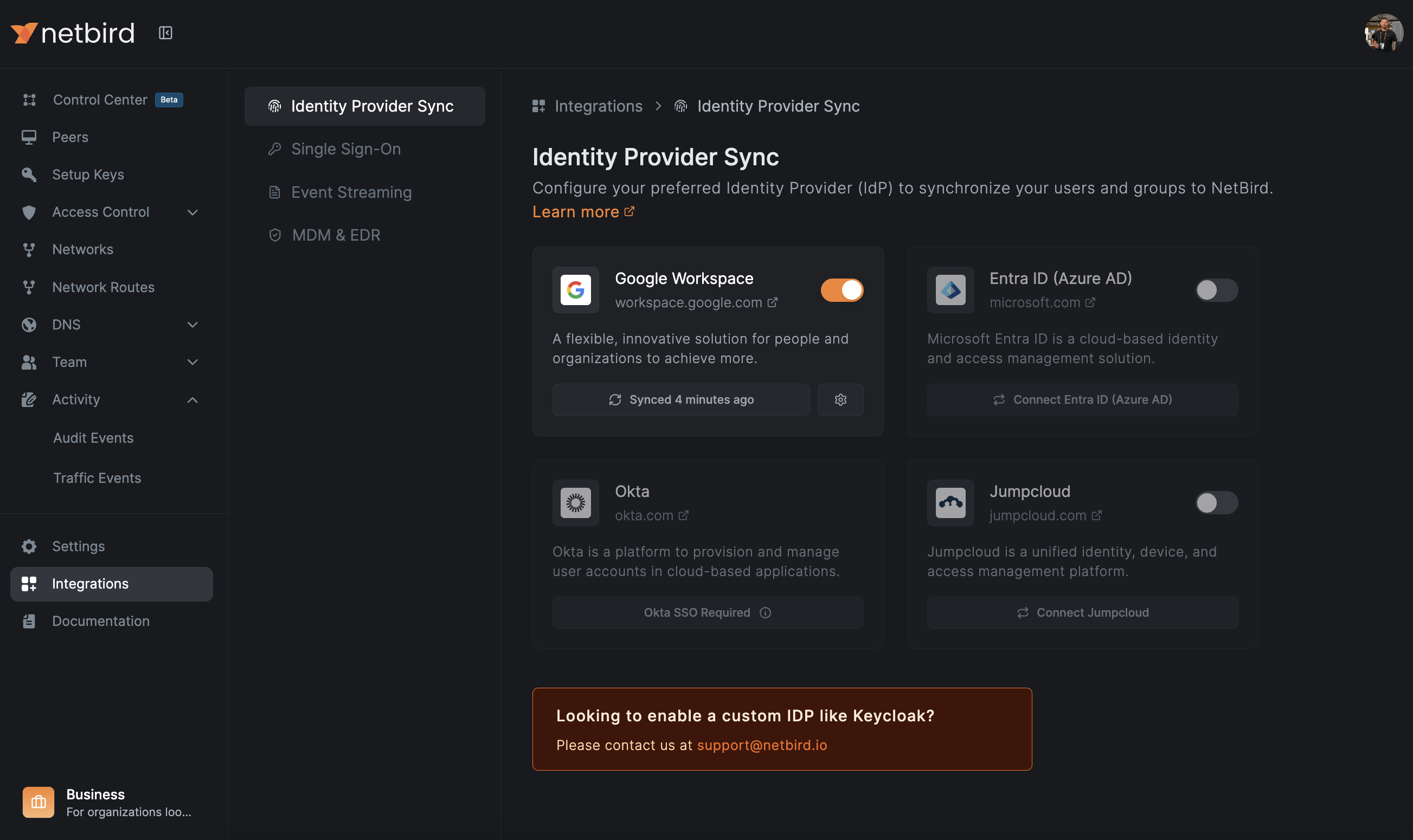
NetBird's IdP-Sync automates user access management to private networks by integrating with your identity provider (IdP) and automatically provisioning users and groups. This integration ensures that changes to groups and users are synchronized from your identity provider to NetBird, granting appropriate network access to new users and revoking access for departing employees after the changes synchronize.
NetBird allows you to use synchronized groups to create access control policies, or update network configurations like DNS, eliminating the need for manual grouping.
This feature is available in NetBird Cloud on the Team plan and above, and in self-hosted deployments with an Enterprise Commercial License. The open source Community Edition does not include it.
Before you roll out on NetBird Cloud: IdP sync can't add a user who already belongs to another NetBird account, for example because they signed in early with an email domain your account doesn't know yet. Add every domain your users sign in with as a sign-in domain first. If a user still doesn't sync, see User already belongs to another NetBird account.
This video guide walks you through an example integration with Microsoft Entra ID, covering both user onboarding and offboarding scenarios:
How syncing works
NetBird receives users and groups from your identity provider in one of two ways, depending on the integration.
Pull, over the provider's API. NetBird holds credentials for your IdP and reads users and groups from it on a schedule. You can also trigger a sync by hand from the dashboard. Google Workspace and Entra ID (API) work this way.
Push, over SCIM. SCIM, the System for Cross-domain Identity Management, is a standard protocol for provisioning users and groups between systems. Your IdP sends changes to a SCIM endpoint using a token that NetBird issues. Entra ID (SCIM), Okta, JumpCloud, and any generic SCIM provider work this way. NetBird has no manual sync button for these integrations; your IdP may provide an on-demand provisioning option.
Sync timing depends on the provider's schedule and successful delivery of the changes. For example, Entra ID (SCIM) normally runs provisioning cycles approximately every 40 minutes after the initial sync. Entra also offers Provisioning on demand for individual users or groups. If changes are delayed, check the integration status in NetBird and your IdP's provisioning logs.
Supported Identity Providers
NetBird supports the most common identity providers directly. Pick yours from the table for the full setup guide.
| Provider | Direction | Set up in NetBird with |
|---|---|---|
| Google Workspace | Pull (API) | Connect Google Workspace |
| Entra ID (API) | Pull (API) | Connect Entra ID (API) |
| Entra ID (SCIM) | Push (SCIM) | Connect Entra ID (SCIM) |
| Okta | Push (SCIM) | Connect Okta |
| JumpCloud | Push (SCIM) | Connect Jumpcloud |
| Keycloak | Push (SCIM) | Connect Generic SCIM |
| IIJ ID | Push (SCIM) | Connect Generic SCIM |
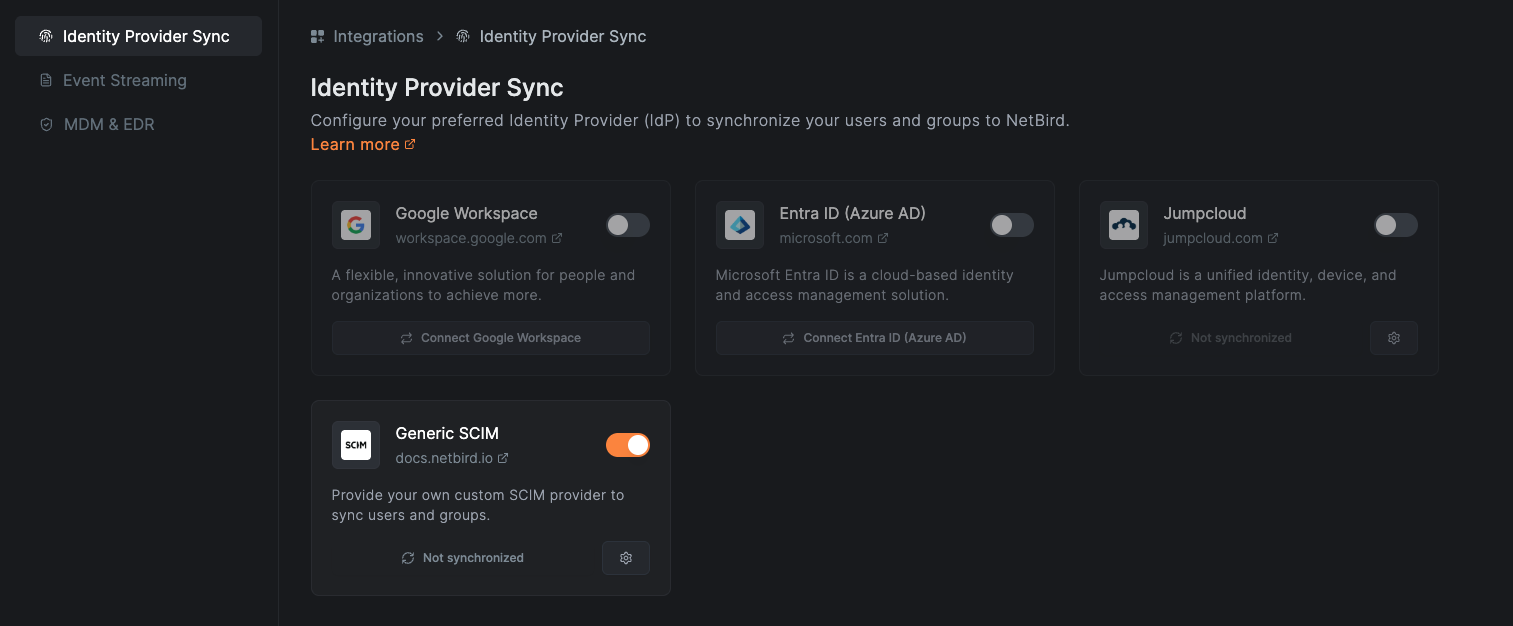
Keycloak and IIJ ID have no dedicated card on the Identity Provider Sync tab. Both are set up through Connect Generic SCIM, and their linked guides walk through that path.
The dashboard configures one IdP-Sync integration at a time. While one is enabled, the setup buttons on every other card are disabled, so switching providers means disabling the current integration first.
What IdP-Sync does not do
IdP-Sync manages users and group membership:
- Roles stay in NetBird. A synced group never sets a user's NetBird role. If you move someone into an
Administratorsgroup in your IdP, they do not become a NetBirdAdmin. You assign roles in NetBird, as described in User Roles. - Access still comes from policies. Syncing a group grants no access on its own. A group is only useful once a policy references it.
Generic SCIM
If your provider is not in the table, it can still work as long as it speaks SCIM. Set it up with Connect Generic SCIM, which is the same path the Keycloak and IIJ ID guides follow. Configuration details vary between providers, so contact us at support@netbird.io if you get stuck on yours.