

Plans and billing
Updated
NetBird Plans
NetBird offers diverse plans to accommodate various networking needs, ensuring scalable and secure connectivity.
-
Free Plan: The Free plan provides secure connectivity for up to 5 users and 100 machines suitable for individuals or small teams. It features peer-to-peer connections and encryption, access control, routing, and private DNS. This plan includes Single Sign-On (SSO) integration with identity providers like Google Workspace, Azure, and Okta.
-
Team Plan: Priced at €6 per user per month, the Team Plan offers unlimited admin and regular users, multi-factor authentication (MFA), access and connection logging, user and group provisioning and sync from your identity provider (IdP), and custom SSO login options, making it ideal for larger teams seeking scalable and secure connectivity.
-
Business Plan: At €12 per user per month, the Business Plan offers enhanced network security with a Zero Trust approach. It supports unlimited users and includes features like device approvals and integrations (MDM and EDR) for comprehensive control, device posture checks and activity events streaming, making it an excellent choice for organizations seeking advanced security solutions.
These plans apply to NetBird Cloud. If you self-host NetBird, the paid features (such as IdP provisioning, device approvals, MDM and EDR integrations, traffic events logging, and event streaming) come from an Enterprise Commercial License instead. See the on-prem pricing page.
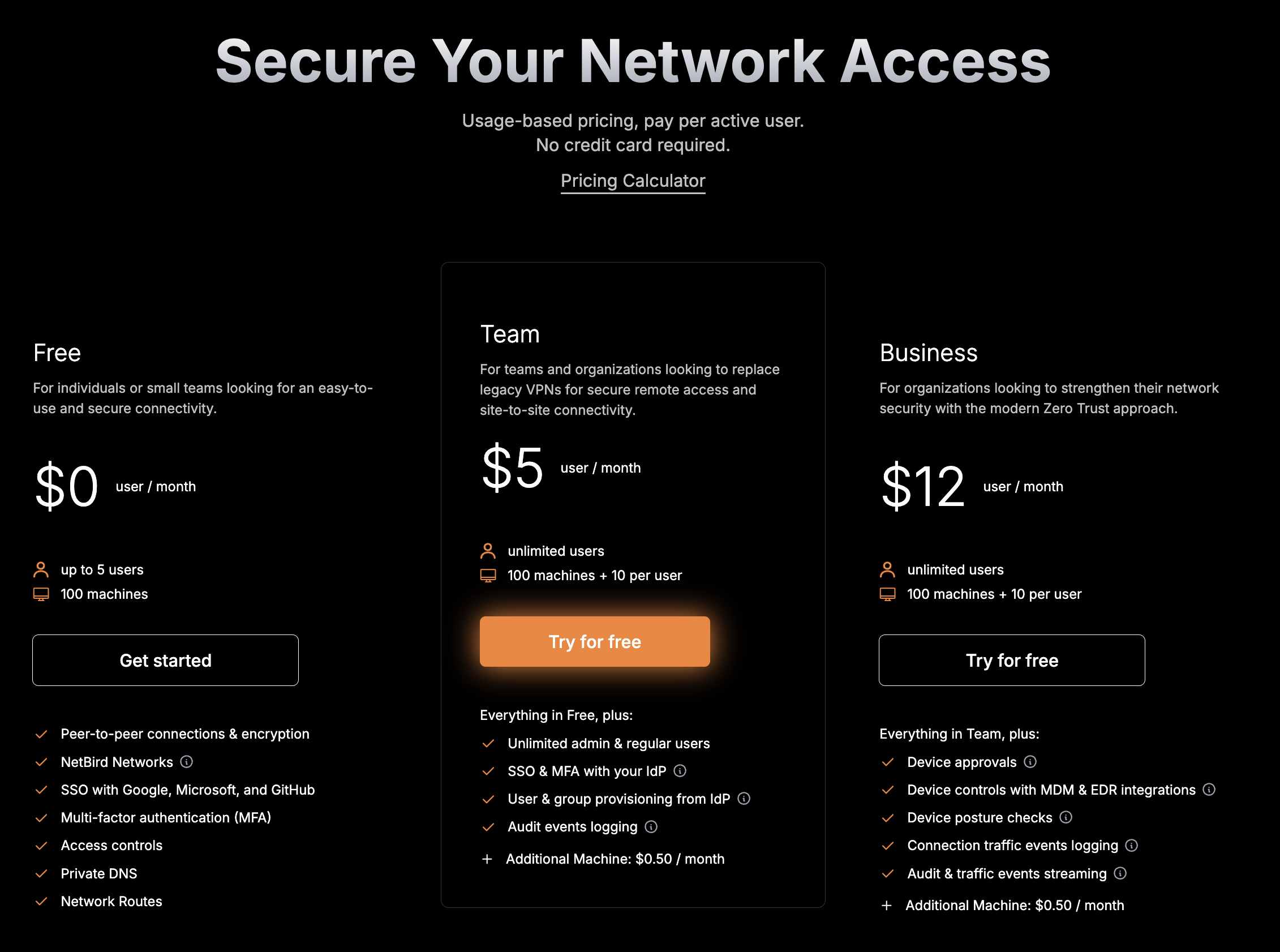
Details can be found on our pricing page.
Usage-based Billing
NetBird uses a pay-as-you-go model, charging only for active users or machines. We bill you at the end of each monthly cycle based on actual usage:
- A user or machine counts as "active" only if it connects or logs in (including the admin dashboard) at least once during the billing period.
- If you integrate NetBird with your Identity Provider (IdP), we automatically sync your users and machines. Inactive synced user accounts that never connect or log in won't incur charges.
Example: You sync 300 users from Entra ID, but only 100 connect during the month. You're billed for 100 users, not 300. If the next month only 70 connect, you pay for 70 users.
Refer to our pricing calculator on the pricing page to estimate your monthly costs based on your expected usage.
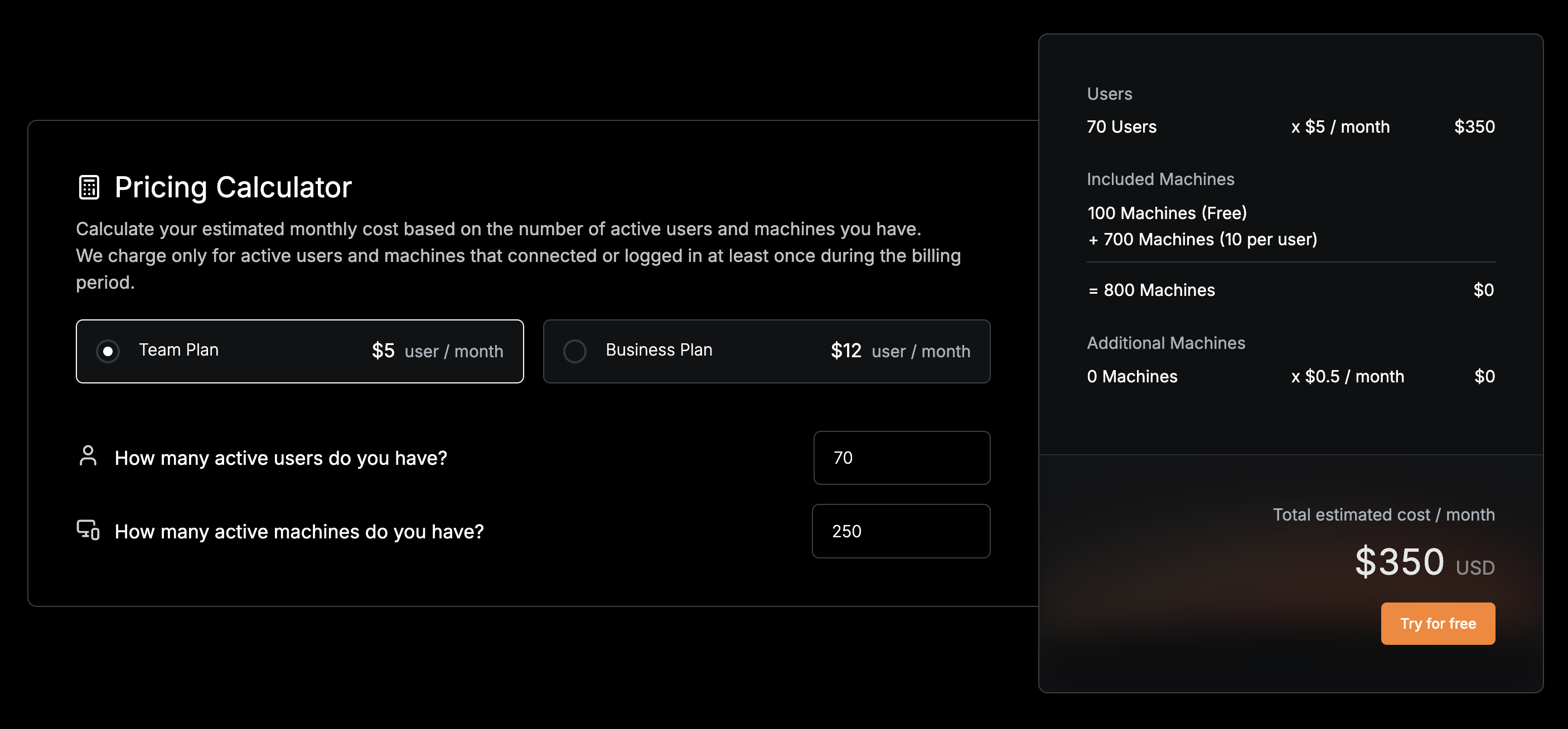
Machine-based Usage
NetBird offers scalable plans for networks with a machine-based usage model. This approach is relevant, among other scenarios, for IoT use cases where there is a large number of machines on the network but comparatively fewer users. This option is available under both Team and Business plans. Simply subscribe to the Team or Business plan, and we'll automatically adjust the machine costs as detailed in the following sections.
Inclusive Machine Allowance
- Team and Business plans: Start with 100 free machines and an extra 10 machines for each paid user.
- Example: a Team plan with 10 users provides:
(10 users × 10 machines/user) + 100 base machines = 200 machines
Additional Machine Billing
- Extra machines are billed at a set rate per machine.
- Example: Adding 20 extra machines to a Team plan with 10 users:
- Base plan cost:
(10 users × €6/user) = €60 - Extra machines cost:
(20 extra machines × €0.5/machine) = €10 - Total monthly cost:
€60 + €10 = €70
Starting a Subscription
To start or change your current plan, navigate to Settings > Plans & Billing and choose the plan you wish to upgrade or downgrade to.
The Plans & Billing tab is available on NetBird Cloud only and is shown to users with billing permissions, such as the account Owner, Admins, and Billing Admins. See user roles for details.
If your account is eligible for a free trial, the Plans & Billing tab also shows a Start 14-Day Free Trial button that temporarily unlocks NetBird's full set of features and integrations. After the trial ends, you return to your previous plan unless you choose to upgrade. Only the account Owner or an Admin can start a free trial: Billing Admins can see the Plans & Billing tab, but the trial button is disabled for them.
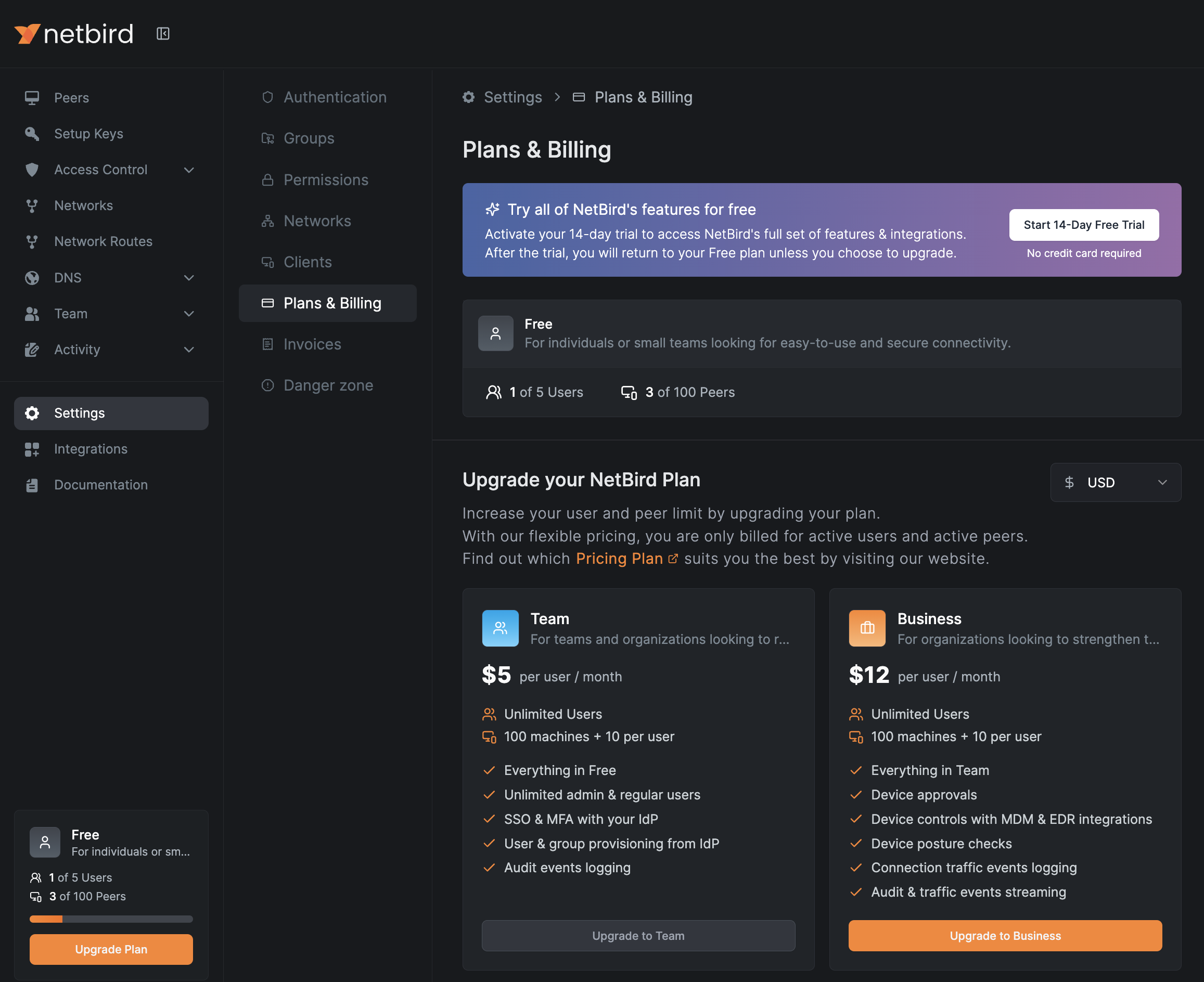
Payment Information
Next, you'll be directed to enter your payment information. Available payment options currently include credit cards, Google Pay, and Link.
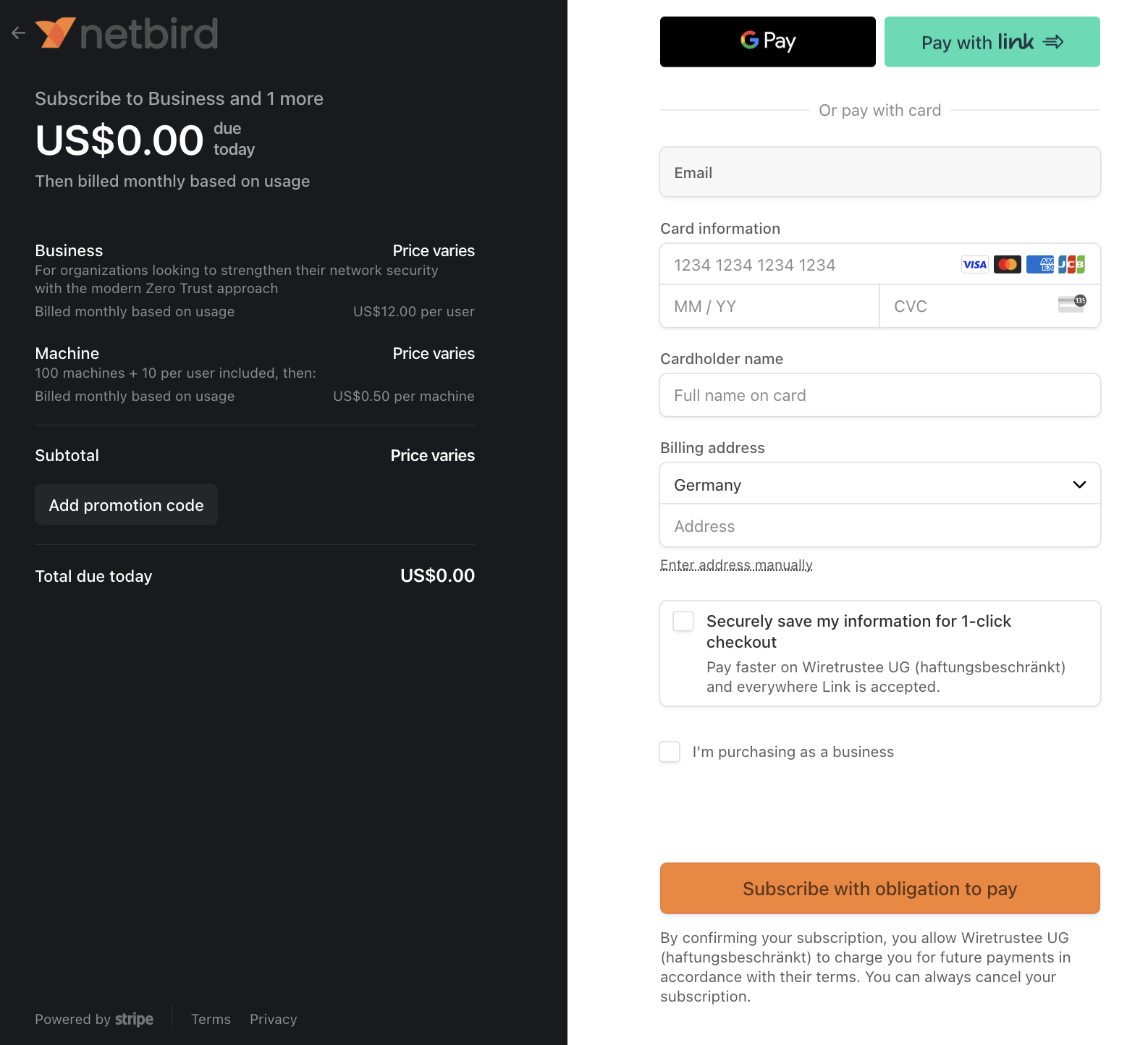
Confirmation and Billing Cycle
After successfully submitting your payment information, the updated version of your plan will be reflected in your account.
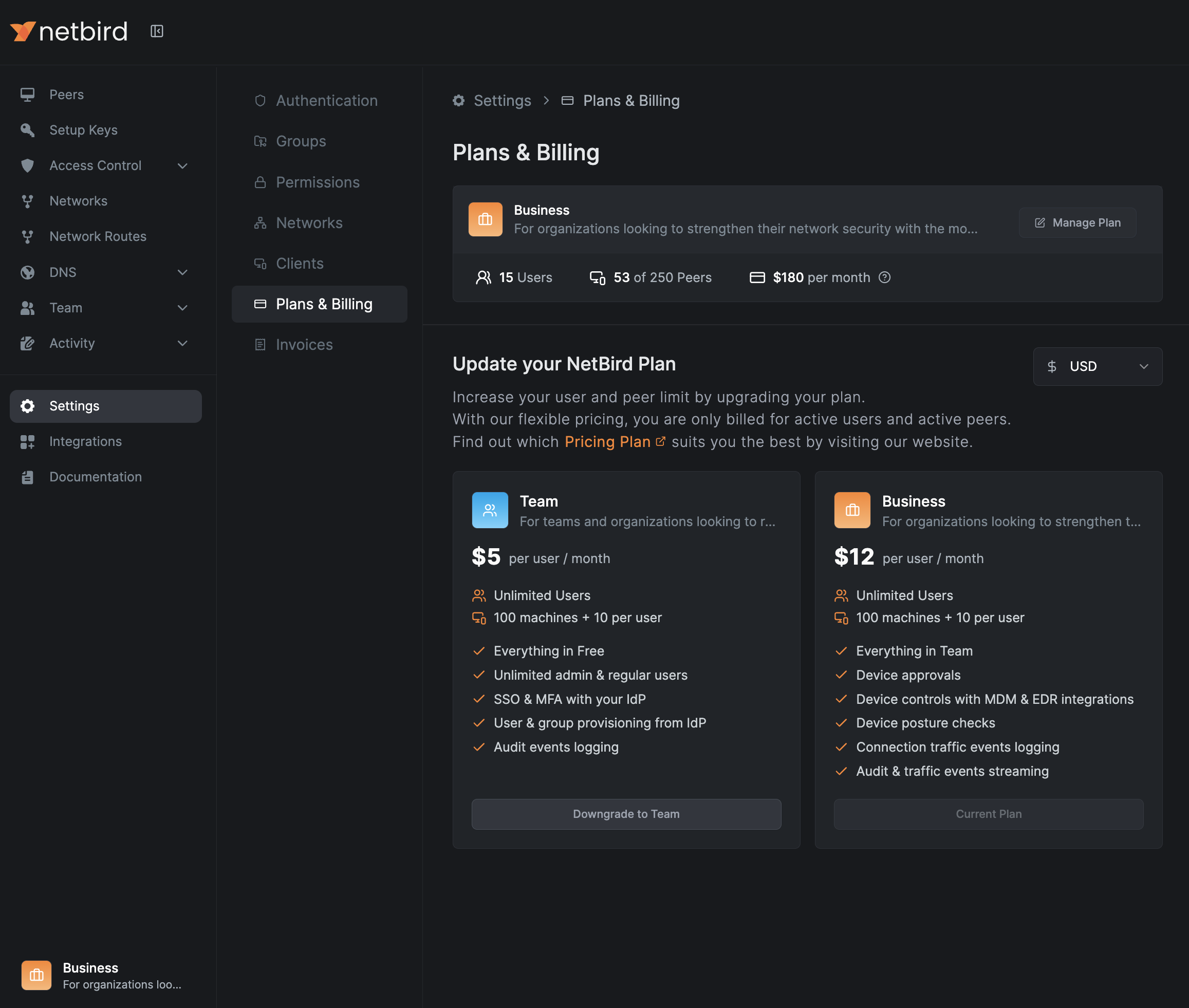
Please note that changes to the number of peers and user counts are updated in our system daily at 2 AM UTC. So, it might take up to 24 hours for these changes to show in your account.
Changing a Subscription
Based on your current plan, you have the flexibility to upgrade or downgrade as your needs change. After changing your plan, you need to wait 48 hours from the last update before you can change it again.
Your subscription cycle starts on the first day of your original subscription. If you adjust your plan during the billing cycle, and since billing occurs at the end of the subscription month, you will be charged for the plan you are on at the end of the billing cycle.
Updating Billing Information and Payment Method
This is a NetBird Cloud feature. Self-hosted deployments are not billed through the Stripe billing portal.
To update your payment method or billing details, navigate to Settings > Plans & Billing and click Manage Plan.
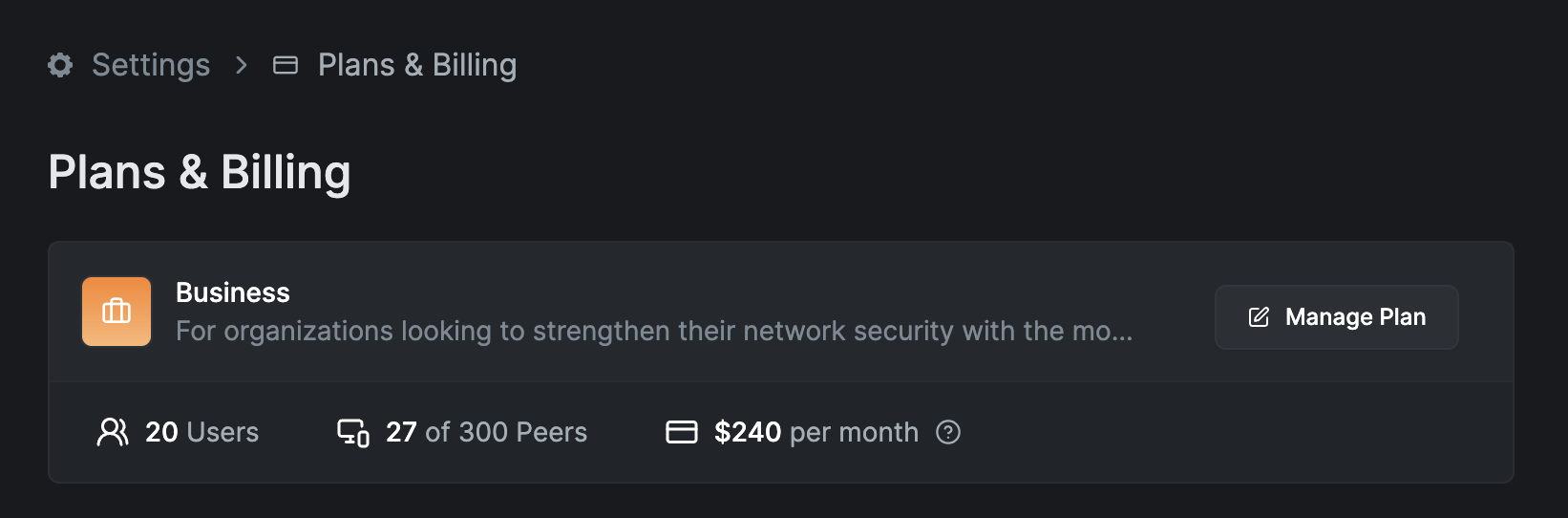
You will be redirected to the Stripe billing portal, where you can:
- Add or replace a payment method, and set which one is used by default.
- Click
Update informationto edit your company name, billing address, billing email, and tax information (such as your VAT ID). - Review your invoice history and download past invoices.
Changes to your billing details apply to invoices issued after the update. Existing invoices are not modified retroactively.
Viewing Invoices
In addition to the Stripe billing portal, you can view your invoices directly in the NetBird dashboard. Navigate to Settings > Invoices to see your paid invoices and download them as PDF or CSV files. Invoices are created at the end of each billing period; PDF downloads redirect through Stripe, while CSV files download directly from the dashboard. For MSPs and distributors, the Type column distinguishes invoices for your own account from those for your tenants or customers. The Invoices tab is not shown for accounts managed by an MSP.
Deleting an Account
If you delete your account, the final charge for your usage will be processed during the next daily statistics update cycle at 2 AM UTC.