

Allow Users from Other Domains to Join Your Account
Updated
By default, users who sign in with the same business email domain as yours join the same account.
For example, everyone on @company.com lands in your network, with the same peers and policies.
In most cases a business uses more than one domain: a country domain like company.co.uk, a subsidiary like company-berlin.de, or a second brand.
A colleague signing in as jane@company.co.uk is not recognized as yours unless you invite them manually, so they
get an account of their own.
Sign-in domains allow users from other domains to join your account without manually inviting them beforehand. You prove ownership of those domains, and everyone across your organization joins the same account automatically.
Availability: Sign-in Domains is only available on NetBird Cloud.
Permissions: Only an Owner or Admin can manage sign-in domains. Learn more about user roles.
Verifying a domain does not move users who already have an account of their own. It decides where new users land, so add your domains before onboarding a team from another domain rather than after.
If someone already has an account of their own, inviting or syncing them fails. See User already belongs to another NetBird account to move them into yours. If they don't know where that account came from, have them reach out to NetBird Support. The team verifies their identity and points them to whoever administers that account.
Add Domain
Go to Settings → Authentication, find Sign-in Domains, then click Add and enter the domain, e.g. company.co.uk.
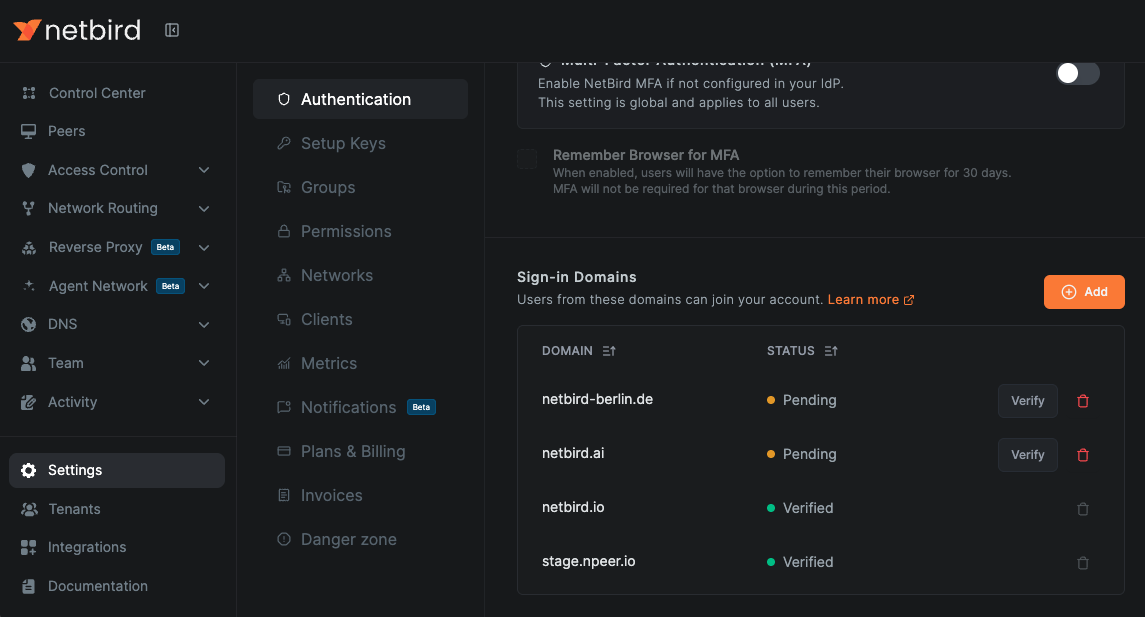
The domain starts as Pending until you prove you own it.
Verify Domain
Click Verify on the pending domain. NetBird shows a TXT record to publish at the root of the domain, so on company.co.uk itself rather than www.company.co.uk.
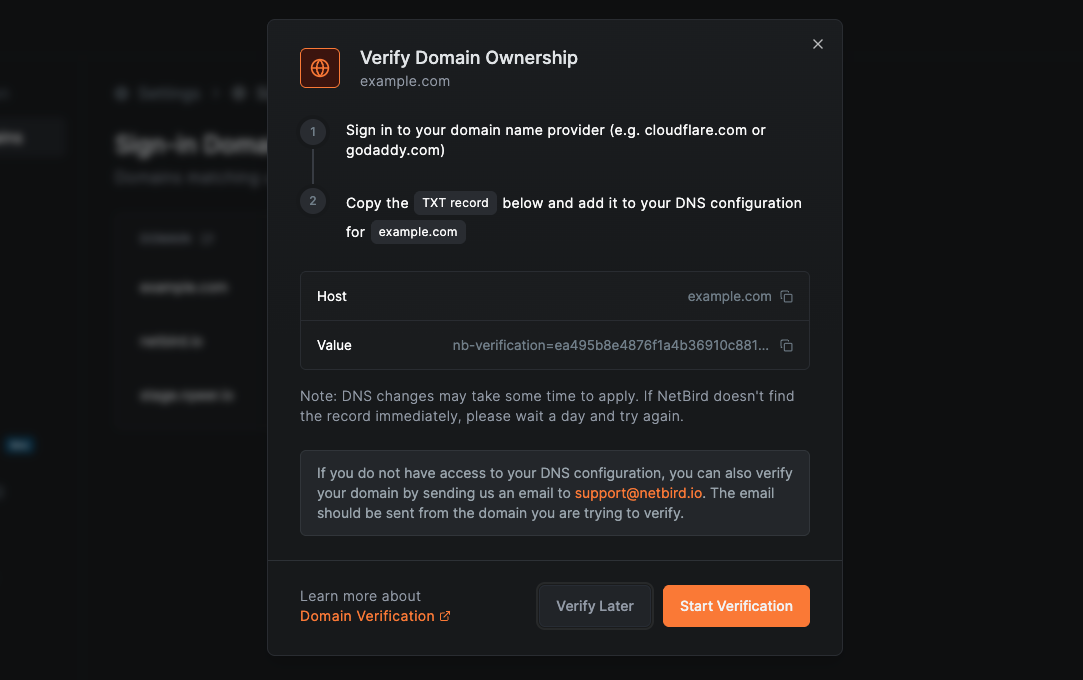
Add the record, then click Start Verification. NetBird keeps checking on its own, so you can leave the page. The domain becomes Verified once the record is found. If it never appears the domain ends up Unverified, and Verify starts the checks again.
If you cannot change DNS, contact NetBird Support from an email address on the domain instead, and the team will verify it for you.
A domain can only be verified by one account. If another account already holds it, your checks keep failing — contact NetBird Support.
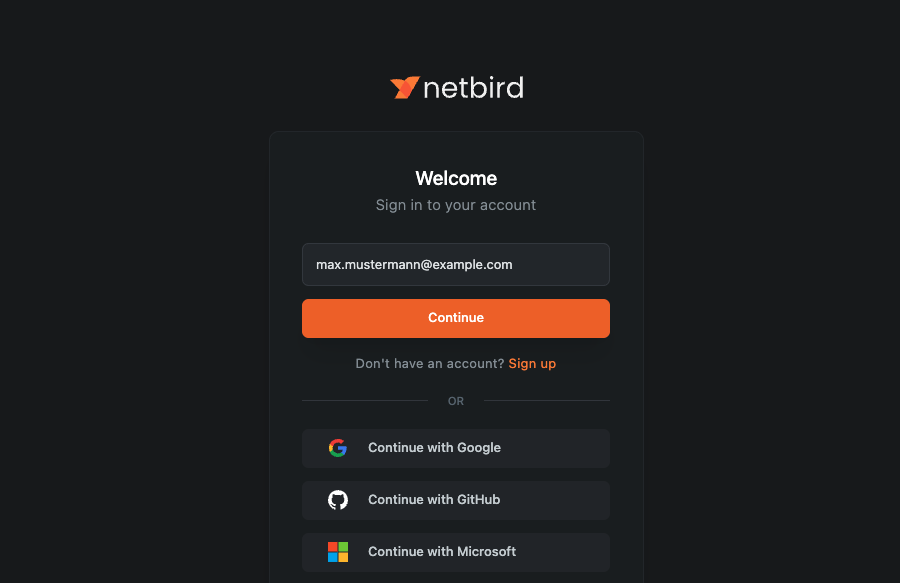
Once the domain is Verified, a user signing in for the first time with an address on it joins your account.
Remove Domain
Click the delete icon on the domain's row. The domain you signed up with cannot be removed, and neither can a domain an SSO integration still uses.
Removing a domain does not remove or lock out users who already joined through it. It only stops matching new sign-ins, who get accounts of their own again.
Recap
- A sign-in domain tells NetBird that an email domain belongs to your account, so new users join your network instead of creating one of their own.
- Your signup domain is there from the start and cannot be removed; add and verify any others yourself.
- Verification is a TXT record at the root of the domain, re-checked automatically until it is found.
- It changes where new users land, not where existing ones already are.