

Kimi (Moonshot AI)
Updated
Moonshot AI serves the Kimi models from its cloud platform. Connecting it behind NetBird gives your agents keyless access over the tunnel: NetBird holds the Moonshot API key server-side, ties every request to a real identity from your IdP, and applies your policies, limits, and audit on the way to Moonshot.
One Moonshot API key serves both API shapes, the native Anthropic Messages API and the OpenAI-compatible API, so a single Kimi provider covers every client. The path a client calls picks the shape, and NetBird forwards that path through to Moonshot unchanged:
- Clients that speak the Anthropic Messages API (Claude Code, Kimi CLI's
anthropicprovider type) call the/anthropicpath. - OpenAI-shaped clients (the OpenAI SDK, cURL) call the
/v1path.
Prerequisites
- A Moonshot AI account on the international platform with an API key. Accounts on the mainland-China platform (platform.moonshot.cn) use a different host. See the note under Connect the Provider.
Connect the Provider
- Go to Agent Network → Providers and click Connect Provider.
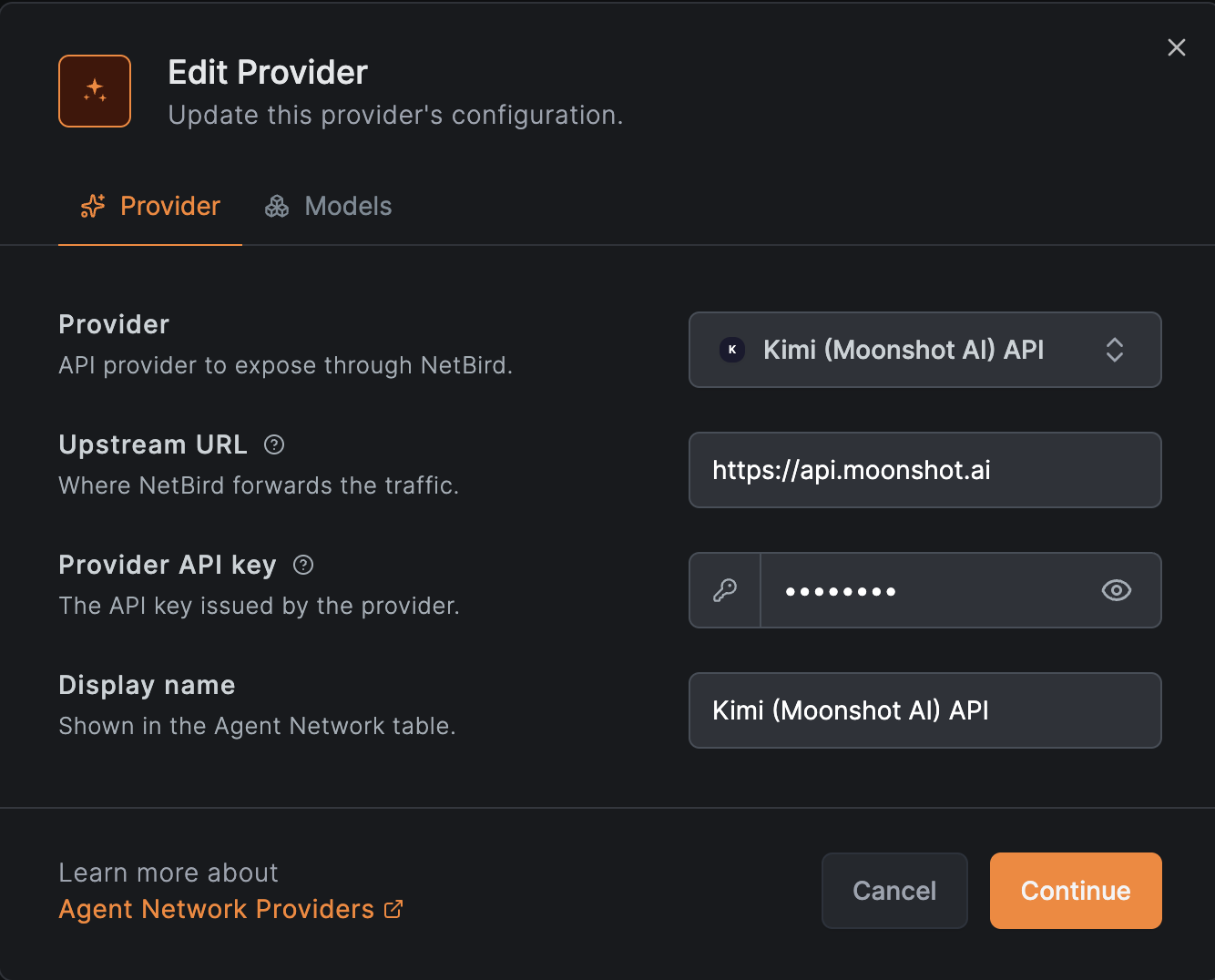
- Select Kimi (Moonshot AI) API. Keep the default Upstream URL
https://api.moonshot.ai, the bare international host. Don't add a path suffix: the client picks the API shape with the path it calls (/anthropicor/v1), and NetBird rides that path through to Moonshot. - Paste the Moonshot API key. NetBird stores it encrypted server-side, injects it as
Authorization: Bearer …on each request, and never returns it to callers. - (Optional) Restrict the allowed models, for example
kimi-k3. Leaving the list empty allows any catalog model. - Save the provider. The key is now held server-side. The next step authorizes who can use it.
Mainland-China accounts use the https://api.moonshot.cn host instead. Set that as the
Upstream URL if your API key was issued on platform.moonshot.cn.
See Providers for details.
Create a Policy
By default nothing is allowed. A policy must connect a source group to the Kimi provider before anyone can route through it.
- Go to Agent Network → Policies and add a policy.
- Set the Source to the users or agents who should be able to reach Kimi (for example
your
Engineeringgroup from your IdP). - Set the Provider to the Kimi provider you just connected.
- Optionally attach per-user or per-group token and budget limits and guardrails such as a model allowlist.
See Policies for details.
Use with Kimi CLI
Kimi CLI reads providers from ~/.kimi/config.toml. Point it at your
agent network endpoint with the anthropic provider type and no /anthropic prefix in
base_url; NetBird forwards the path Kimi CLI calls through to Moonshot. The api_key is a
placeholder because NetBird injects the real key server-side.
Add the following to ~/.kimi/config.toml:
default_model = "kimi-k3"

[providers.netbird]
type = "anthropic"
base_url = "https://<your-endpoint>"
api_key = "-"

[models.kimi-k3]
provider = "netbird"
model = "kimi-k3"
max_context_size = 1000000
For the OpenAI shape instead, set type = "openai_legacy" and
base_url = "https://<your-endpoint>/v1".
Use with Claude Code
Claude Code speaks the Anthropic Messages API, which Moonshot serves under the /anthropic
path, so you can route Claude Code through this Kimi provider instead of the Anthropic API.
See Use Kimi (Moonshot AI)
on the Claude Code integration page for the configuration.
Result
Agents point at the NetBird endpoint with no key and call Kimi models by name. NetBird enforces your policies, limits, and guardrails, then forwards the request to Moonshot. Every call is recorded in Usage & Logs with the caller's identity, auth group, model, tokens, cost, and status.
Rotating the key is a single server-side change in NetBird: generate a new Moonshot API key, update the provider's credential, then revoke the old key.