Keyless Access to Claude Code
Updated
Point Claude Code at your agent network endpoint as its Anthropic base URL. NetBird holds the Anthropic API key server-side, so no key lives on your machine.
Running Claude Code through Agent Network turns it from a tool that needs a shared Anthropic key into one your team reaches with their existing identity:
- Keyless access through your IdP. No Anthropic API key is distributed to or stored on any developer's machine. Each person runs Claude Code over the NetBird tunnel, and the request is tied to their real identity from your identity provider (Okta, Microsoft Entra ID, Google, …). Onboarding and offboarding follow the same IdP groups you already manage. There's no key to hand out, copy, or revoke.
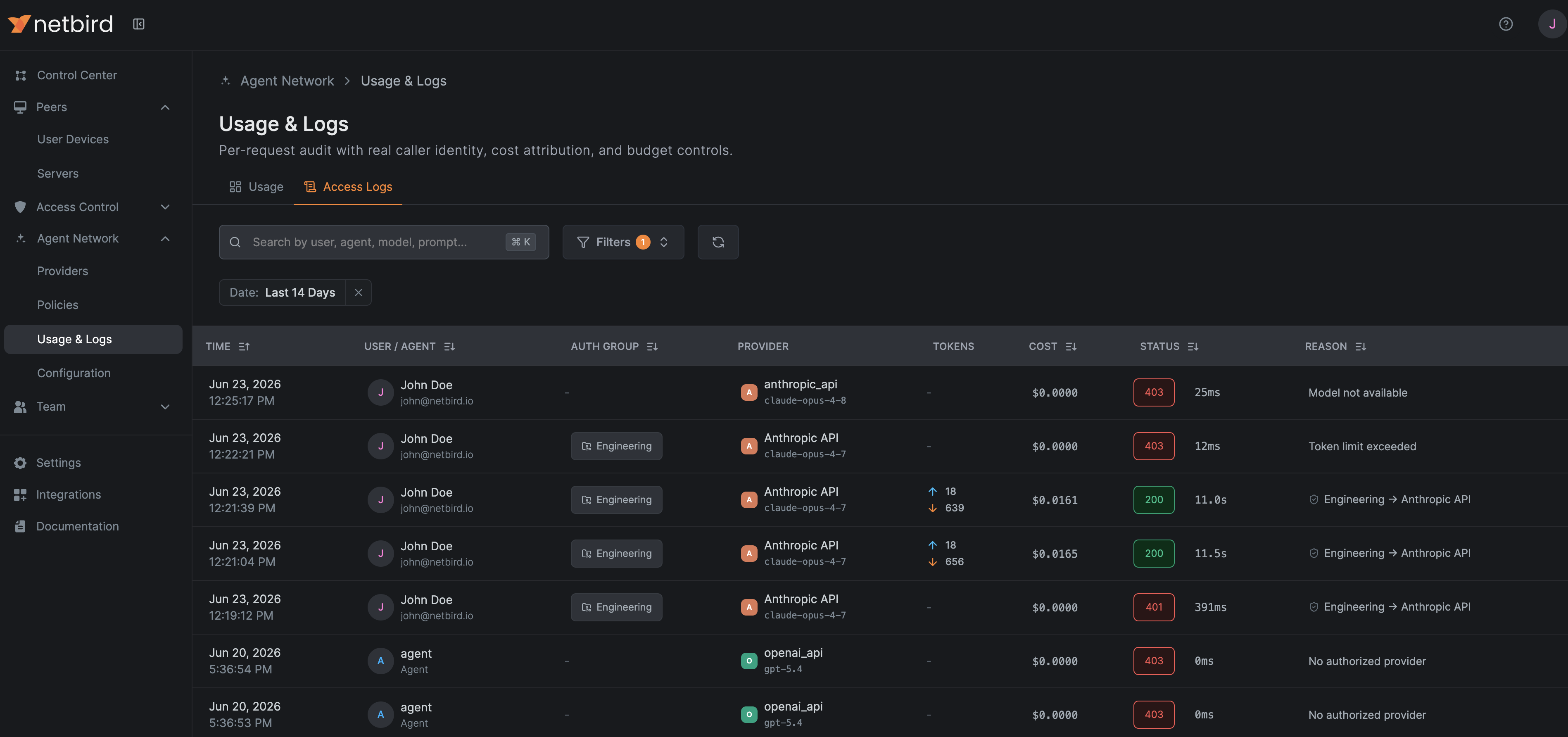
- Usage tracking per developer and group. Every request is metered by identity, model, tokens, and cost, so you can see exactly who is using Claude Code and how much it costs, broken down per person and aggregated per IdP group (team, department, project) in Usage & Logs.
- Budget and token limits. Attach per-user or per-group token and spend caps over a rolling window in your policies, so Claude Code usage stays within budget and a single user can't run up the whole account's bill.
The rest of this page walks through connecting the provider and pointing Claude Code at your endpoint.
Connect the Provider
- Go to Agent Network → Providers and click Connect Provider.
- Select Anthropic and paste your Anthropic API key.
- Save the provider. The key is now held server-side, the next step authorizes who can use it.
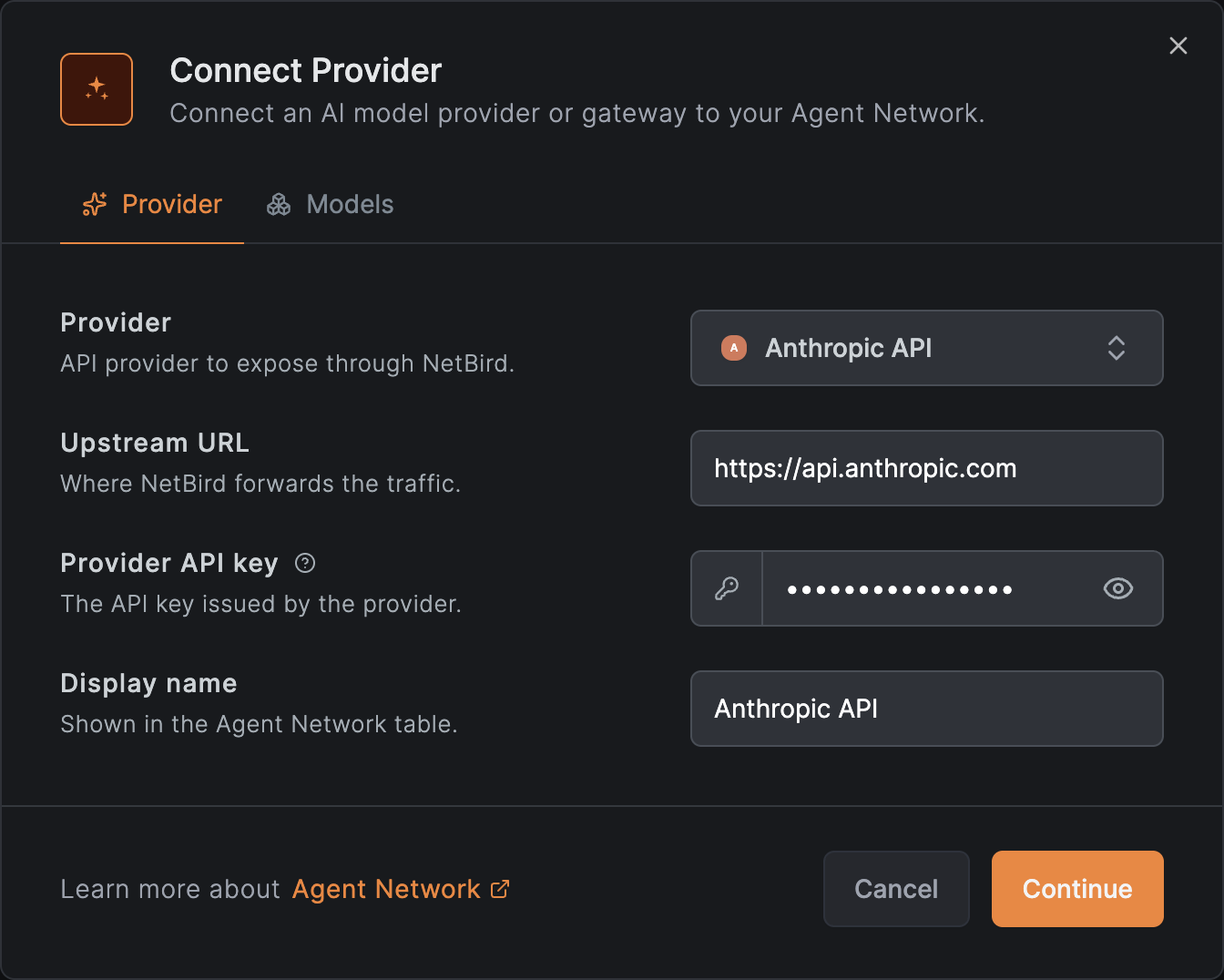
See Providers for details.
Create a Policy
By default nothing is allowed: a policy must connect a source group to the Anthropic provider before anyone can route Claude Code through it.
- Go to Agent Network → Policies and add a policy.
- Set the Source to the users or agents who should be able to use Claude Code (for example
your
Engineeringgroup from your IdP). - Set the Provider to the Anthropic provider you just connected.
- Optionally attach per-user or per-group token and budget limits so Claude Code usage stays within budget, and guardrails such as a model allowlist.
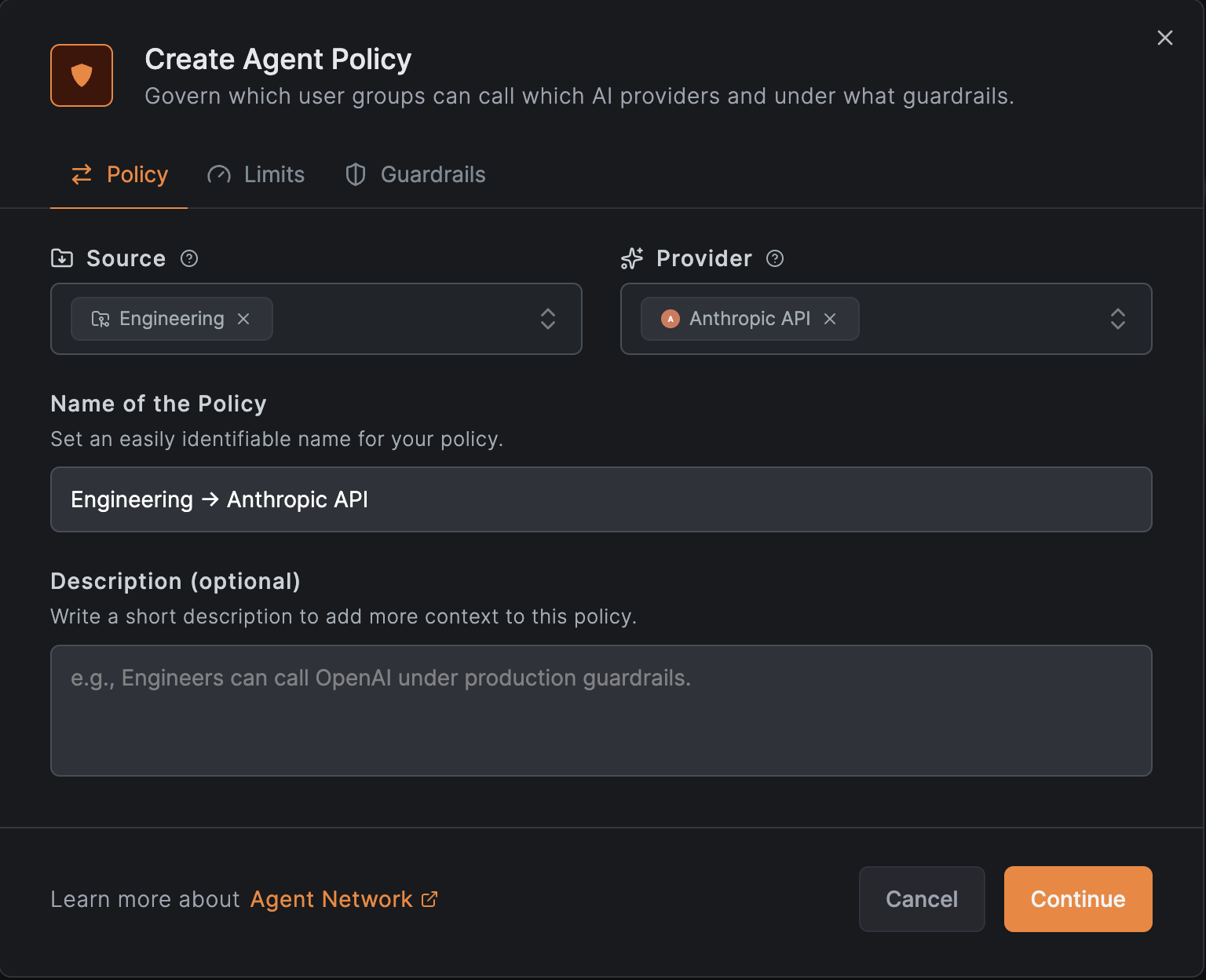
See Policies for details.
Configure with settings.json
settings.jsonNext to your agent network endpoint in the NetBird dashboard, click Agent Config. The modal shows tabs for Claude Code, Codex, OpenAI SDK, and cURL. Pick Claude Code and copy the pre-filled configuration.
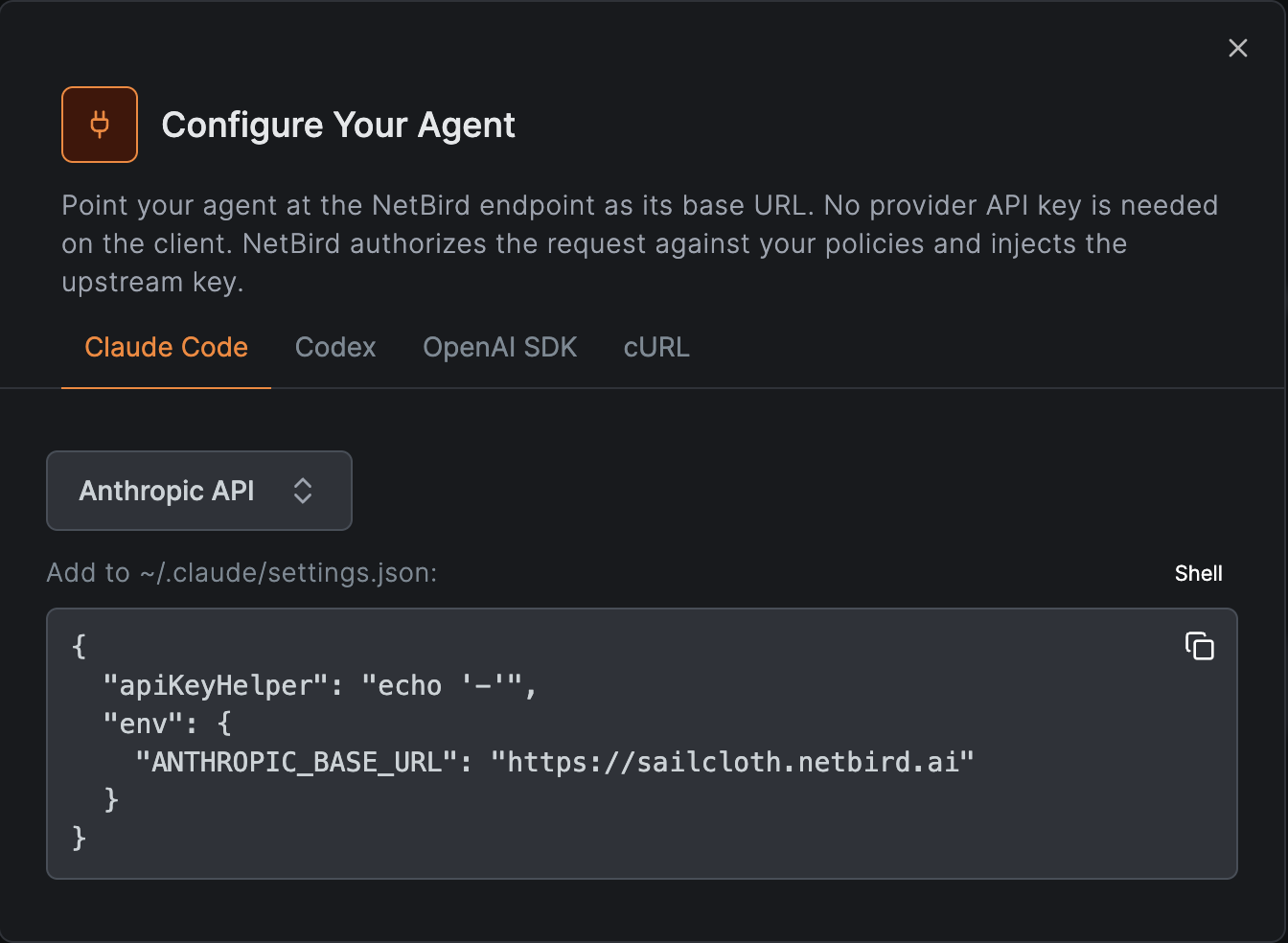
Add the following to ~/.claude/settings.json. The apiKeyHelper returns a dummy value so
Claude Code doesn't prompt for a key. NetBird supplies the real one.
{
  "apiKeyHelper": "echo '-'",
  "env": {
    "ANTHROPIC_BASE_URL": "https://<your-endpoint>"
  }
}
Configure with Shell Variables
Alternatively, export the variables before launching Claude Code:
export ANTHROPIC_BASE_URL=https://<your-endpoint>
export ANTHROPIC_API_KEY=none
claude
That's it. Claude Code now sends every request over the NetBird tunnel, where it's tied to your identity, checked against your policies and limits, and recorded in Usage & Logs, broken down per developer and aggregated per IdP group.
Use Claude on Vertex AI
If you reach Claude through Google Vertex AI instead of the Anthropic API, point Claude Code's Vertex backend at your agent network endpoint. NetBird holds the Google service account credential server-side and mints the Vertex access token, so Claude Code skips Google authentication entirely. The client stays keyless.
First connect a Google Vertex AI provider in NetBird.
Set its upstream URL to the region-less host https://aiplatform.googleapis.com, not the
<region>-aiplatform.googleapis.com form, so it matches CLOUD_ML_REGION=global below.
Then add the following to ~/.claude/settings.json:
{
  "env": {
    "CLOUD_ML_REGION": "global",
    "ANTHROPIC_VERTEX_PROJECT_ID": "<your-gcp-project-id>",
    "CLAUDE_CODE_USE_VERTEX": "1",
    "CLAUDE_CODE_SKIP_VERTEX_AUTH": "1",
    "ANTHROPIC_VERTEX_BASE_URL": "https://<your-endpoint>/v1"
  }
}
CLAUDE_CODE_USE_VERTEX=1routes Claude Code through the Vertex backend.CLAUDE_CODE_SKIP_VERTEX_AUTH=1skips Google auth on the client: NetBird injects the OAuth token server-side.ANTHROPIC_VERTEX_BASE_URLis your agent network endpoint with the/v1suffix.CLOUD_ML_REGION=globalpairs with the region-less provider URL above.
Use Claude on AWS Bedrock
If you reach Claude through AWS Bedrock instead of the Anthropic API, point Claude Code's Bedrock backend at your agent network endpoint. NetBird holds the Bedrock API key server-side and injects it, so Claude Code skips AWS authentication entirely. The client stays keyless.
First connect an AWS Bedrock provider in NetBird.
Then add the following to ~/.claude/settings.json:
{
  "env": {
    "ANTHROPIC_MODEL": "eu.anthropic.claude-sonnet-4-5-20250929-v1:0",
    "ANTHROPIC_BEDROCK_BASE_URL": "https://<your-endpoint>/bedrock",
    "CLAUDE_CODE_USE_BEDROCK": "1",
    "CLAUDE_CODE_SKIP_BEDROCK_AUTH": "1"
  }
}
CLAUDE_CODE_USE_BEDROCK=1routes Claude Code through the Bedrock backend.CLAUDE_CODE_SKIP_BEDROCK_AUTH=1skips AWS auth on the client: NetBird injects the Bedrock API key server-side.ANTHROPIC_BEDROCK_BASE_URLis your agent network endpoint with the/bedrocksuffix (the optional gateway-namespace prefix that disambiguates Bedrock from other providers).ANTHROPIC_MODELis the full Bedrock model ID including the region prefix (e.g.eu.anthropic.claude-sonnet-4-5-20250929-v1:0). Some models may not be available in all regions. If the model above doesn't work, switch to one in your provider's allowed list, or change it in Claude Code with/model <model-id>.
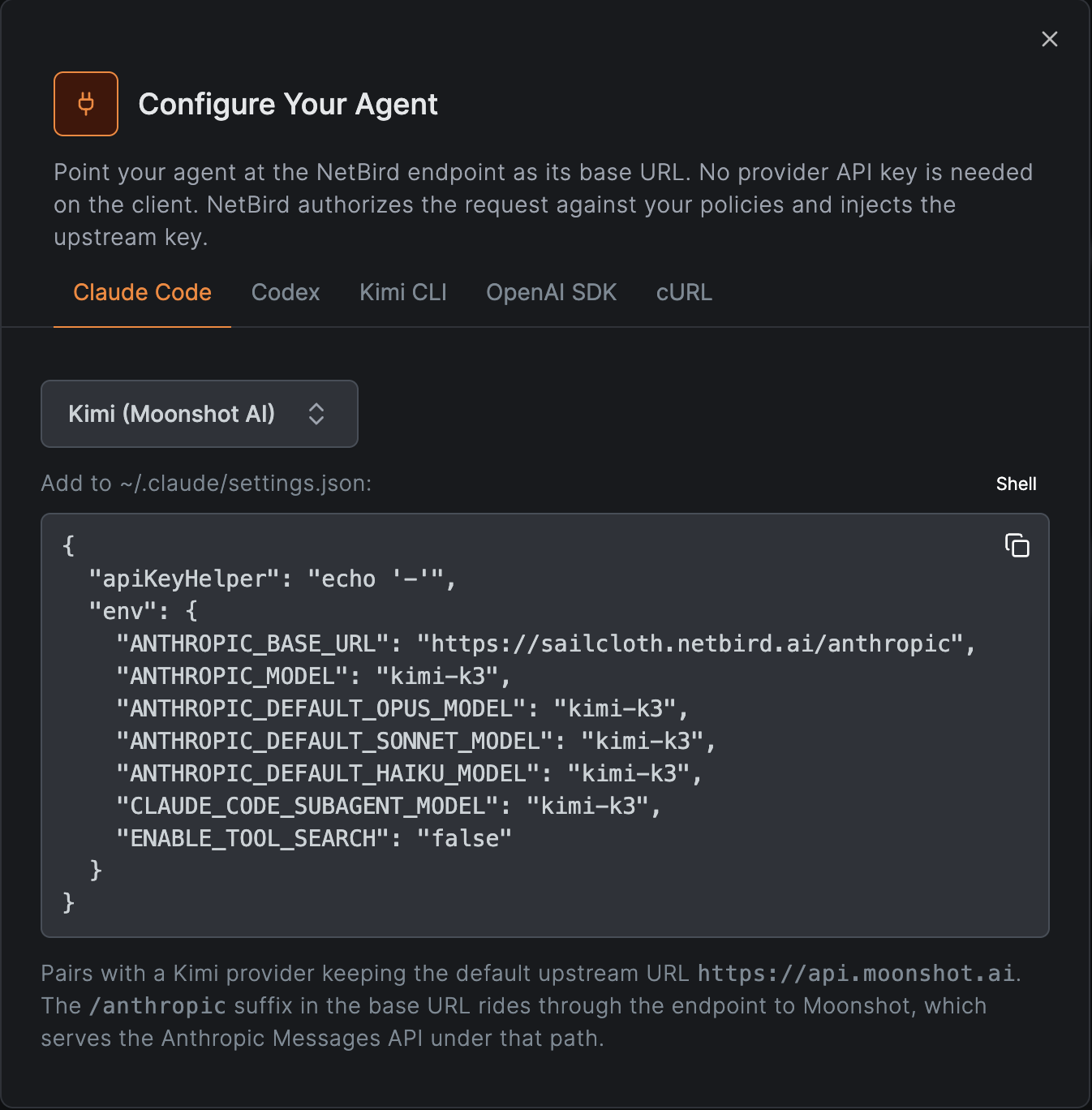
Use Kimi (Moonshot AI)
If you reach Claude through Moonshot AI instead of the Anthropic API, point Claude Code's
Anthropic backend at your agent network endpoint. Moonshot serves the Anthropic Messages API
under the /anthropic path, so Claude Code talks to the Kimi models through the same
interface it uses for Claude. NetBird holds the Moonshot API key server-side and injects it,
so the client stays keyless.
First connect a Kimi (Moonshot AI) provider in NetBird,
keeping the default upstream URL https://api.moonshot.ai. Then add the following to
~/.claude/settings.json:
{
  "apiKeyHelper": "echo '-'",
  "env": {
    "ANTHROPIC_BASE_URL": "https://<your-endpoint>/anthropic",
    "ANTHROPIC_MODEL": "kimi-k3",
    "ANTHROPIC_DEFAULT_OPUS_MODEL": "kimi-k3",
    "ANTHROPIC_DEFAULT_SONNET_MODEL": "kimi-k3",
    "ANTHROPIC_DEFAULT_HAIKU_MODEL": "kimi-k3",
    "CLAUDE_CODE_SUBAGENT_MODEL": "kimi-k3",
    "ENABLE_TOOL_SEARCH": "false"
  }
}
ANTHROPIC_BASE_URLis your agent network endpoint with the/anthropicsuffix. That is the path Moonshot serves the Anthropic Messages API under, and NetBird rides it through to the barehttps://api.moonshot.aiupstream.- The
ANTHROPIC_DEFAULT_*andCLAUDE_CODE_SUBAGENT_MODELvariables pin every model tier (opus, sonnet, haiku, and subagents) tokimi-k3, so no Claude model names leak into requests Moonshot can't serve. ENABLE_TOOL_SEARCH=falseturns off tool search, whosetool_referenceblocks Moonshot rejects.
In the Configure Your Agent modal, pick Kimi (Moonshot AI) on the Claude Code tab to copy this configuration with your endpoint filled in: