

Providers
Updated
A provider is an upstream LLM service that NetBird routes requests to. Connecting one stores its API key server-side and exposes it through your keyless, tunnel-only agent network endpoint, so agents never hold a provider key.
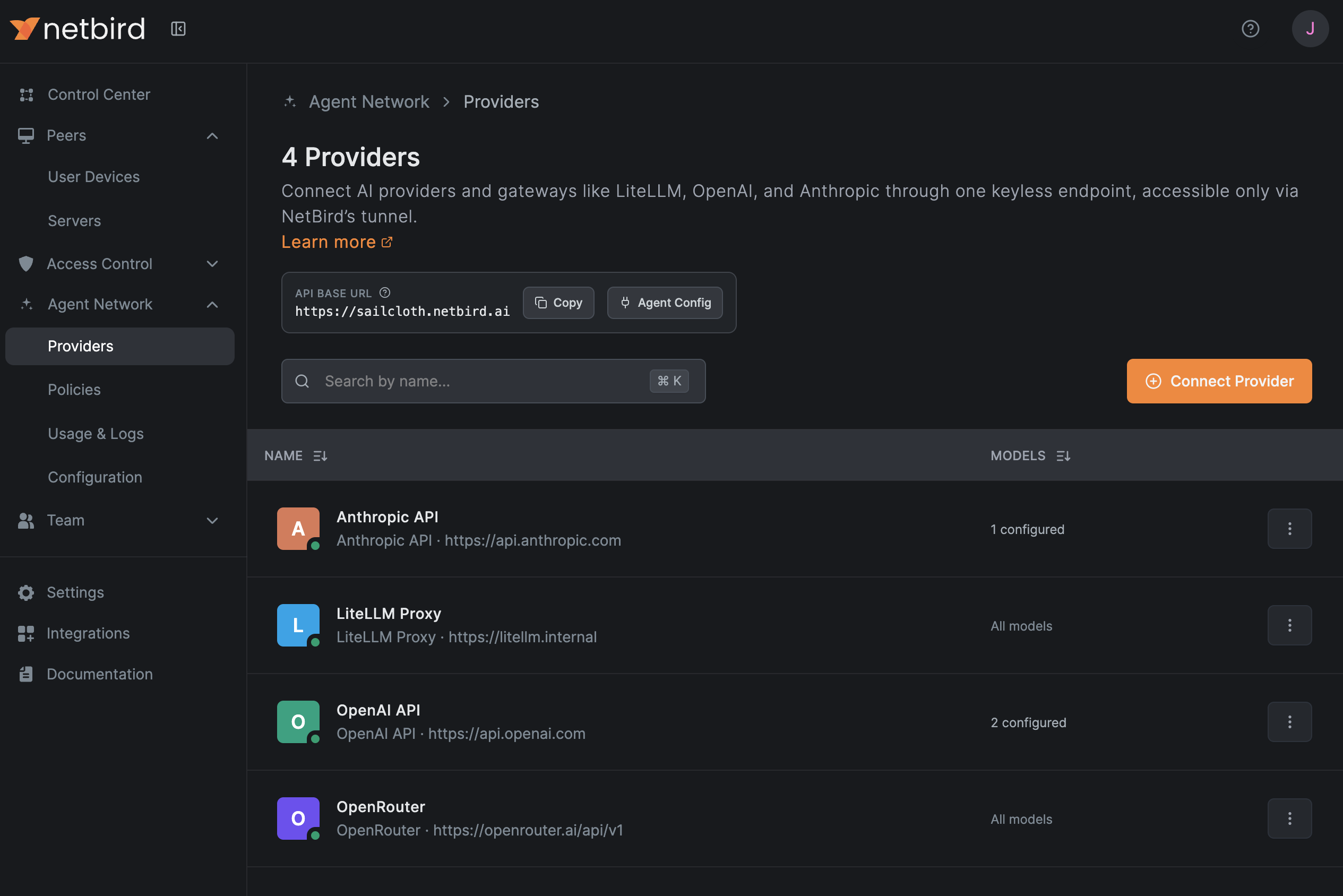
Supported Providers
When you connect a provider, the picker groups the catalog into first-party AI Providers, multi-provider AI Gateways, and a Custom catch-all.
AI Providers
First-party vendor APIs:
- OpenAI
- Anthropic
- Azure OpenAI
- AWS Bedrock
- Google Vertex AI
- Mistral
- Kimi (Moonshot AI)
AI Gateways
Routing and aggregation layers that sit in front of multiple providers. NetBird can also forward the calling agent's identity to these so the gateway can apply its own attribution and budgets (see How It Works):
- LiteLLM Proxy
- agentgateway
- Portkey AI Gateway
- Bifrost
- Cloudflare AI Gateway
- Vercel AI Gateway
- OpenRouter
Custom
- Custom / Self-hosted: any OpenAI-compatible endpoint, including local models served by Ollama, vLLM, or a private GPU host.
Connect a Provider
- Go to Agent Network → Providers and click Connect Provider.
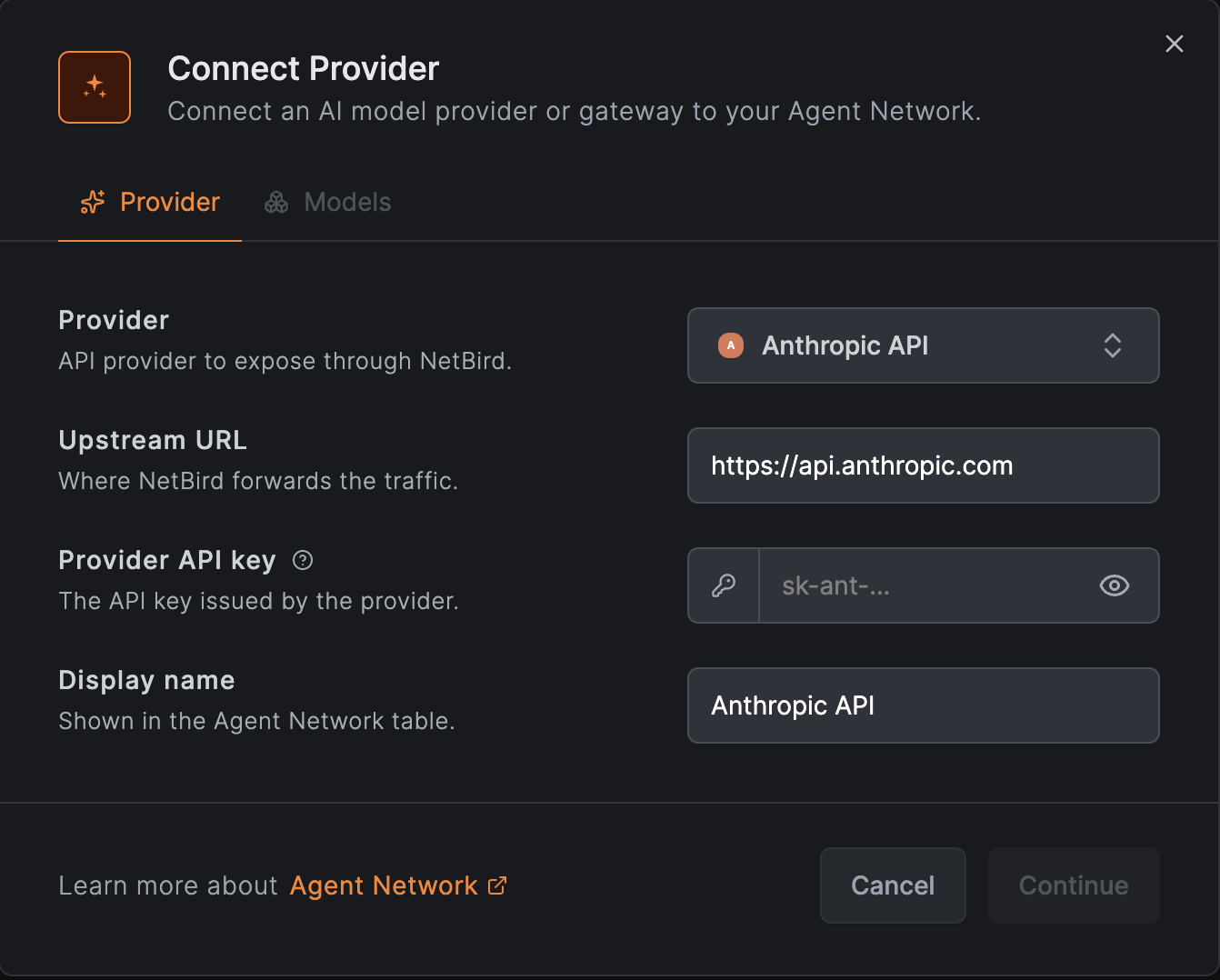
- Select the provider or gateway. NetBird pre-fills the upstream URL and the correct auth header for that vendor.
- Paste the provider's API key. It is stored encrypted server-side and never sent to callers.
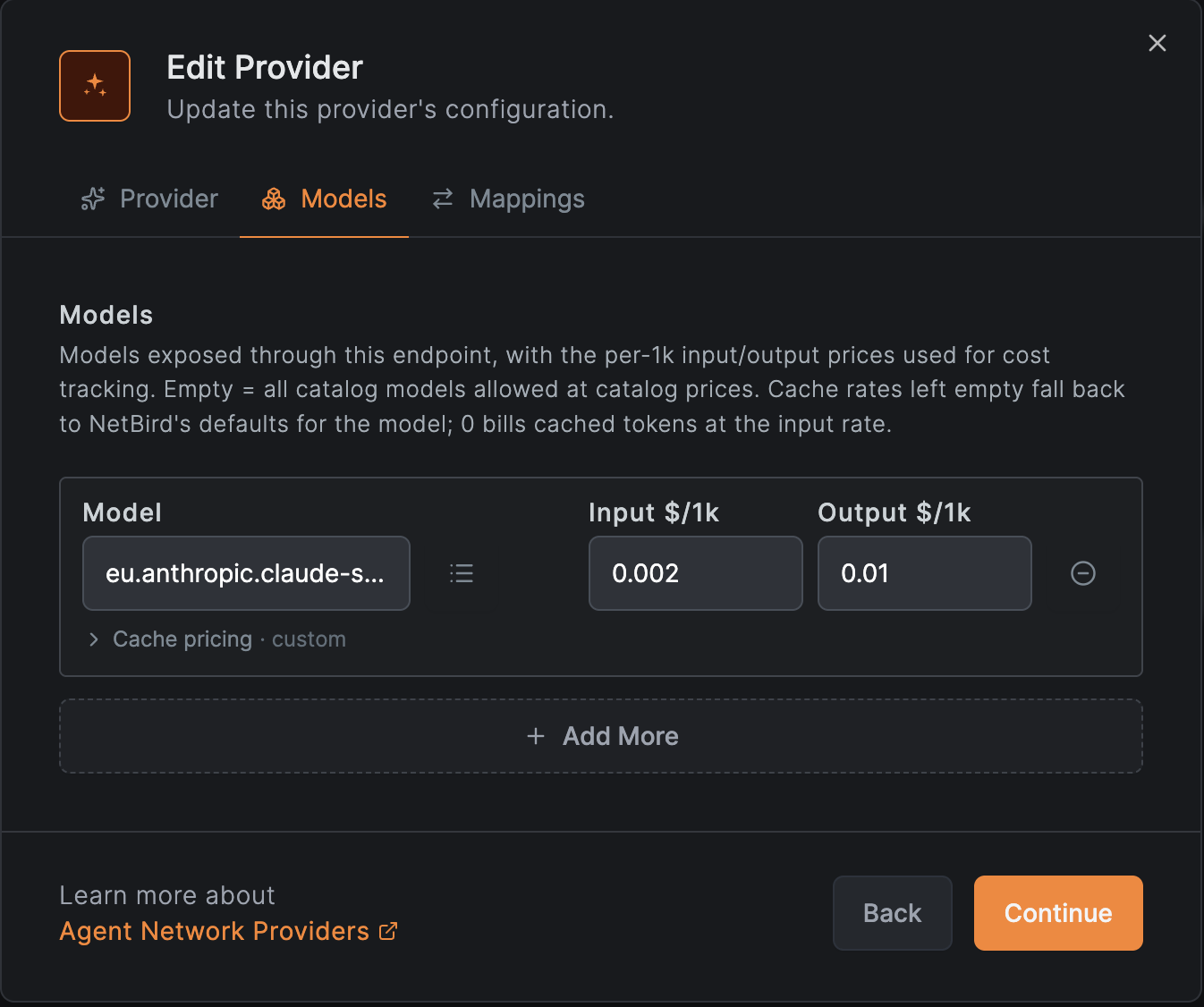
- (Optional) Restrict the allowed models and set per-model pricing used for cost estimates in usage and logs.
- (Optional, gateways) Fill any gateway-specific fields (for example a Portkey config ID) and the identity headers used for attribution.
- Save the provider.
Custom & Self-hosted Providers
Pick Custom / Self-hosted for any OpenAI-compatible endpoint that isn't a first-party vendor or a named gateway, a private inference server, an on-prem deployment, or a local model runtime like Ollama or vLLM (vLLM also has its own named entry). NetBird talks to it the same way it talks to OpenAI: you provide the Upstream URL where requests are forwarded and, if the endpoint requires one, an API key sent as a bearer token.
Skip TLS Verification
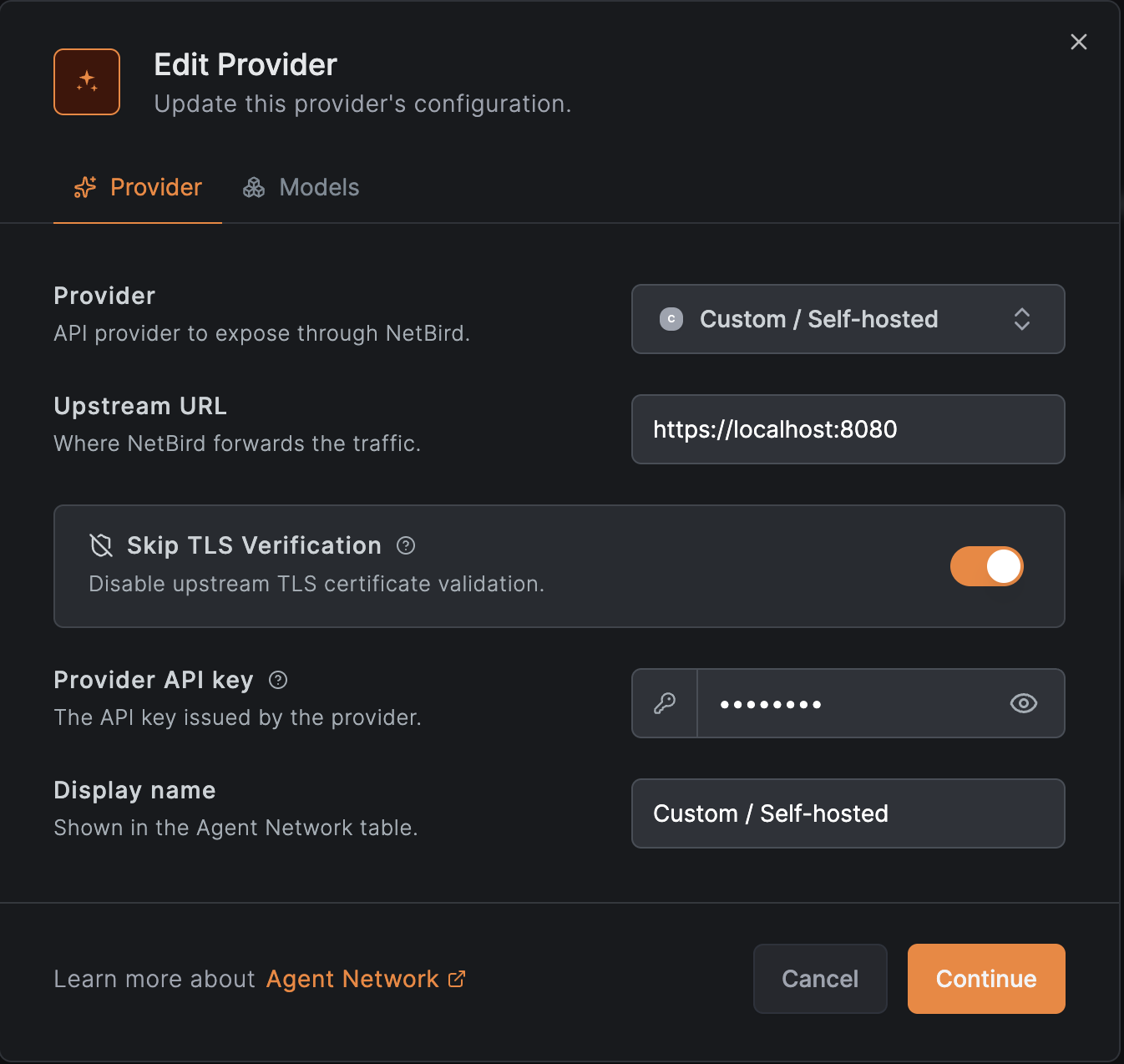
Self-hosted endpoints often serve HTTPS with a self-signed or otherwise untrusted certificate, which makes the proxy reject the connection with an unknown-certificate error. Enable Skip TLS Verification on a custom provider to disable upstream TLS certificate validation so requests go through anyway.
This turns off certificate checks for that provider's upstream traffic, which removes protection against man-in-the-middle attacks. Use it only for quick testing. For anything beyond that, mount your CA / trusted certificates on your proxy instances instead of skipping verification.
The switch appears only for custom (self-hosted) providers and is off by default.
Identity Metadata
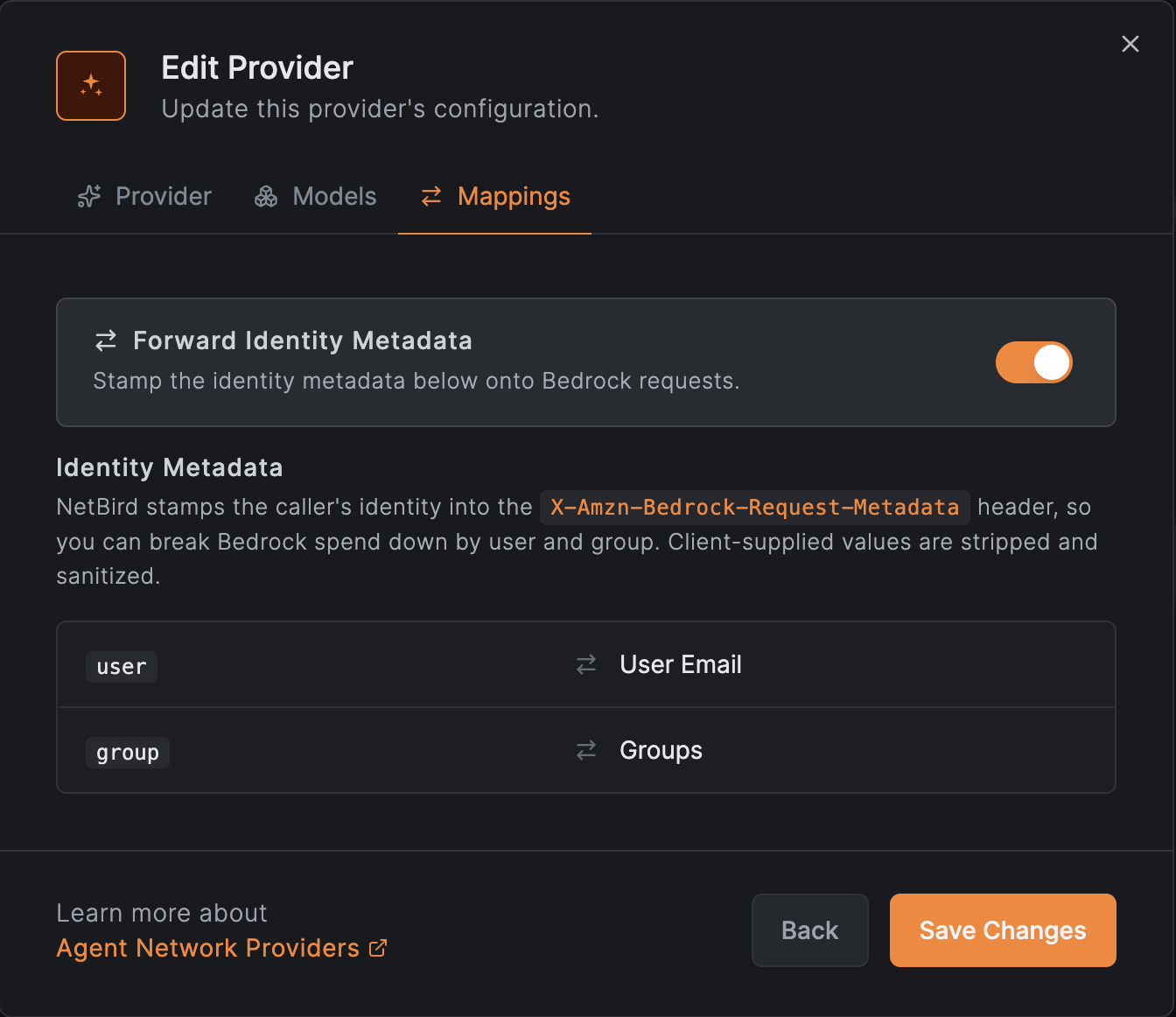
By default NetBird stamps the caller's user and the group that authorized the request onto each upstream request, so the provider or gateway can attribute usage to the real caller instead of the shared API key. The exact header or field is provider-specific. See the provider's integration guide for details (for example, AWS Bedrock carries it in a header used for cost-allocation tags, and AI gateways receive their own attribution headers).
This is controlled by the Forward identity metadata toggle on the provider, which is on by default and shown only for providers that support it (first-party APIs such as OpenAI or Anthropic have no such metadata channel, so the toggle doesn't appear for them). Turn it off to keep the caller's identity out of the upstream request.
Models and Pricing
Each provider carries a list of models it serves. Leaving the list empty makes the provider a catch-all that accepts any model (typical for gateways); listing specific models restricts routing to them. Per-model prices drive the cost figures shown in Usage & Logs; adjust them if your negotiated rates differ from the catalog defaults.
Each model has an input and output price per 1k tokens, plus optional cache rates that match how the provider bills prompt caching. Which cache fields apply depends on the provider's pricing surface: OpenAI-shape providers use a single cached input rate (cached tokens are a subset of the prompt), while Anthropic-shape providers, including Claude on Amazon Bedrock and Google Vertex AI, use separate cache read and cache creation rates (additive buckets on top of input). Gateways and custom providers expose all cache fields, since NetBird can't know the upstream shape ahead of time.
Leave a cache rate blank to inherit NetBird's default for that model when one exists; set it to 0 to bill that cache bucket at the plain input rate (no discount). See how caching is metered for how these buckets appear in the cost breakdown.
Self-hosters can seed the catalog defaults these fields prefill from with a
pricing file. See
server.agentNetwork.pricingDefaultsFile.
Adding a Model Not in the Catalog
If the model you need isn't in the picker, type its model ID directly into the Model field
instead of selecting from the list, for example eu.anthropic.claude-sonnet-5. A model NetBird
doesn't know has no catalog defaults, so set its input and output prices (and cache
rates, if applicable) yourself for usage and logs to report accurate costs.
The Keyless Endpoint
All connected providers share a single account endpoint, generated when you connect your first provider and reachable only over the NetBird overlay.
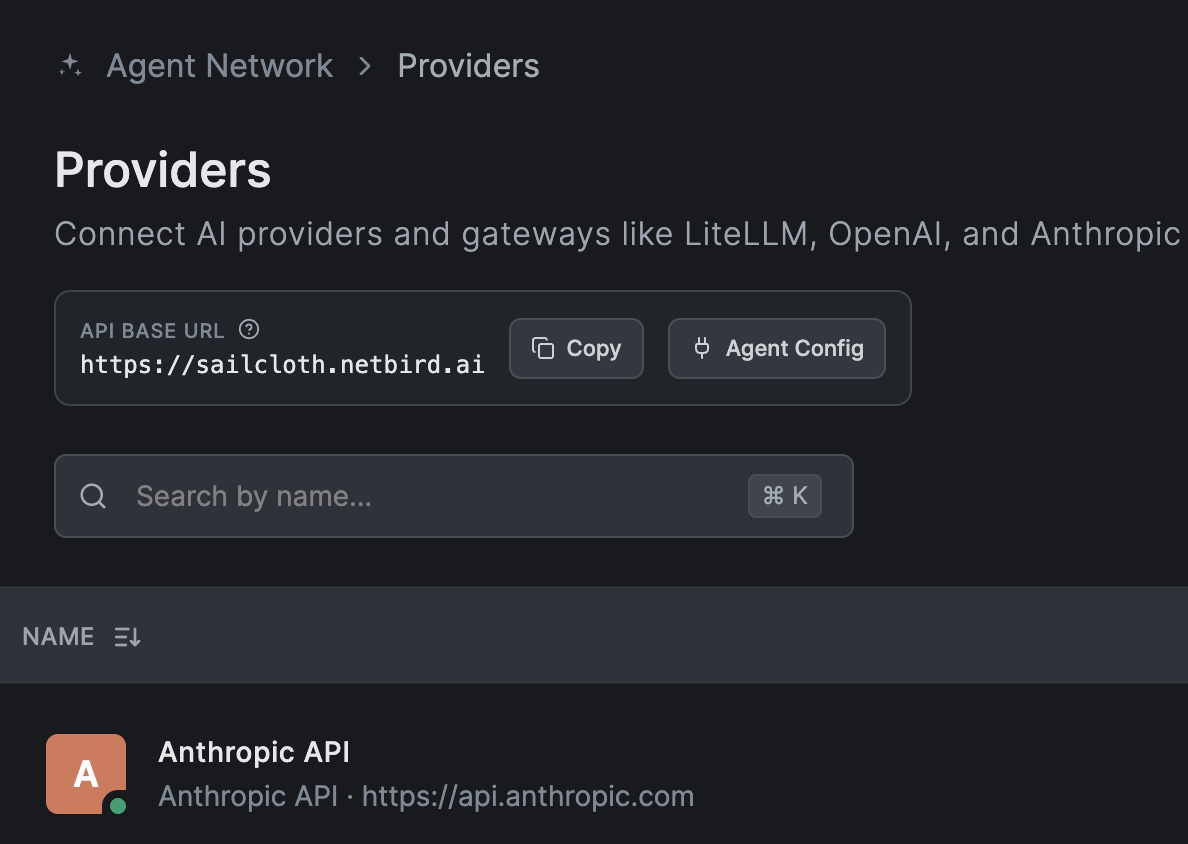
Agents send normal provider requests to the endpoint without an API key; which identities may reach which providers is governed by Policies.