

vLLM
Updated
vLLM is a high-throughput inference server for self-hosted models that exposes an OpenAI-compatible API. You run it yourself, typically on a GPU host inside the same network as the NetBird proxy, and connect it as a provider so agents reach it keyless over the tunnel, authorized by your policies.
This gives you keyless access to your private vLLM from anywhere: the endpoint stays off the public internet, and any authorized user or agent reaches it over the NetBird tunnel without shared API keys.
vLLM behaves like a custom / self-hosted provider; it simply has its own named entry in the provider picker.
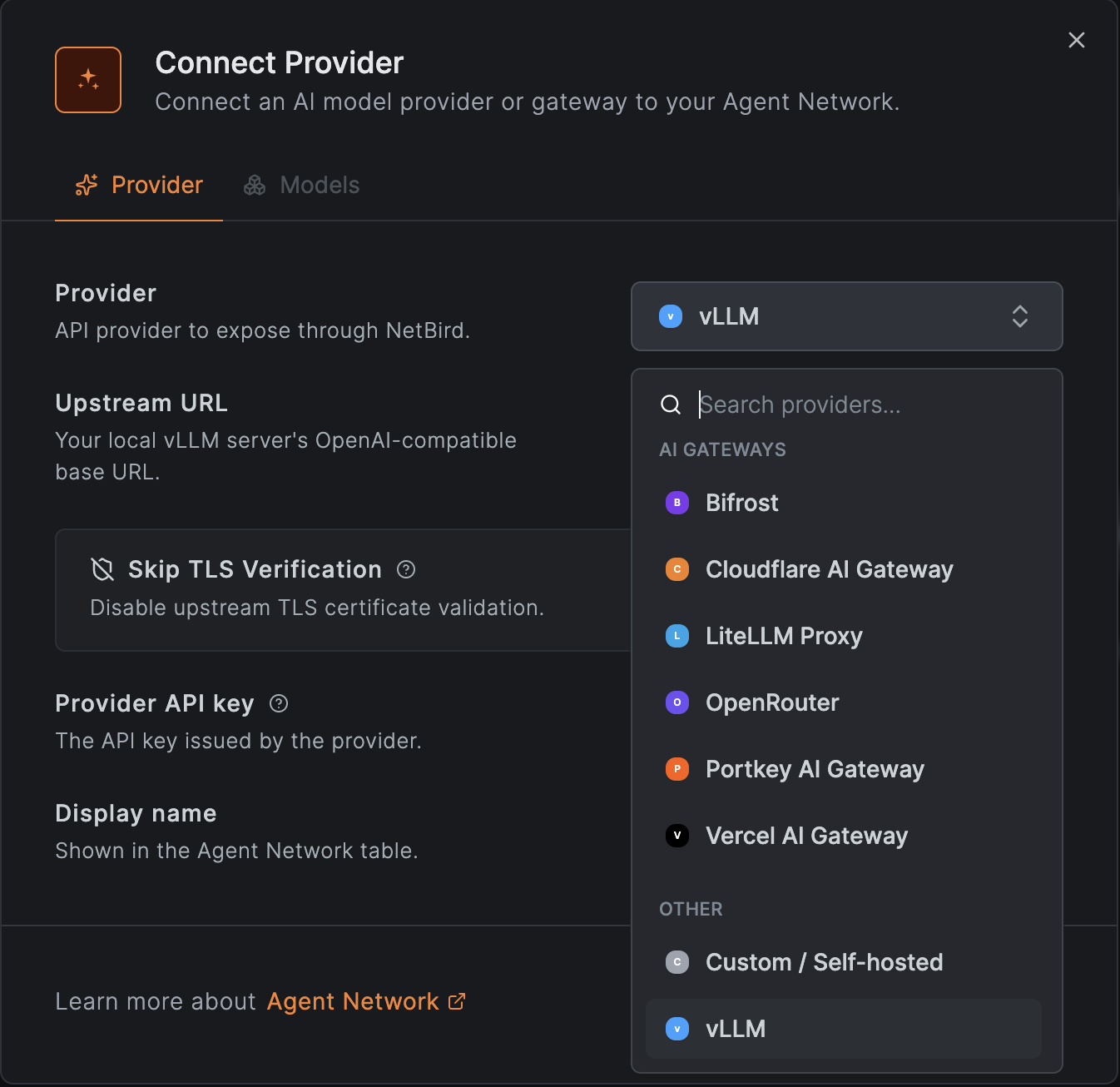
Connect vLLM as a Provider
Because vLLM is self-hosted, the upstream URL points at your own instance. Host it in the same network as the proxy so the proxy can reach it directly.
- Go to Agent Network → Providers and click Connect Provider.
- Select vLLM and set the Upstream URL to your vLLM server's OpenAI-compatible base
URL, for example
https://vllm.internal:8000. - If your vLLM server was started with an API key (
--api-key), paste it as the API key; NetBird stores it server-side and sends it as a bearer token. Leave it empty if the server requires none. - (Optional) Enable Skip TLS Verification if your vLLM endpoint serves a self-signed certificate. See Skip TLS Verification. Prefer mounting trusted certificates on your proxy instances for anything beyond testing.
- (Optional) List the models your server exposes with per-model pricing so cost shows up in Usage & Logs. Leaving the list empty accepts any model name the server serves.
- Save the provider.
Create a Policy
By default nothing is allowed: a policy must connect a source group to the vLLM provider before anyone can route through it.
- Go to Agent Network → Policies and add a policy.
- Set the Source to the users or agents who should be able to use vLLM (for example your
Engineeringgroup from your IdP). - Set the Provider to the vLLM provider you just connected.
- Optionally attach per-user or per-group token and budget limits and guardrails such as a model allowlist.
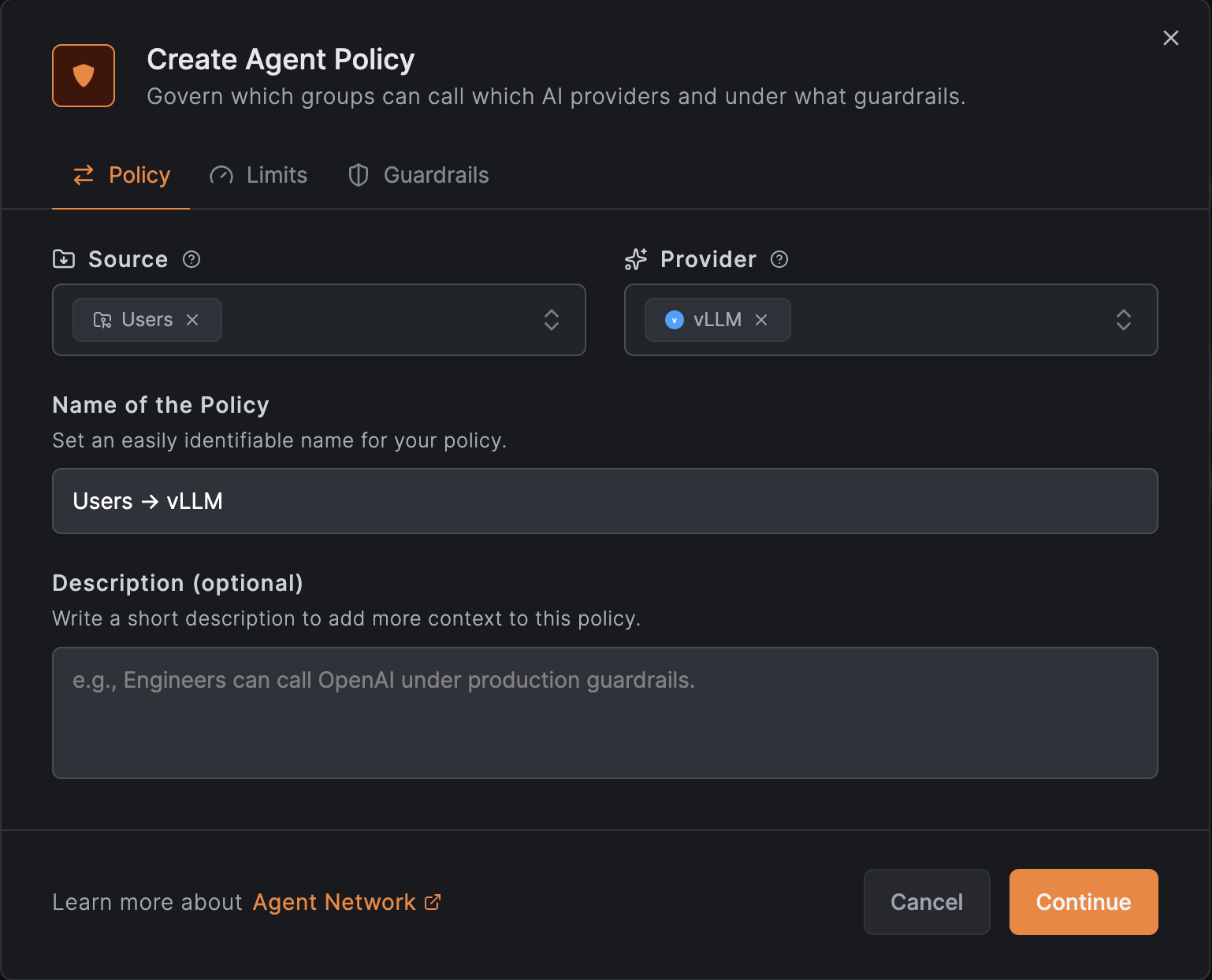
See Policies for details.
Result
Agents point at the NetBird endpoint with no key and call your vLLM models by name. NetBird enforces your policies, limits, and guardrails, then forwards the request to your vLLM server. Every call is recorded in Usage & Logs with the caller's identity, auth group, model, tokens, cost, and status.
vLLM speaks the OpenAI API shape, so point OpenAI-compatible clients at
https://<your-endpoint> and select a model your server hosts.