

Keyless Access to Codex
Updated
Configure Codex with a custom model provider that points at your agent network endpoint. NetBird injects the upstream key server-side, so the client stays keyless.
Running Codex through Agent Network turns it from a tool that needs a shared OpenAI key into one your team reaches with their existing identity:
- Keyless access through your IdP. No OpenAI API key is distributed to or stored on any developer's machine. Each person runs Codex over the NetBird tunnel, and the request is tied to their real identity from your identity provider (Okta, Microsoft Entra ID, Google, …). Onboarding and offboarding follow the same IdP groups you already manage. There's no key to hand out, copy, or revoke.
- Usage tracking per developer and group. Every request is metered by identity, model, tokens, and cost, so you can see exactly who is using Codex and how much it costs, broken down per person and aggregated per IdP group (team, department, project) in Usage & Logs.
- Budget and token limits. Attach per-user or per-group token and spend caps over a rolling window in your policies, so Codex usage stays within budget and a single user can't run up the whole account's bill.
The rest of this page walks through connecting the provider and pointing Codex at your endpoint.
Connect the Provider
- Go to Agent Network → Providers and click Connect Provider.
- Select OpenAI (or another OpenAI-compatible provider or gateway) and paste its API key.
- Save the provider. The key is now held server-side, the next step authorizes who can use it.
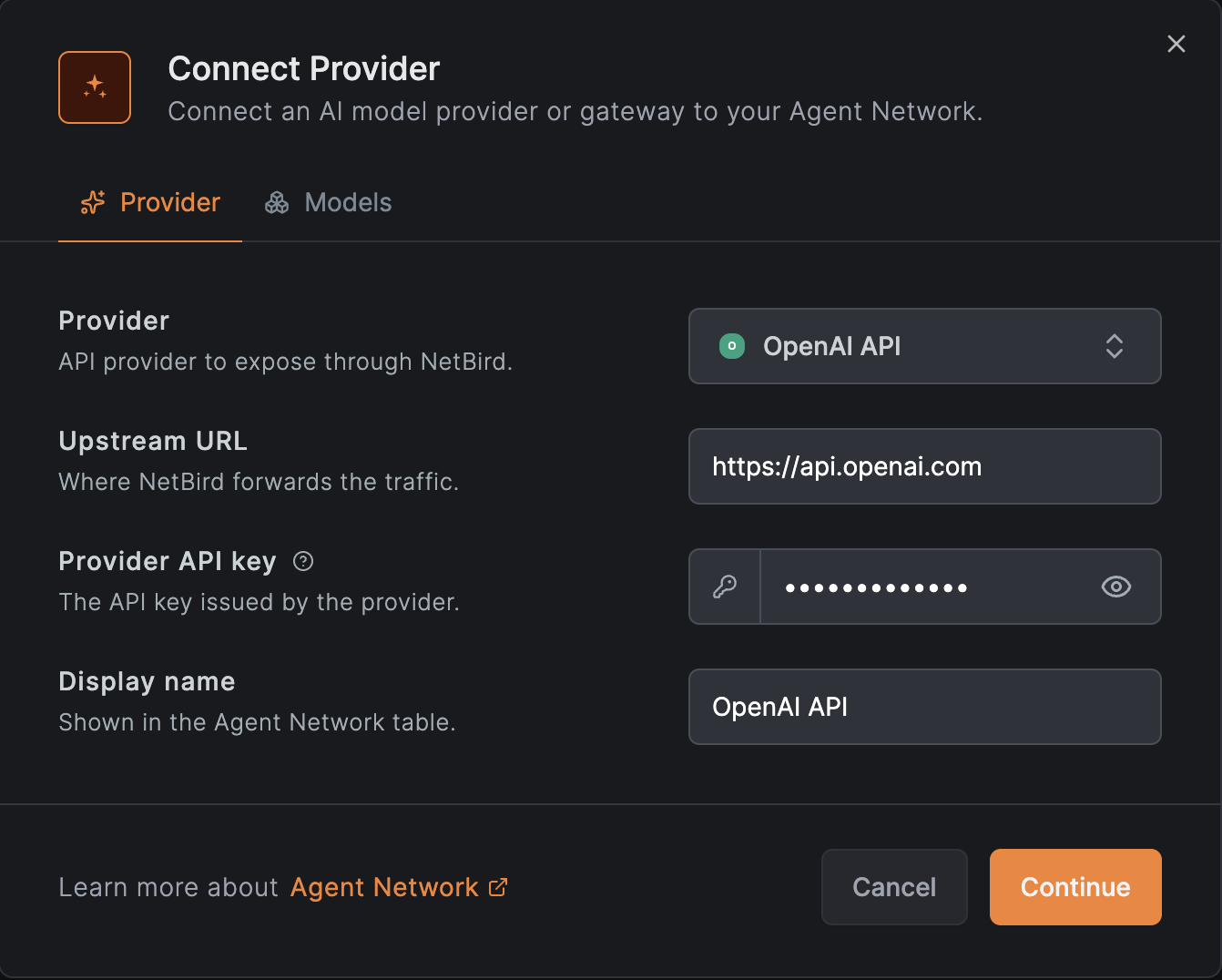
See Providers for details.
Create a Policy
By default nothing is allowed: a policy must connect a source group to the OpenAI provider before anyone can route Codex through it.
- Go to Agent Network → Policies and add a policy.
- Set the Source to the users or agents who should be able to use Codex (for example
your
Engineeringgroup from your IdP). - Set the Provider to the OpenAI provider you just connected.
- Optionally attach per-user or per-group token and budget limits so Codex usage stays within budget, and guardrails such as a model allowlist.
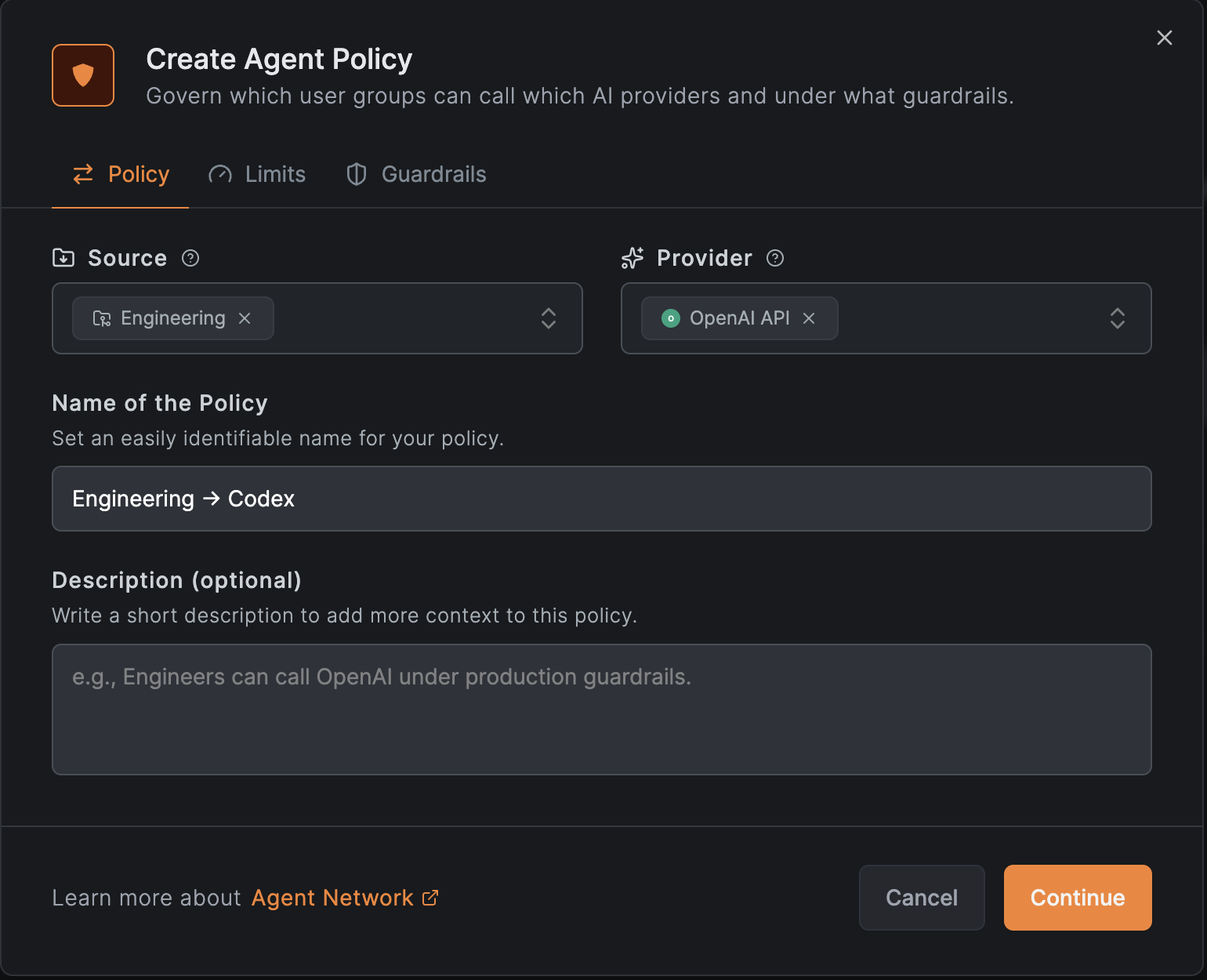
See Policies for details.
Configure with config.toml
config.tomlAdd a model provider to ~/.codex/config.toml and select it as the default:
model_provider = "netbird"

[model_providers.netbird]
name = "NetBird"
base_url = "https://<your-endpoint>/v1"
wire_api = "responses"
wire_api = "responses" tells Codex to use the OpenAI Responses API that it expects. The
/v1 suffix is the OpenAI-compatible base path on your endpoint.
Once saved, Codex routes through NetBird, where each request is tied to your identity, evaluated against your policies and limits, and recorded in Usage & Logs.