

AWS Bedrock
Updated
Amazon Bedrock serves Anthropic's Claude models alongside Meta Llama and Amazon Nova on AWS. Connecting it behind NetBird gives your agents keyless access over the tunnel: NetBird holds the Bedrock API key server-side, ties every request to a real identity from your IdP, and applies your policies, limits, and audit on the way to Bedrock.
Bedrock authenticates with a Bedrock API key, a long-term key you generate in AWS that NetBird injects as a bearer token on every request. You create the key once, hand it to NetBird, and it stays server-side.
Prerequisites
- An AWS account with Amazon Bedrock available in your target region.
- Model access granted for the models you plan to use (Amazon Bedrock console → Model access), per region.
- Permission to generate a Bedrock API key.
Generate a Bedrock API Key
In the AWS console, open Amazon Bedrock → API keys and generate a long-term API key. See Bedrock API keys for details.
The Bedrock API key grants access to models in your AWS account. Treat it as a secret: store it securely, never commit it to source control, and delete the local copy once it's stored in NetBird.
Connect the Provider
- Go to Agent Network → Providers and click Connect Provider.
- Select AWS Bedrock. Set the Upstream URL to your region's Bedrock runtime host,
for example
https://bedrock-runtime.us-east-1.amazonaws.com. Bedrock is region-specific, so the host must include the region you enabled model access in. - Paste the Bedrock API key. NetBird stores it encrypted server-side, injects it as
Authorization: Bearer …on each request, and never returns it to callers. - (Optional) Restrict the allowed models, for example
anthropic.claude-opus-4-8,anthropic.claude-sonnet-4-6,meta.llama3-3-70b-instruct, oramazon.nova-pro. Leaving the list empty allows any catalog model. - Save the provider. The key is now held server-side, the next step authorizes who can use it.
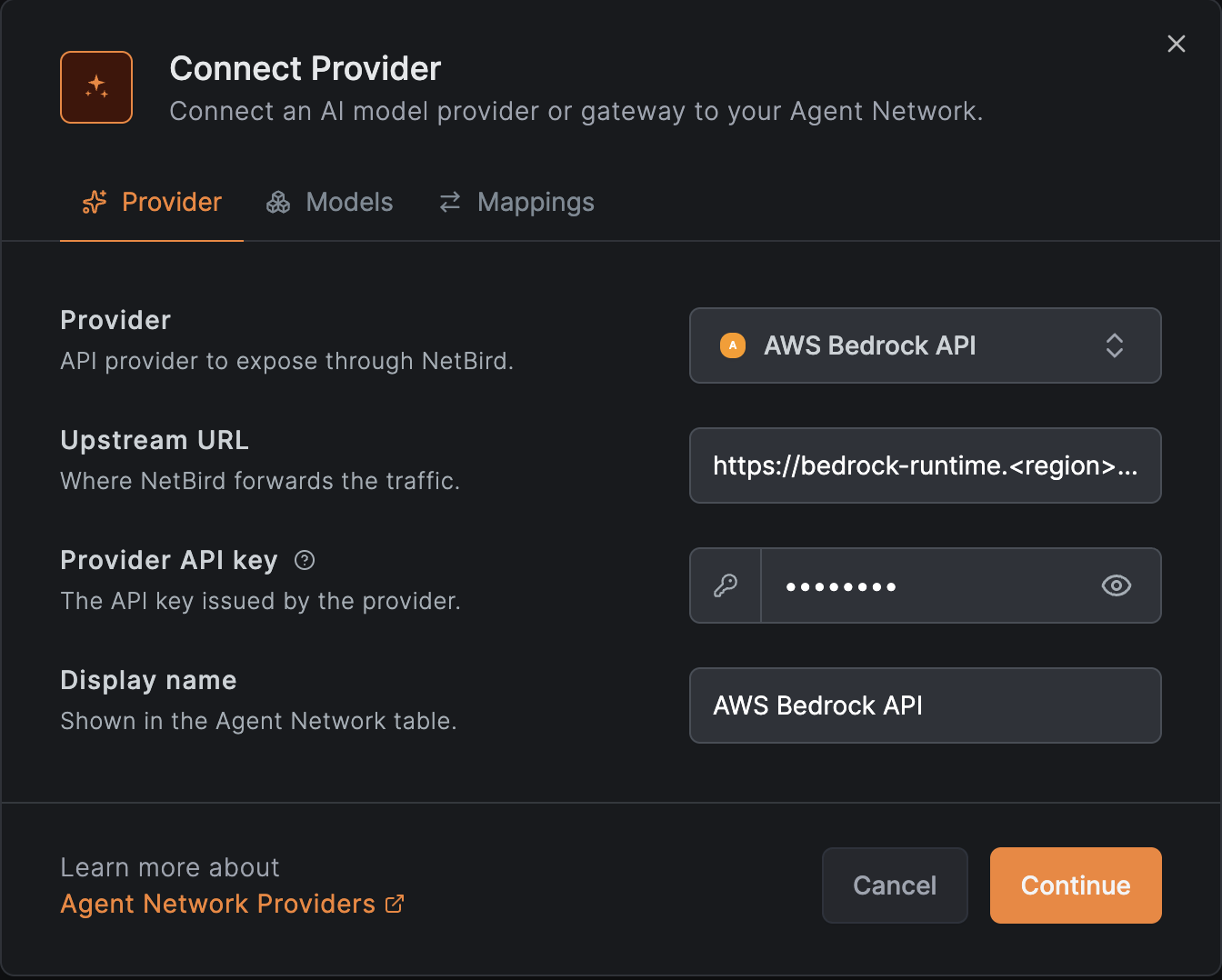
See Providers for details.
Cross-Region Inference Profiles
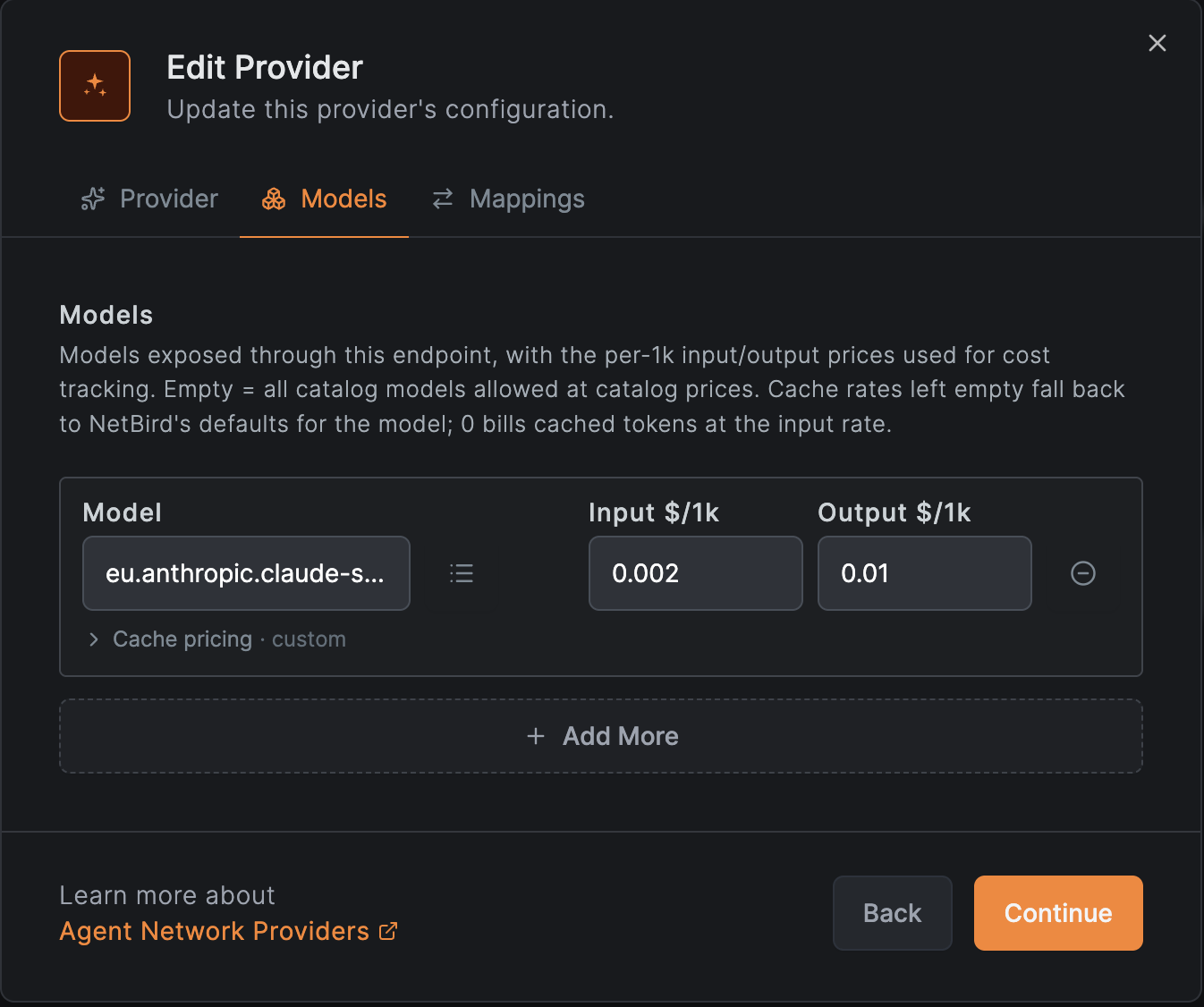
Bedrock also exposes cross-region inference profiles, model IDs prefixed with a geography
code such as eu. or us., that route a request across a set of regions instead of pinning
it to one. If the profile you need isn't in the picker, add it the same way as any
model not in the catalog: type
the full profile ID into the Model field on the Models tab, for example
eu.anthropic.claude-sonnet-5, and set its input/output pricing yourself.
Create a Policy
By default nothing is allowed: a policy must connect a source group to the Bedrock provider before anyone can route through it.
- Go to Agent Network → Policies and add a policy.
- Set the Source to the users or agents who should be able to reach Bedrock (for example
your
Engineeringgroup from your IdP). - Set the Provider to the AWS Bedrock provider you just connected.
- Optionally attach per-user or per-group token and budget limits and guardrails such as a model allowlist.
See Policies for details.
Cost Allocation
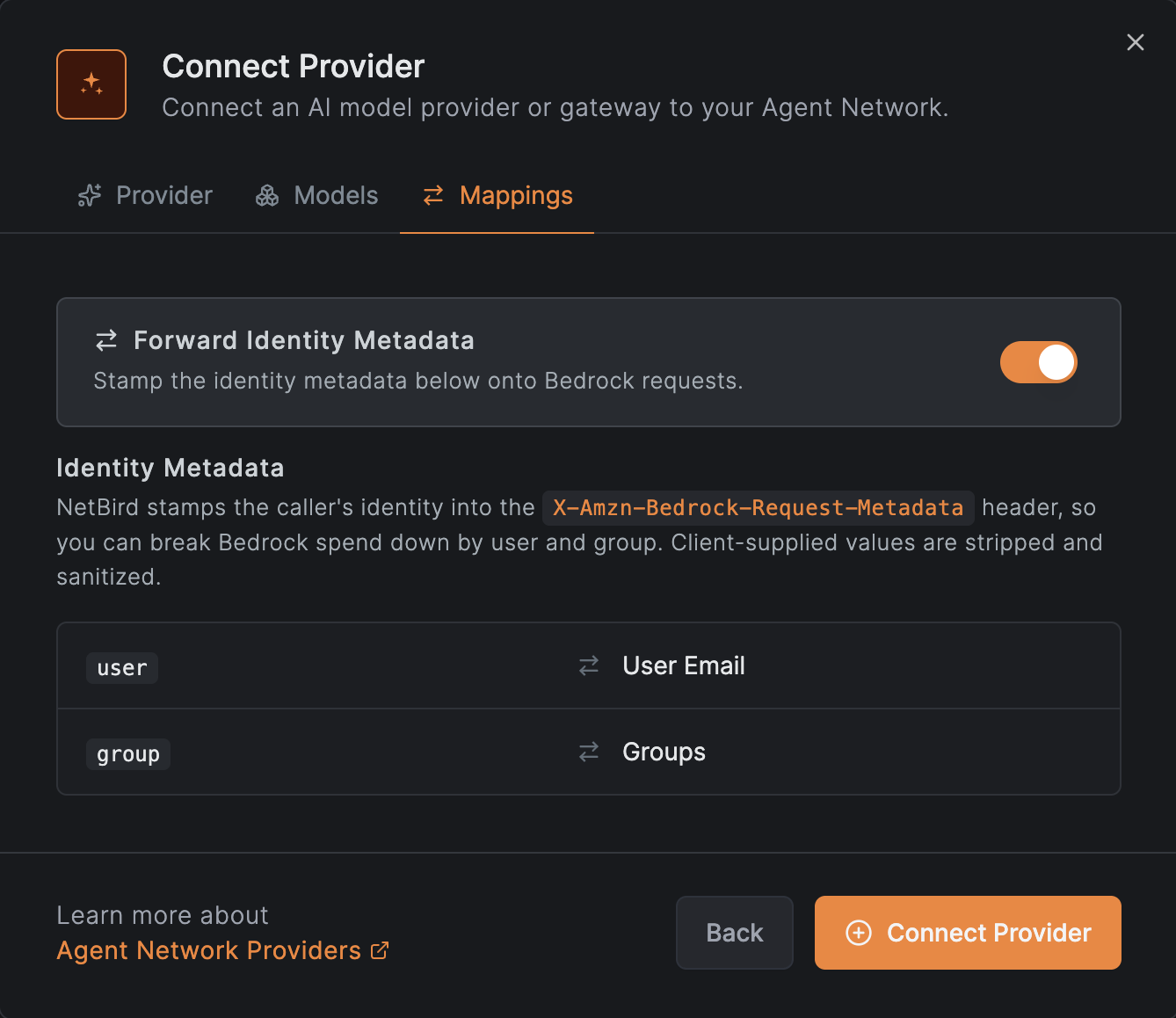
NetBird forwards the caller's identity to every provider by default. See
Identity Metadata for the general behavior and
how to turn it off. For Bedrock that identity lands in the
X-Amzn-Bedrock-Request-Metadata
header, the one AWS reads for cost-allocation tags, carrying the caller's user and the
group that authorized the request:
X-Amzn-Bedrock-Request-Metadata: {"user": "user@example.com", "group": "engineering"}
Activate the matching cost-allocation tags in AWS Billing and Cost Management → Cost allocation tags; Bedrock spend in AWS Cost Explorer can then be broken down by NetBird user and group. Values are sanitized to Bedrock's accepted character set before they are sent.
The provider's Mappings tab shows exactly what NetBird sends:
Use with Claude Code
To route Claude Code through this Bedrock provider instead of the Anthropic API. See Use Claude on AWS Bedrock on the Claude Code integration page.
Rotating the key is a single server-side change in NetBird: generate a new Bedrock API key, update the provider's credential, then disable the old key in AWS.