

PocketID with NetBird Self-Hosted
Updated
PocketID is a simplified identity management solution designed for self-hosted environments, offering a lightweight and easy-to-deploy option for authentication.
PocketID is secure and effective but makes some tradeoffs in terms of features. Notably, it does not allow scoping the access of API Tokens. Keep careful track of the token used by NetBird for management.
Management Setup (Recommended)
Add PocketID as an external IdP directly in the NetBird Management Dashboard. This is the simplest approach and recommended for most deployments.
Prerequisites
- NetBird self-hosted with embedded IdP enabled
- PocketID instance with admin access
Step 1: Create OIDC Client in PocketID
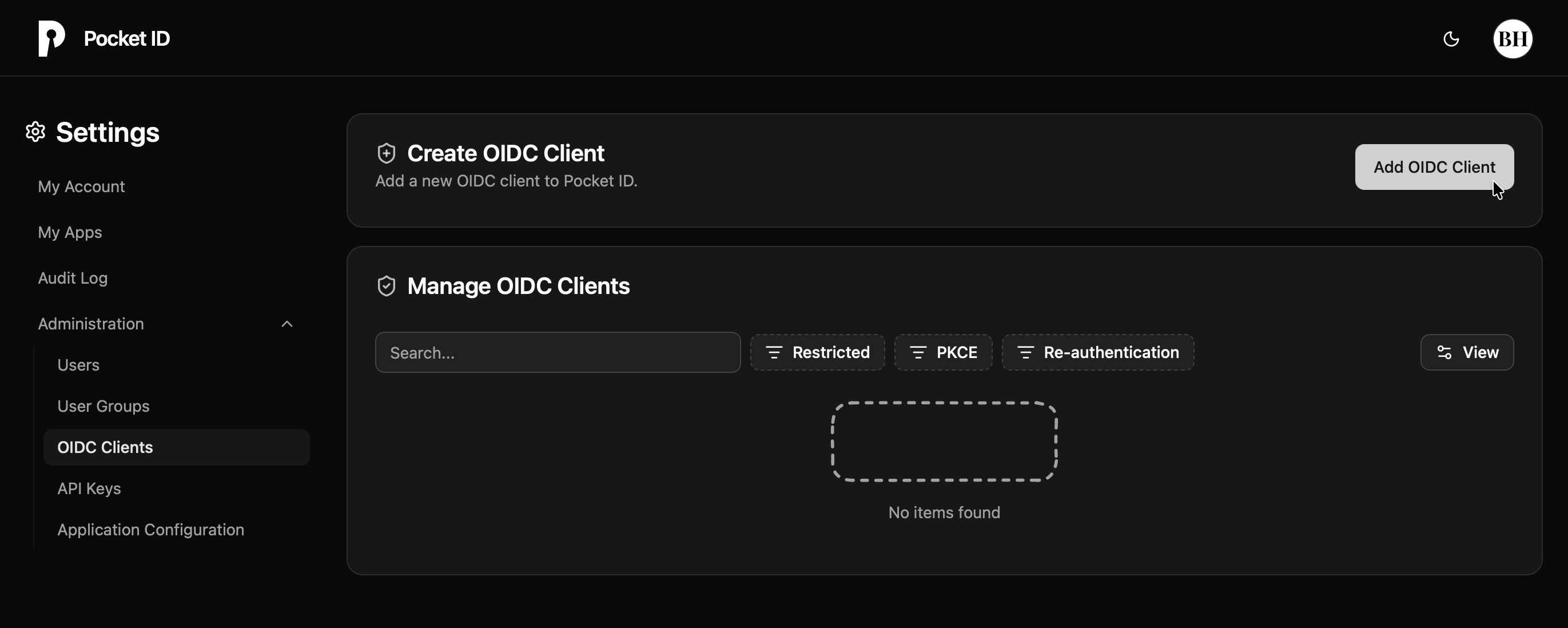
- Navigate to PocketID console
- Click the Administration dropdown in the left-hand bar
- Select OIDC Clients
- Click Add to create a new client
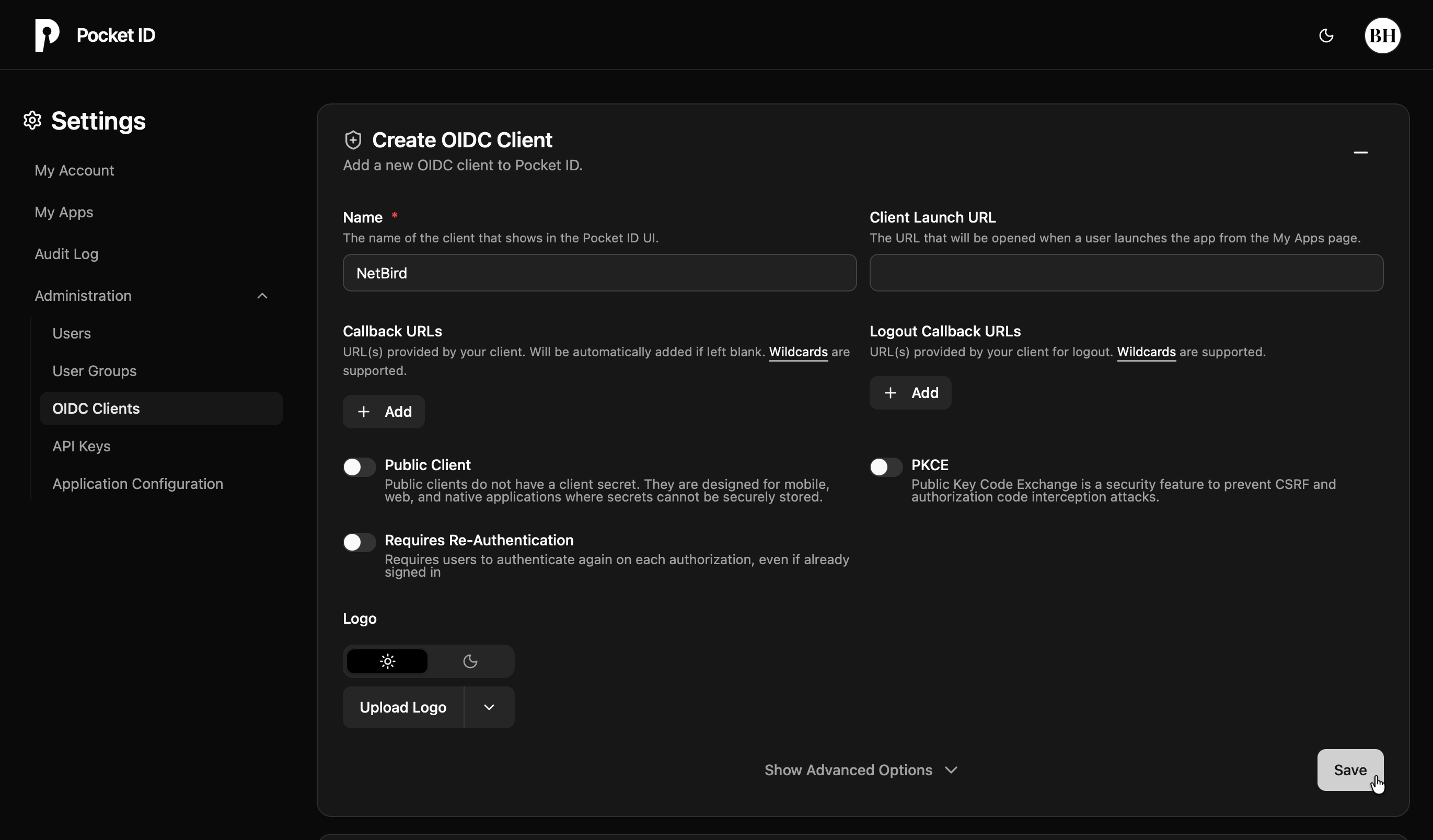
- Fill in the form:
- Name:
NetBird - Public Client: Off (for confidential client)
- PKCE: Off
- Name:
- Click Save
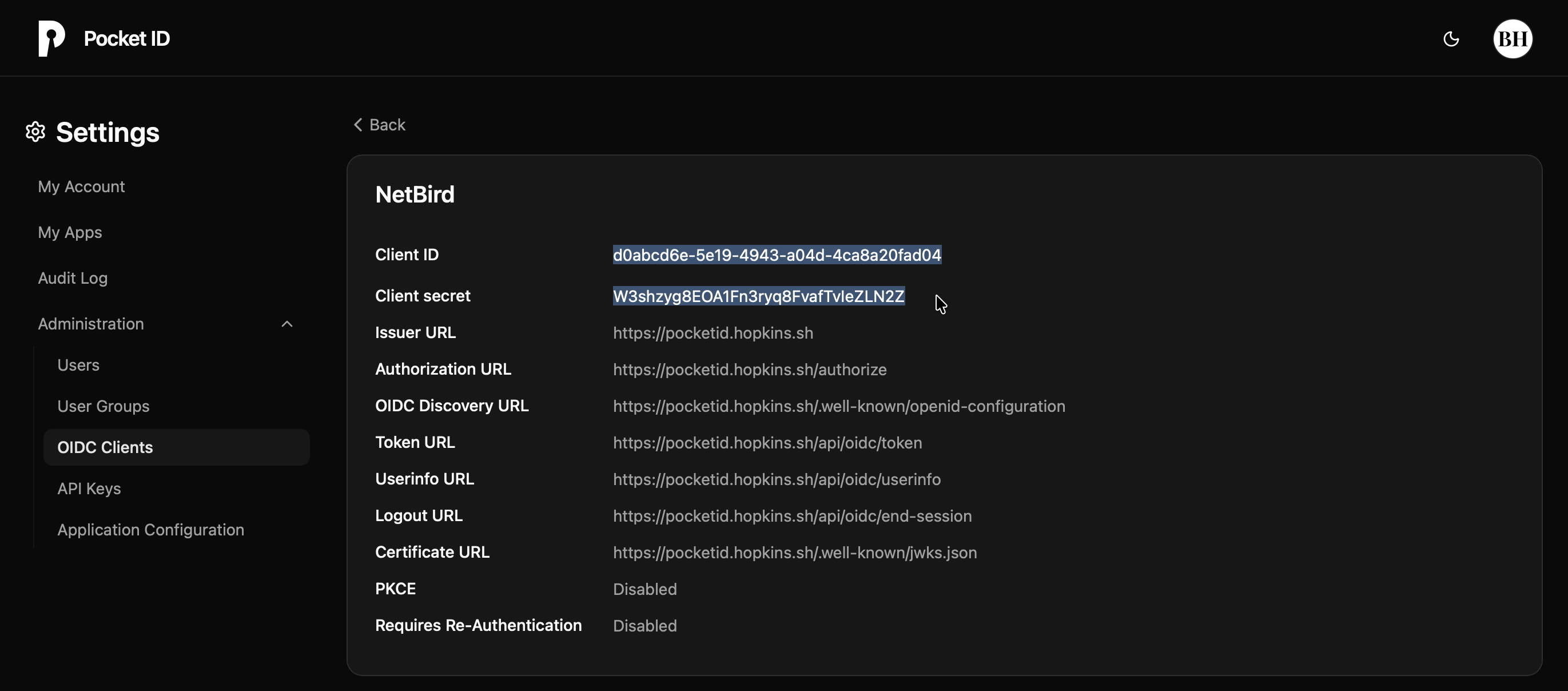
- Note the Client ID and Client Secret
Step 2: Add Identity Provider in NetBird
- Log in to your NetBird Dashboard
- Navigate to Settings → Identity Providers
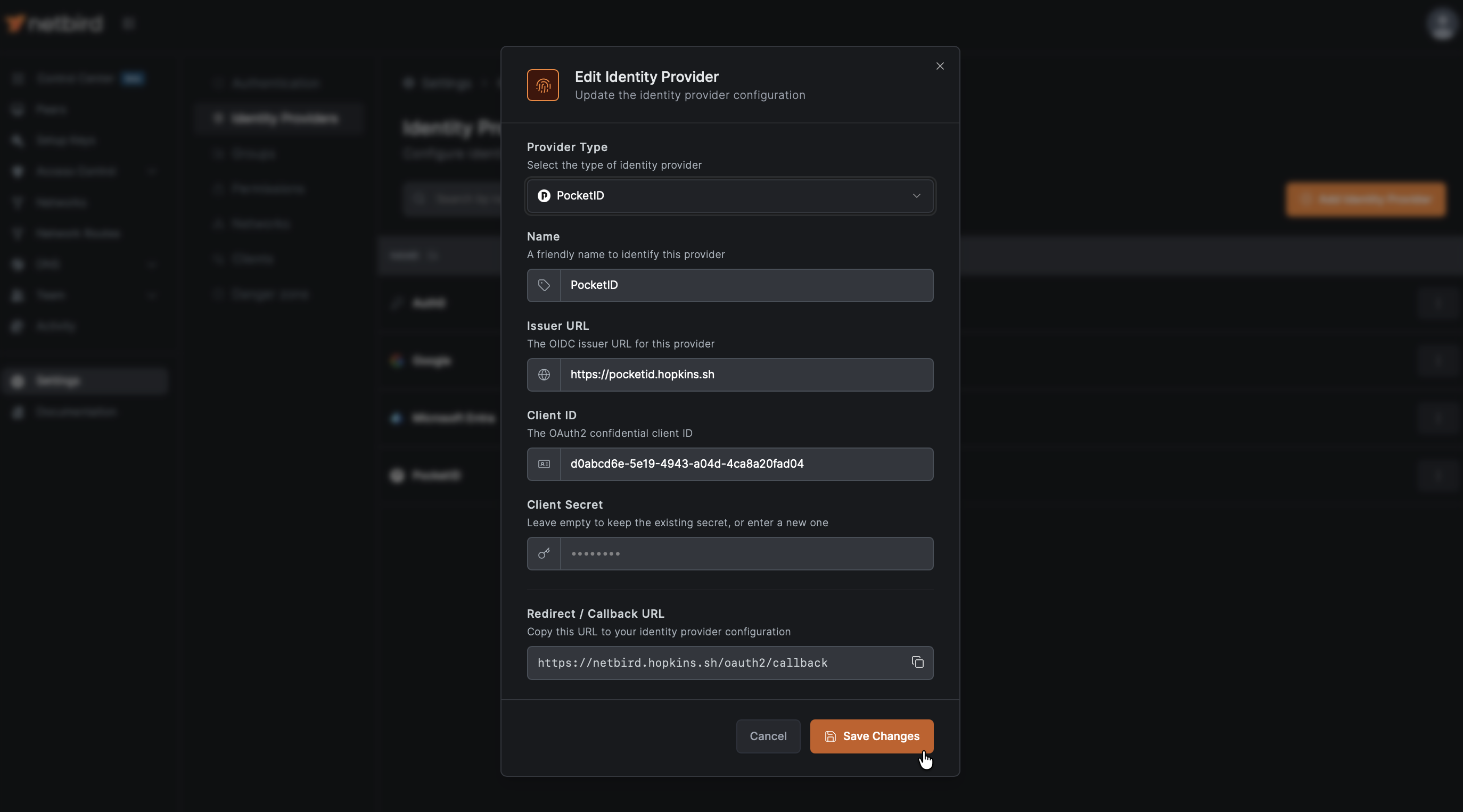
- Click Add Identity Provider
- Fill in the fields:
| Field | Value |
|---|---|
| Type | PocketID |
| Name | PocketID (or your preferred display name) |
| Client ID | From PocketID |
| Client Secret | From PocketID |
| Issuer | https://pocketid.example.com |
Important: Make sure not to add a trailing slash "/" after the issuer URL for PocketID. This differs from some of the other providers.
- Click Save
Step 3: Configure Redirect URI
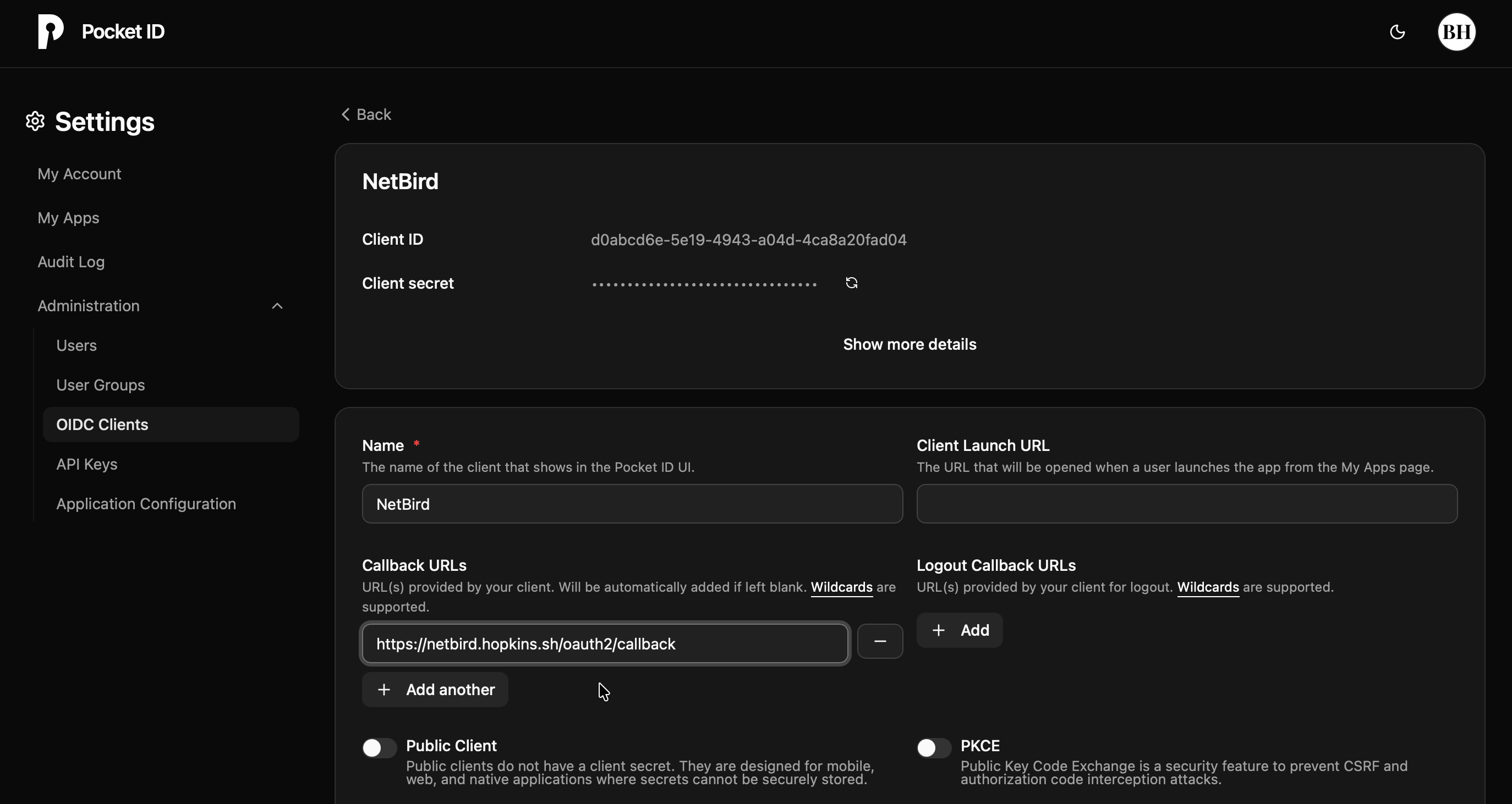
After saving, NetBird displays the Redirect URL. Copy this URL and add it to your PocketID client:

- Return to PocketID console → OIDC Clients
- Edit your NetBird client
- Add the redirect URL to Callback URLs
- (Optional) In Logout Callback URLs, add
https://netbird.example.com/oauth2/logout/callback(replacenetbird.example.comwith your NetBird dashboard domain) so logout redirects back to NetBird cleanly
- (Optional) In Logout Callback URLs, add
- Click Save
Step 4: Create User Group and Assign to Client
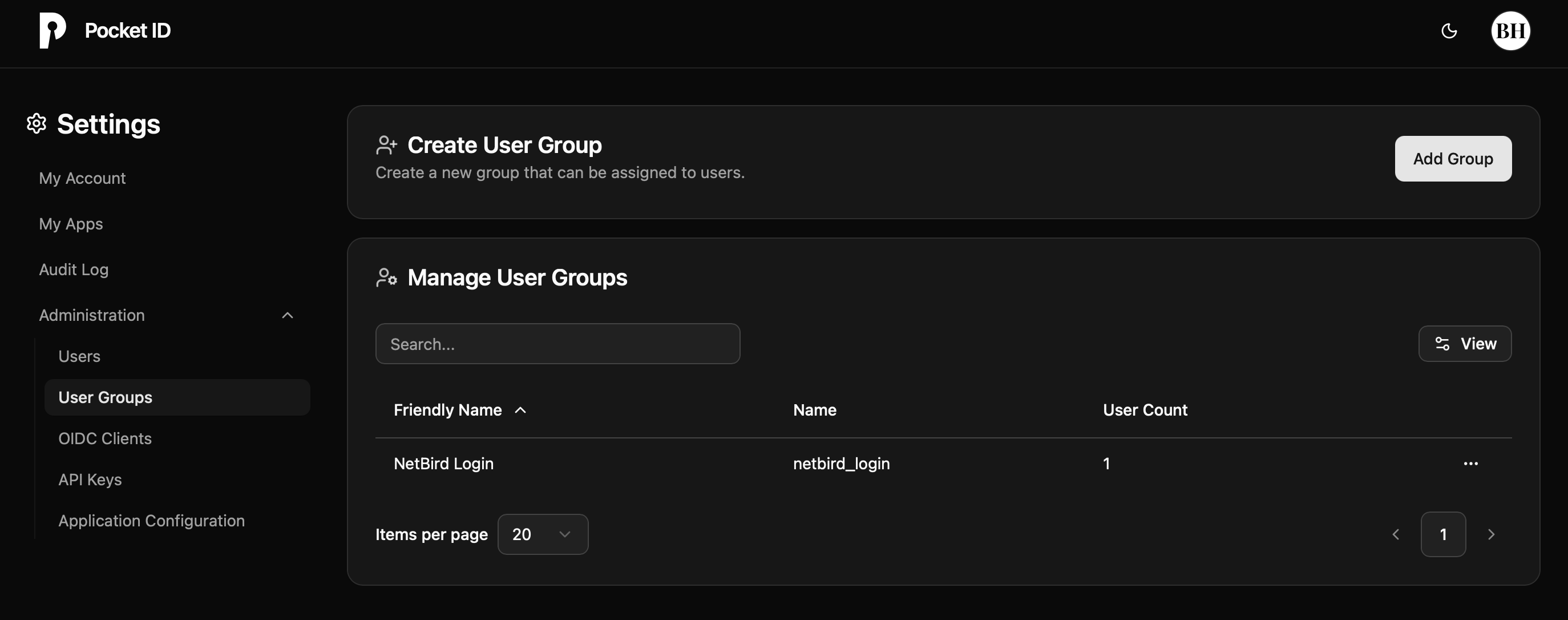
- Return to PocketID console → User Groups
- Click Add to create a new group
- Fill in:
- Name:
NetBird
- Name:
- Click Save
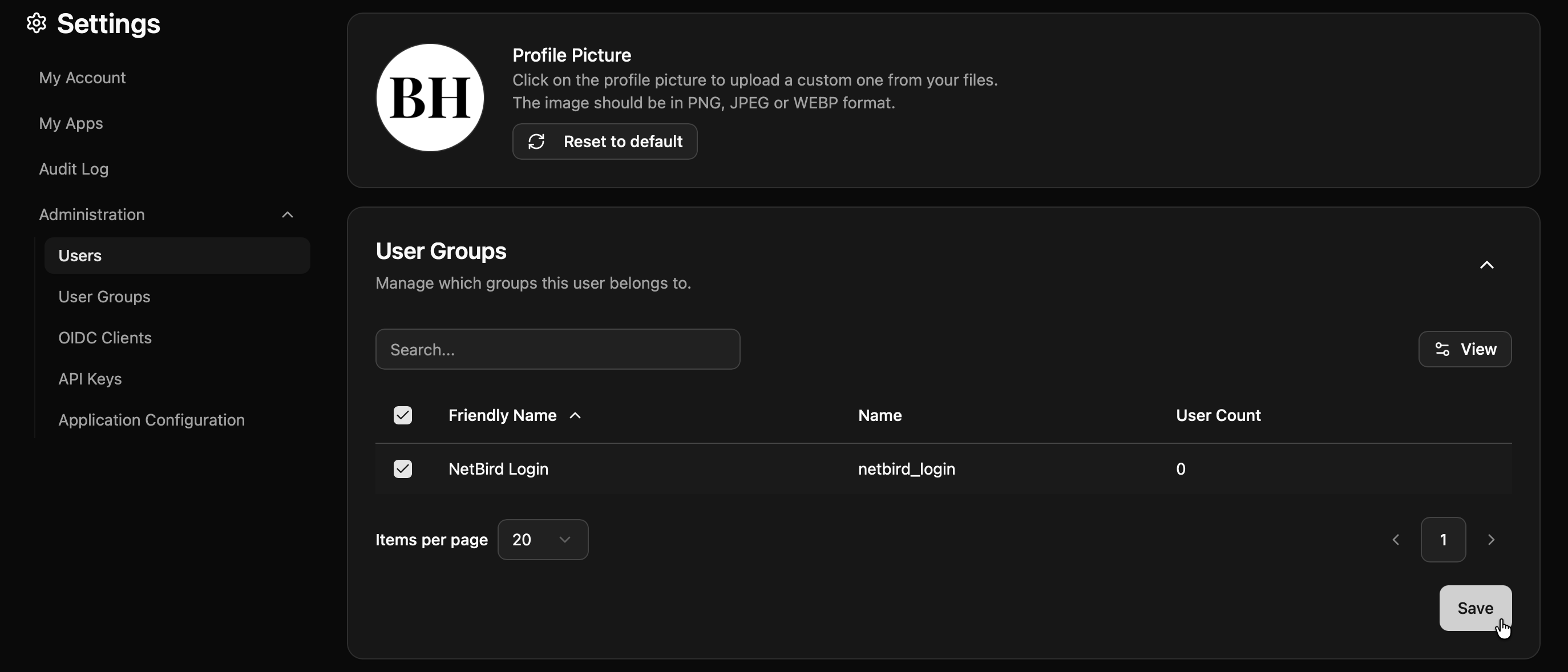
- Add users to the NetBird group:
- Click on the NetBird group
- Click Add Users
- Select the users who should have access to NetBird
- Click Save or Add
- Go to OIDC Clients → NetBird (the client you created earlier)
- Find the Groups or User Groups section
- Add the NetBird group to the client
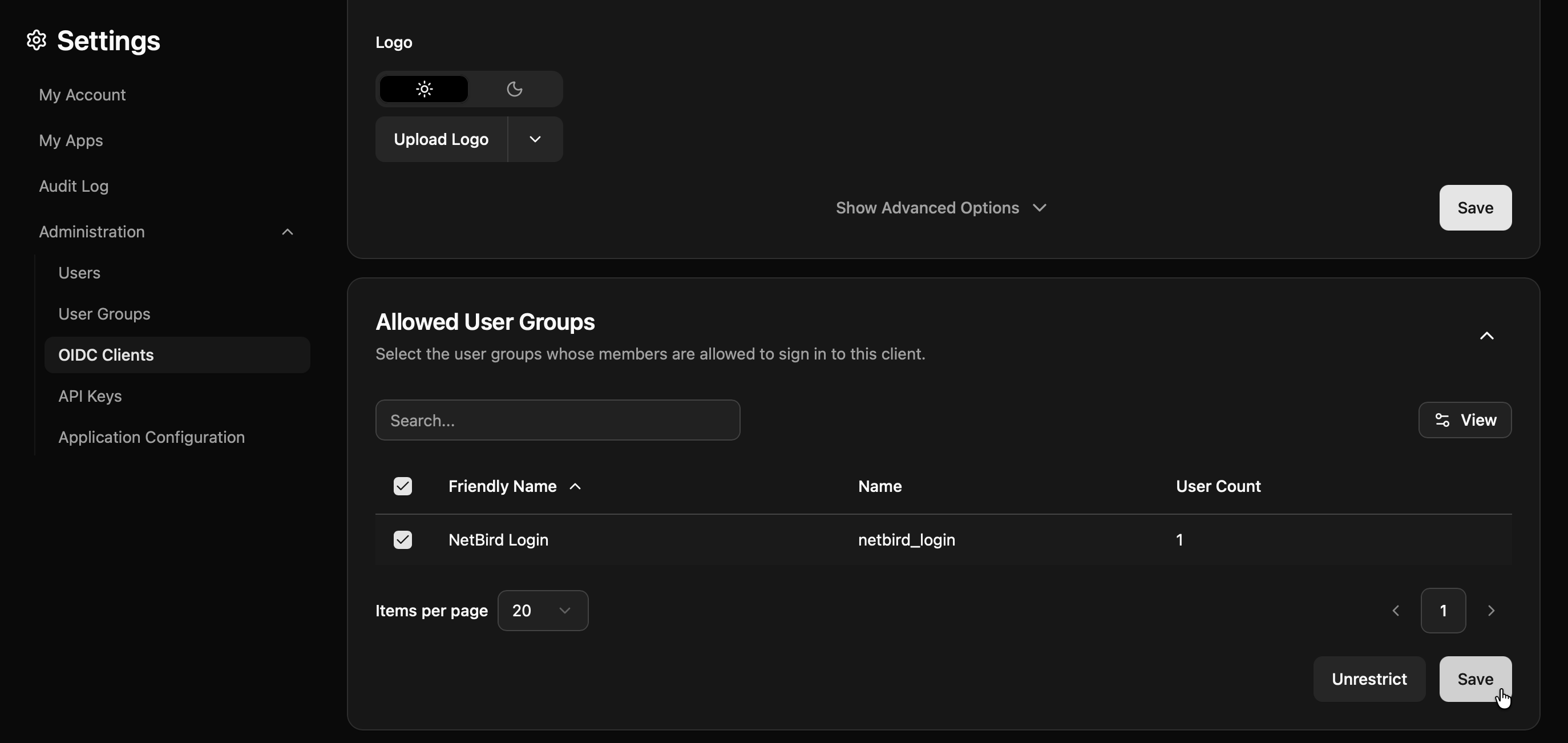
- Click Save
Step 5: Test the Connection
- Log out of NetBird Dashboard
- On the login page, you should see a "PocketID" button
- Click it and authenticate with your PocketID credentials
- You should be redirected back to NetBird and logged in
Configuring JWT 'groups' Claim
PocketID includes user groups in the ID token by default when you've assigned groups to users and linked those groups to the OIDC client. If you followed Step 4 above, groups should already be included in the token.
Verify Groups Are Included
- Ensure you've created a User Group in PocketID (Step 4)
- Ensure users are assigned to the group
- Ensure the group is linked to your NetBird OIDC client
Enable JWT Group Sync in NetBird
- In NetBird Dashboard, go to Settings → Groups
- Enable JWT group sync
- Set JWT claim to
groups - Optionally configure JWT allow groups to restrict access to users in specific PocketID groups
PocketID restricts OIDC client access based on group membership. Only users in groups assigned to the OIDC client can authenticate. This is configured in Step 4 above.
Standalone Setup (Advanced)
Use PocketID as your primary identity provider instead of NetBird's embedded IdP. This option gives you full control over authentication and user management, is recommended for experienced PocketID administrators as it also requires additional setup and ongoing maintenance.
For most deployments, the embedded IdP is the simpler choice — it's built into NetBird, fully integrated, and requires minimal configuration to get started. For this implementation, go back up to the Management Setup (Recommended) section above.
For detailed instructions on the standalone setup, see the PocketID SSO with NetBird Self-Hosted (Advanced) documentation.
Troubleshooting
"Invalid redirect URI" error
- Ensure all callback URLs are properly configured in PocketID
- Include both HTTP (localhost) and HTTPS (domain) variants