

IPv6 Overlay Addressing
Updated
IPv6 overlay addressing requires NetBird v0.71.0 or later.
NetBird supports dual-stack overlay networking, where each peer can receive both an IPv4 and an IPv6 overlay address. Each account gets a unique IPv6 prefix (for example, fd00:1234:5678::/64) from which peer addresses are allocated.
Enabling IPv6
New accounts have IPv6 enabled by default for the All group, so every peer receives an IPv6 address out of the box. Existing accounts can enable it from the dashboard.
Navigate to Settings > Networks and select which groups should have IPv6 enabled. Only peers that belong to at least one selected group will receive an IPv6 address.
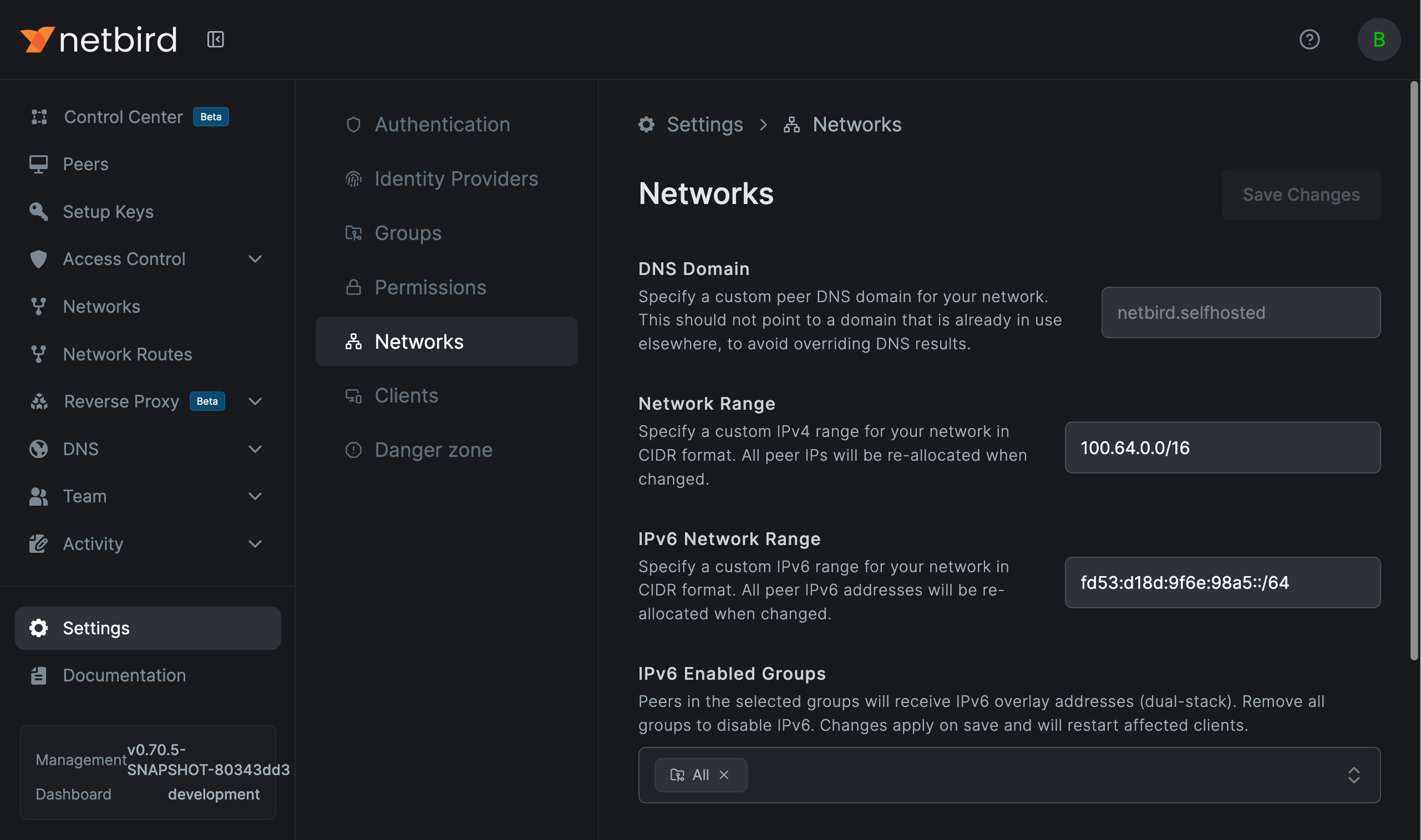
When a peer belongs to an IPv6-enabled group, it receives an overlay address from the account's IPv6 range. Peers that do not belong to any IPv6-enabled group only receive an IPv4 address.
The IPv6 network range is configured alongside your IPv4 range. The dashboard accepts prefix lengths from /48 through /112, while the API accepts up to /120. The default /64 prefix provides enough addresses for most deployments. Changing the range re-allocates the IPv6 addresses of all affected peers.
Disabling IPv6 on a Client
Individual clients can opt out of IPv6 with the --disable-ipv6 CLI flag:
netbird up --disable-ipv6
This prevents the client from receiving an IPv6 overlay address, advertising IPv6 support to management, or accepting IPv6 traffic from remote peers.
The flag is also available in the desktop UI under Settings > Disable IPv6, and in the iOS and Android apps under Advanced Settings.
How It Works
Address Assignment
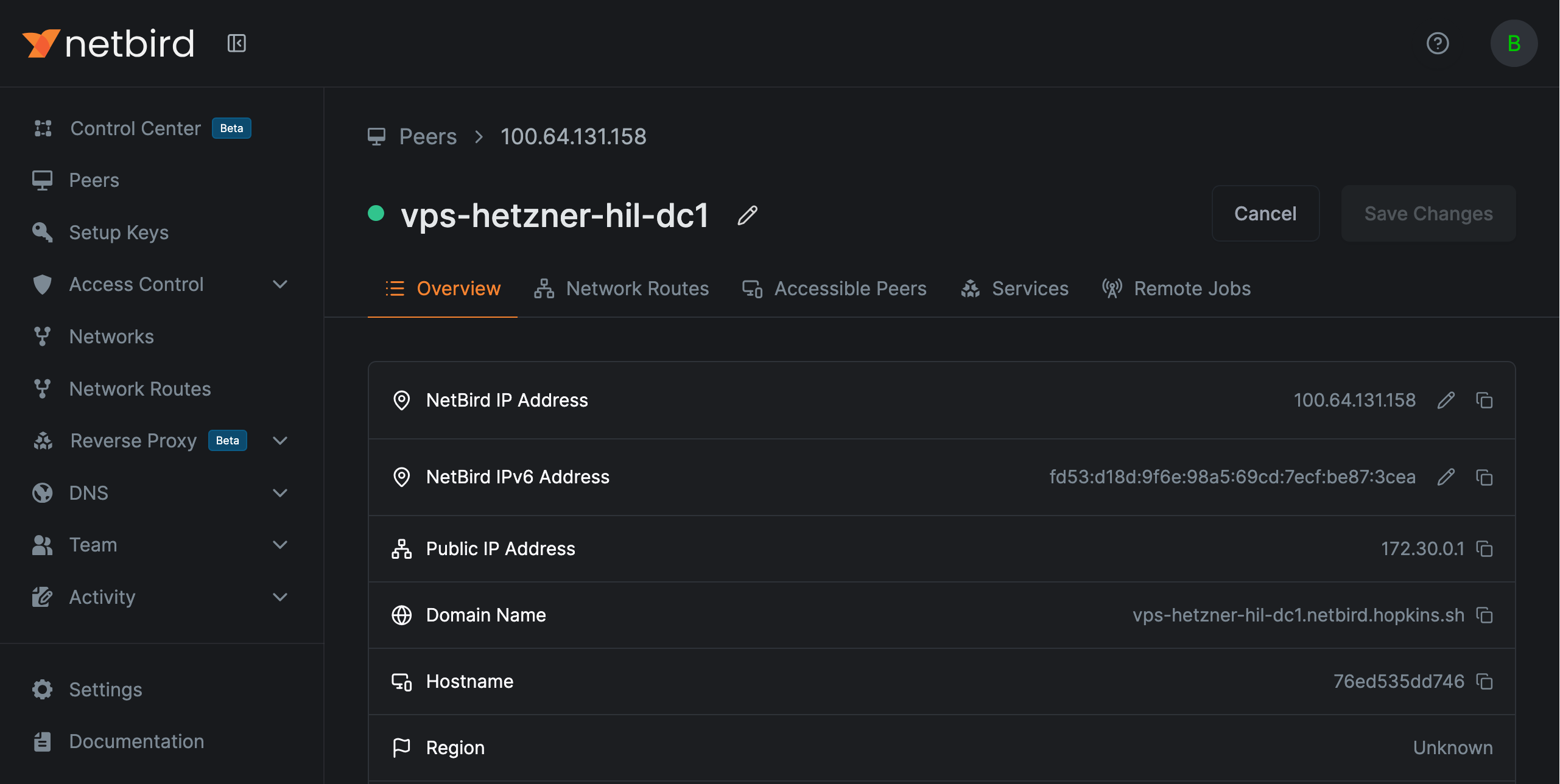
Each peer receives at most one IPv4 and one IPv6 overlay address. Management allocates the IPv6 address based on group membership: when you save the setting for peers that are already registered, or at registration time for new peers. The address only becomes active on peers whose client advertises IPv6 support.
DNS
Resolving a peer name returns both its IPv4 and IPv6 addresses, so any client can reach a dual-stack peer over either family. Under the hood, peers with IPv6 addresses get AAAA records alongside their A records, served from the same NetBird DNS zone.
Reverse DNS works for IPv6 too. PTR records for overlay IPv6 addresses are served from the standard ip6.arpa nibble zone alongside the existing in-addr.arpa zone for IPv4, so reverse lookups return the peer name in logs and tooling.
Firewall Rules
Access control policies apply to both IPv4 and IPv6 traffic. When a peer has an IPv6 address, the management server generates firewall rules for both address families.
Exit Nodes
When an exit node route (0.0.0.0/0) is configured and the peer supports IPv6, management automatically creates a matching ::/0 route. See Exit Nodes for details.
Network Routes
Routes accept IPv6 CIDRs (for example fd11:2::/64) the same way as IPv4 subnets. When a route has masquerade enabled, the routing peer SNATs IPv6 egress traffic to its backend-side address, matching the IPv4 behavior.
Domain Routes
Domain-based network resources resolve both A and AAAA records. The client allocates a fake IPv4 from 240.0.0.0/8 and a fake IPv6 from 0100::/64 for each resolved target. This keeps v4-only and v6-only domains routable through the tunnel without address collisions.
CLI Status
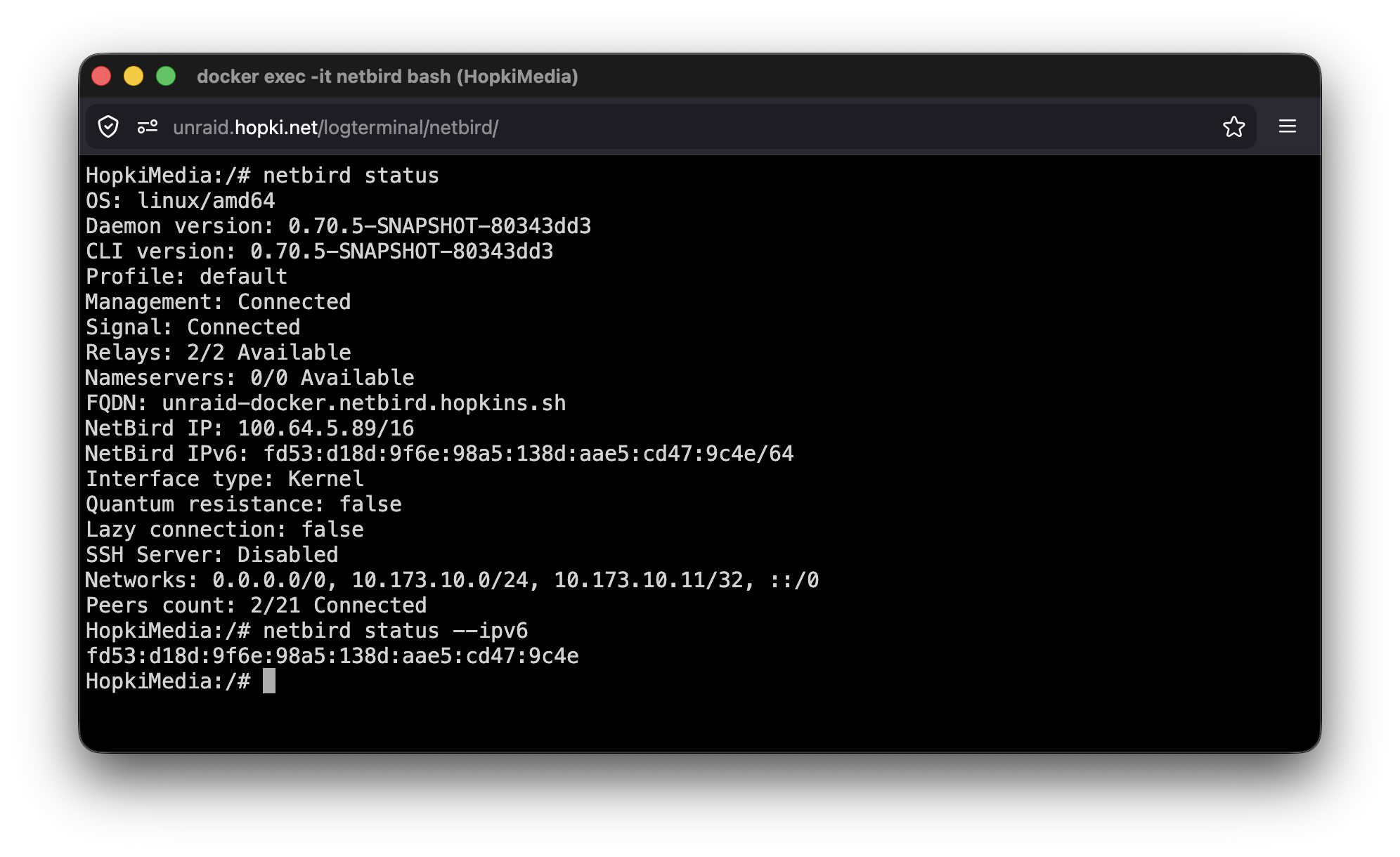
When IPv6 is enabled, netbird status shows the IPv6 address:
$ netbird status
...
NetBird IP: 100.64.114.31/16
NetBird IPv6: fd00:1234:5678::1f/64
...
Use --ipv6 to show only the IPv6 address:
$ netbird status --ipv6
fd00:1234:5678::1f/64
API
The following API fields relate to IPv6:
- Account settings:
ipv6_enabled_groups(list of group IDs) andnetwork_range_v6(CIDR string). See Update an Account. - Peer:
ipv6(read-only, the assigned IPv6 address). See Retrieve a Peer.
Limitations
- IPv6 overlay addresses are not routable on the public internet
Troubleshooting
Peers report no IPv6 address after enabling the setting
Peers only get an IPv6 address if they belong to at least one group listed in IPv6 Enabled Groups and if the client version supports the IPv6 overlay capability (v0.71.0+). Older clients don't advertise the capability, so management leaves them out of IPv6 distribution: they don't get the address on their interface, and other peers don't receive AAAA records or IPv6 firewall rules for them.
Routing peer has an IPv6 address but traffic doesn't reach the backend
On a regular Linux host NetBird enables net.ipv6.conf.all.forwarding=1 on startup. In constrained environments where that sysctl is read-only (unprivileged containers, locked-down Kubernetes pods), the write fails silently and IPv6 forwarding stays off.
Enable it at the orchestrator layer when running a routing peer as a container:
# Docker / Podman compose
sysctls:
  - net.ipv6.conf.all.forwarding=1
# Kubernetes pod spec
securityContext:
  sysctls:
    - name: net.ipv6.conf.all.forwarding
      value: "1"