

Peer Session Expiration
Updated
To ensure a high level of security, NetBird offers a peer session expiration feature (shown as Peer Session Expiration in the dashboard) that requires users to periodically reauthenticate their devices. Every new account has this feature enabled, and the expiration period is set to 24 hours by default. You can disable this feature and configure the expiration period in the account settings in the web UI https://app.netbird.io/settings.
This feature is only applied to peers added with the interactive SSO login feature. Peers, added with a setup key, won't be affected.
Expired peers will appear in the peers' view with the status Login required.

Configure and disable expiration
The expiration period can be set to anything between one hour and 180 days.
Go to the Web UI Settings page, open the Authentication tab, enable the Peer Session Expiration toggle, and set the desired period in the Session Expiration field below it (in hours or days).
You can also disable the expiration for the whole account in the same section.
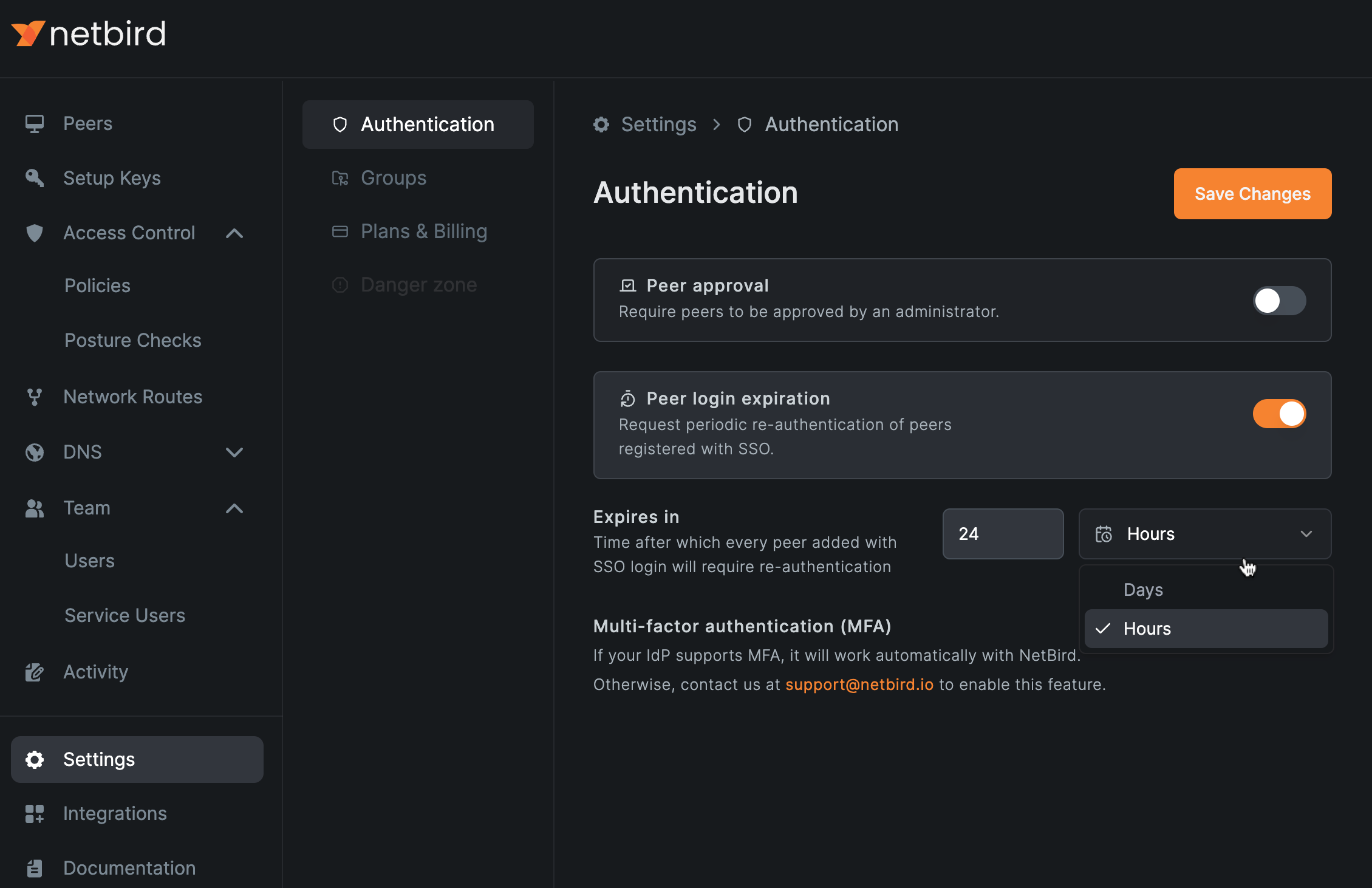
Enabling peer expiration or changing the expiration period will cause some peers added with the SSO login to disconnect, and re-authentication will be required.
Require login after disconnect
In addition to the periodic expiration, you can require re-authentication when a peer loses its connection to the management service.
Enable the Require login after disconnect toggle under Peer Session Expiration in the Authentication tab.
When enabled, peers added with SSO login that stay disconnected from management for 10 minutes will require re-authentication before reconnecting.
This is useful for tightly controlled environments where a device that goes offline, such as a laptop that is shut down or leaves the network, should prove the user's identity again before rejoining.
This option is only available while Peer Session Expiration is enabled, and it can also be toggled individually per peer in the peer's detail view.
Session expiration warnings
Starting with NetBird client v0.75, the desktop client warns users before their session expires instead of silently disconnecting them. A system notification appears 10 minutes before expiration, letting the user extend the session by re-authenticating right away. If the user hasn't acted on it, a final warning dialog opens 2 minutes before the session expires. This gives users a chance to re-authenticate without interrupting their work or losing connectivity.
Disable expiration individually per peer
Sometimes, you might want to disable peer expiration for some peers.
With NetBird you can disable session expiration per peer without disabling expiration globally.
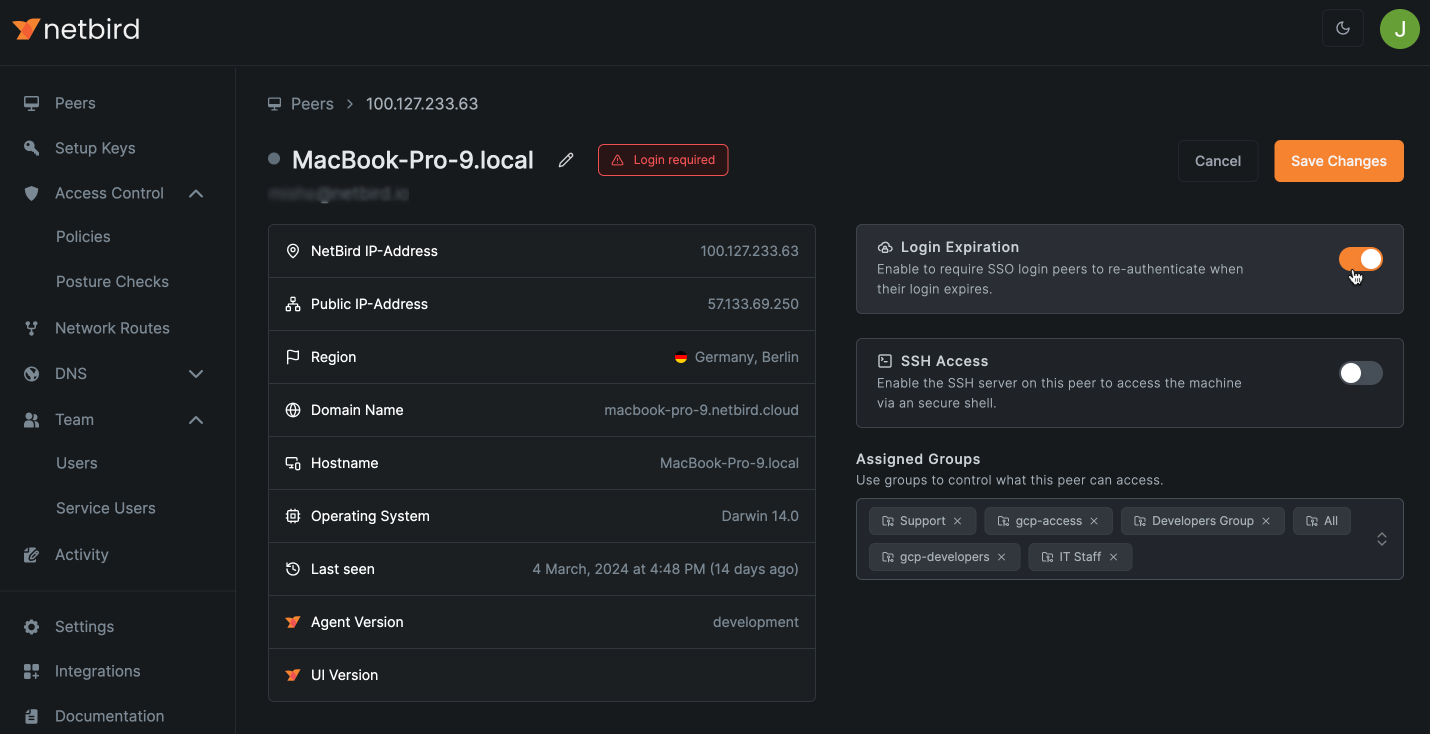
In Peers click on the peer you want to disable expiration for and use the Session Expiration toggle. (Session expiration only applies to peers with a user behind them; peers enrolled with a setup key are already exempt.)
Peers with disabled expiration are marked with a timer icon in the Peers table, and hovering over it shows a note that expiration is disabled for this peer.
Get started
- Make sure to star us on GitHub
- Follow us on X
- Join our Slack Channel
- NetBird latest release on GitHub