

Custom Zones
Updated
NetBird's Custom Zones define private DNS records that are distributed directly to peers. Unlike nameservers that forward queries to external DNS servers, Custom Zones are hosted within NetBird and resolved locally on peers.
This provides complete control over internal DNS without running separate infrastructure, enabling group-based access control where different teams see different records. Custom Zones are ideal for internal service discovery, environment isolation, split-horizon DNS, and providing friendly names to resources across infrastructure.
Managing Zones
Creating a Custom Zone
To create a new Custom DNS Zone, navigate to DNS > Zones in the NetBird Dashboard and click Add Zone. Configure the zone settings as described below:
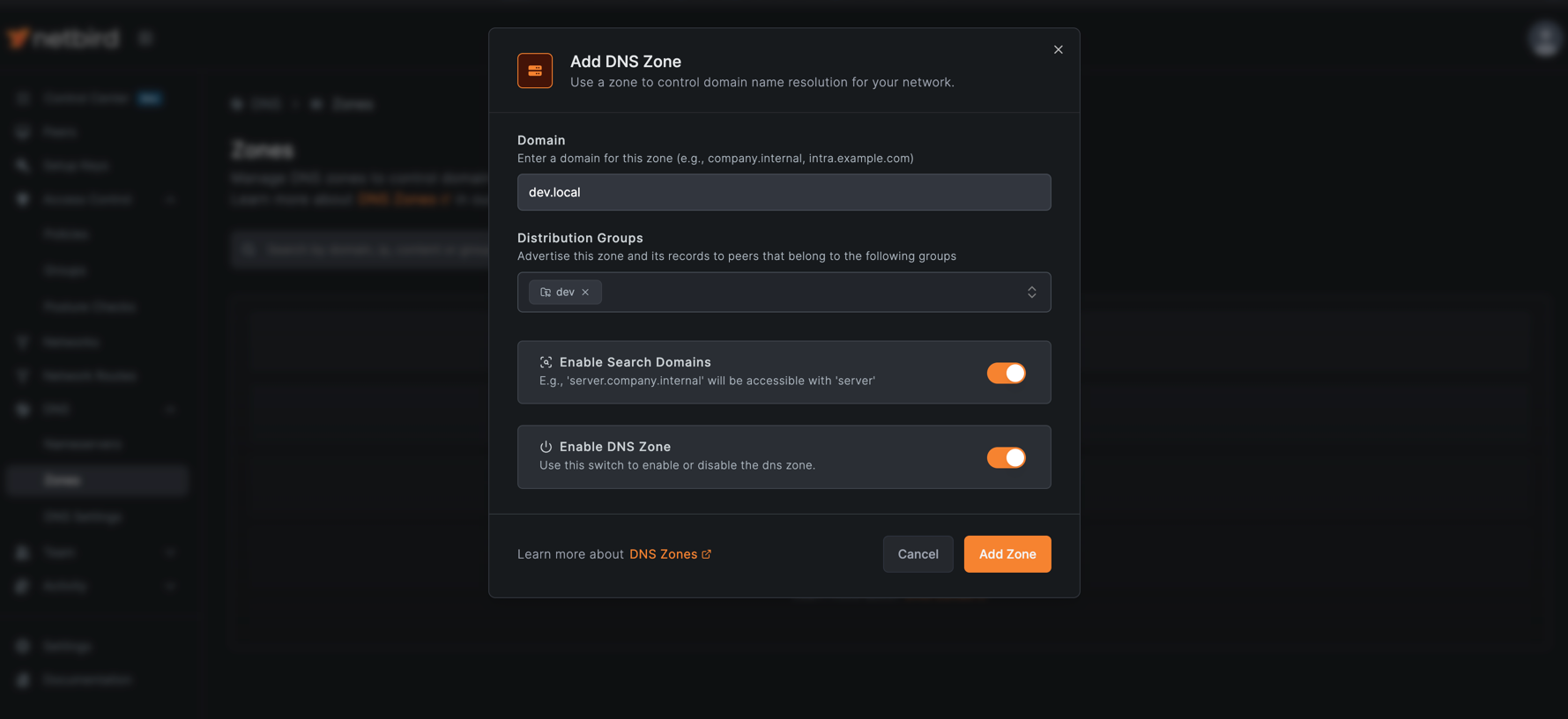
Domain
The fully qualified domain name for this zone (e.g., services.company.internal). All DNS records in this zone will use this domain as their suffix.
- Must be a valid FQDN format
- Cannot be changed after creation
- Must not conflict with the NetBird peer DNS domain
Distribution Groups
Select one or more peer groups that should receive this zone. Only peers in the selected groups will be able to resolve the zone's DNS records.
- At least one group is required
- Peers must belong to at least one selected group to receive the zone
- Changes to group membership automatically update zone distribution
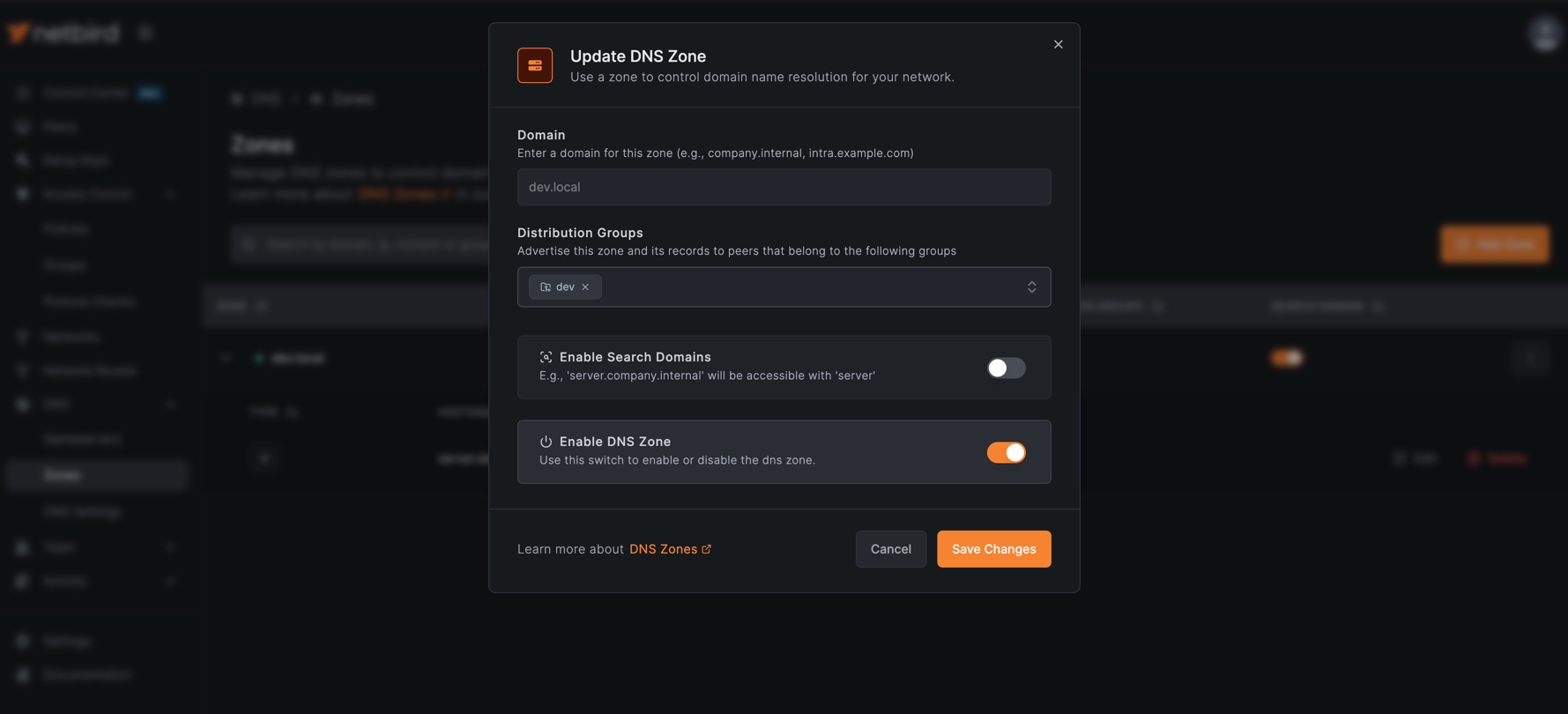
Enable Search Domain
When enabled, the zone's domain is added to the peer's DNS search list, allowing short name queries.
- Disabled by default
- When enabled: queries like
apiexpand toapi.services.company.internal - When disabled: full FQDNs must be used (e.g.,
api.services.company.internal)
Enable DNS Zone
Controls whether the zone is active and distributed to peers.
- Enabled by default
- When disabled: zone is not distributed, but records are preserved
- Useful for testing configurations before deployment
Click Add Zone to create the zone
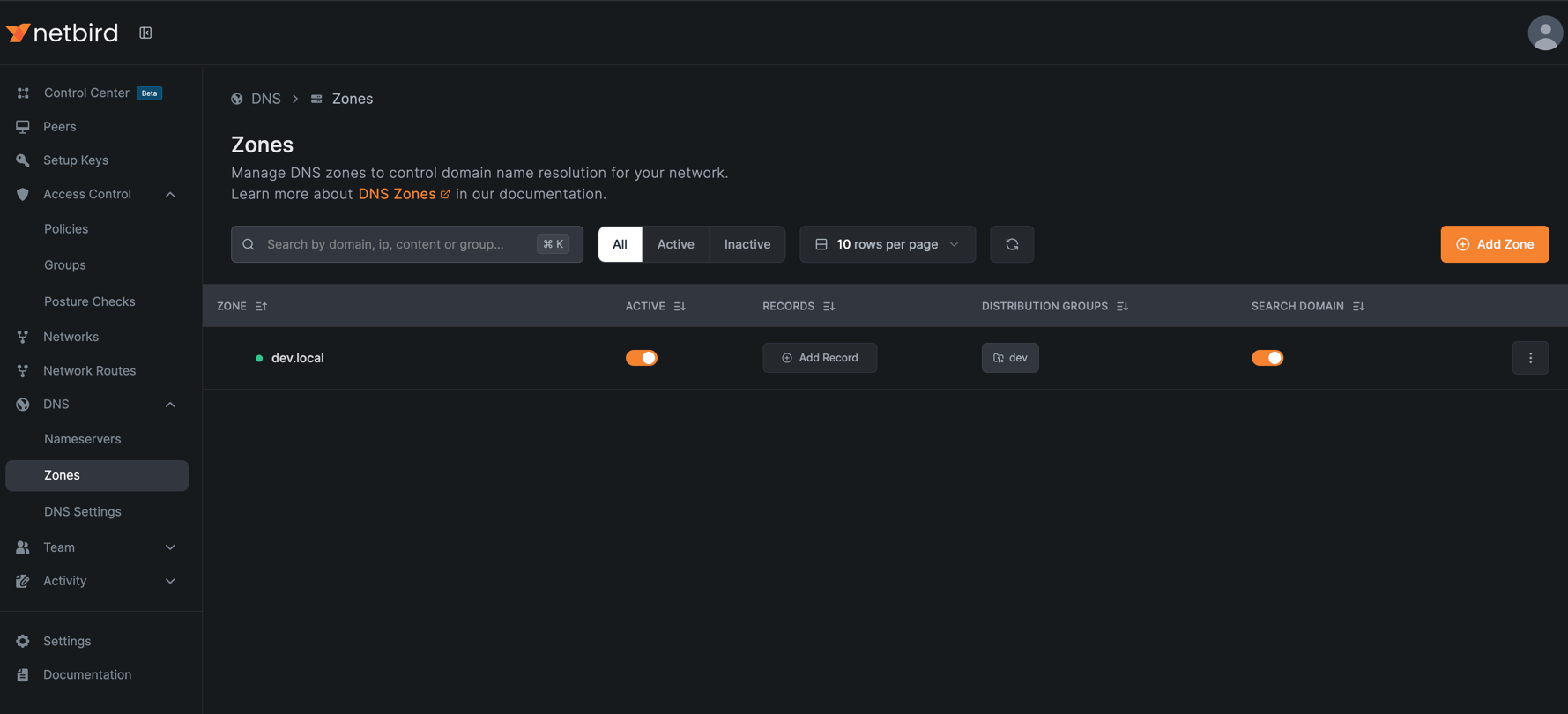
Adding Records to a Zone
After creating the zone, click on it to view its details, then click Add Record to add DNS records.
Hostname
The hostname for this DNS record within the zone. For example, server in zone dev.local creates server.dev.local.
Record Type
The DNS record type. Supported types are A (IPv4 address), AAAA (IPv6 address), and CNAME (alias to another domain).
Value
The target for this DNS record. For A records, this is an IPv4 address. For CNAME records, this is another domain name.
Time to Live (TTL)
How long (in seconds) DNS resolvers should cache this record before checking for updates. Lower values mean faster propagation of changes but more DNS queries. Default is 300 seconds (5 minutes).
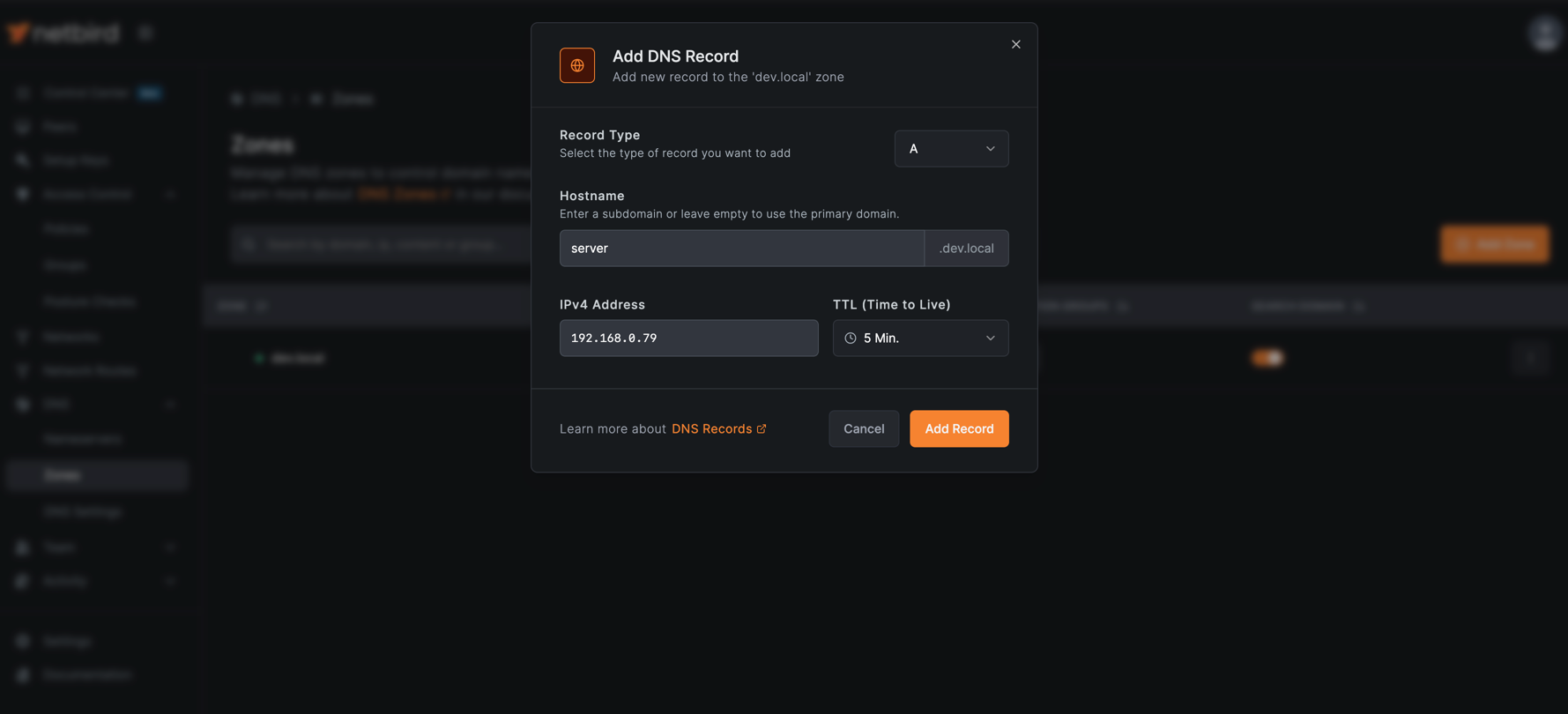
Click Add Record to create the DNS record.
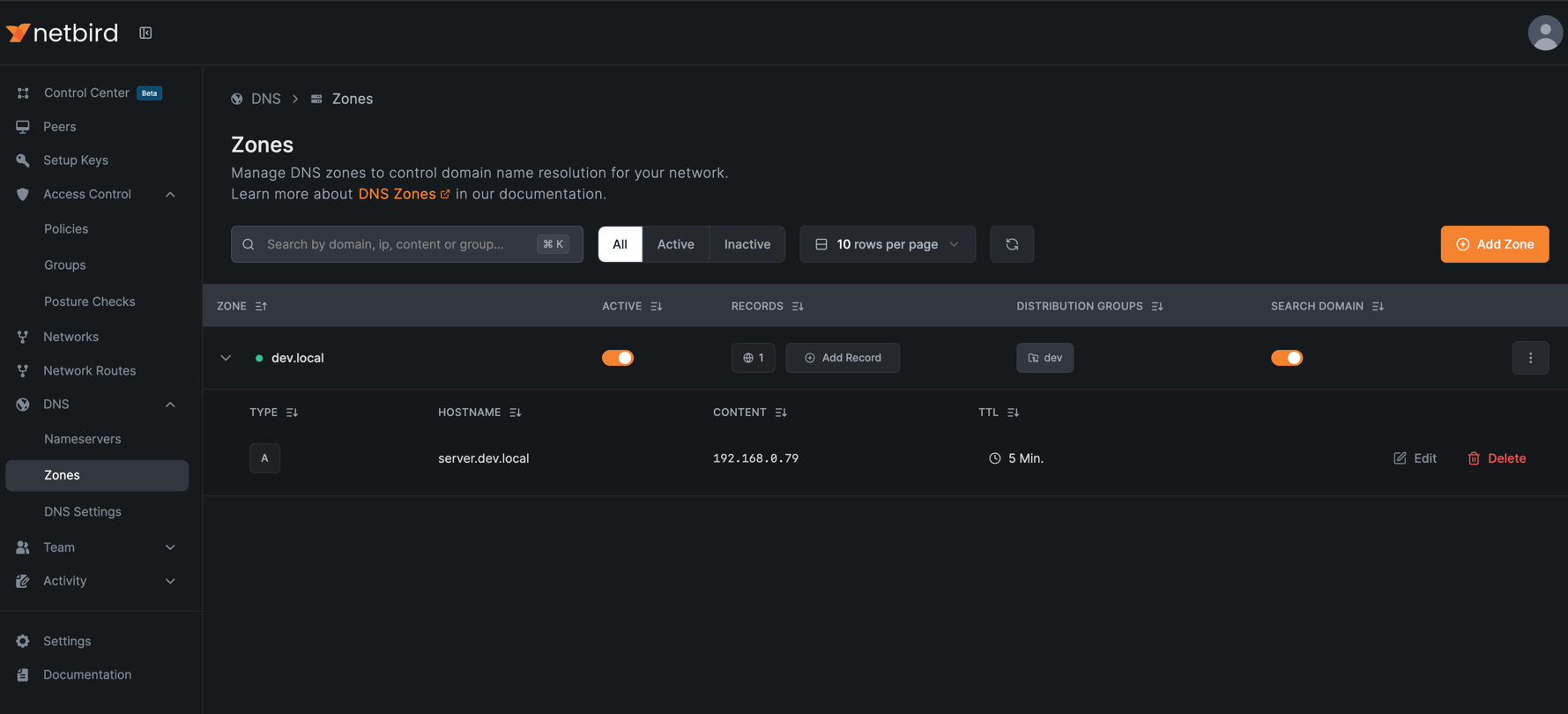
Updating a Zone
To update zone settings such as distribution groups or search domain configuration, click the three dots next to the zone, select Edit, make the necessary changes, and click Save Changes to apply them.
Deleting a Zone
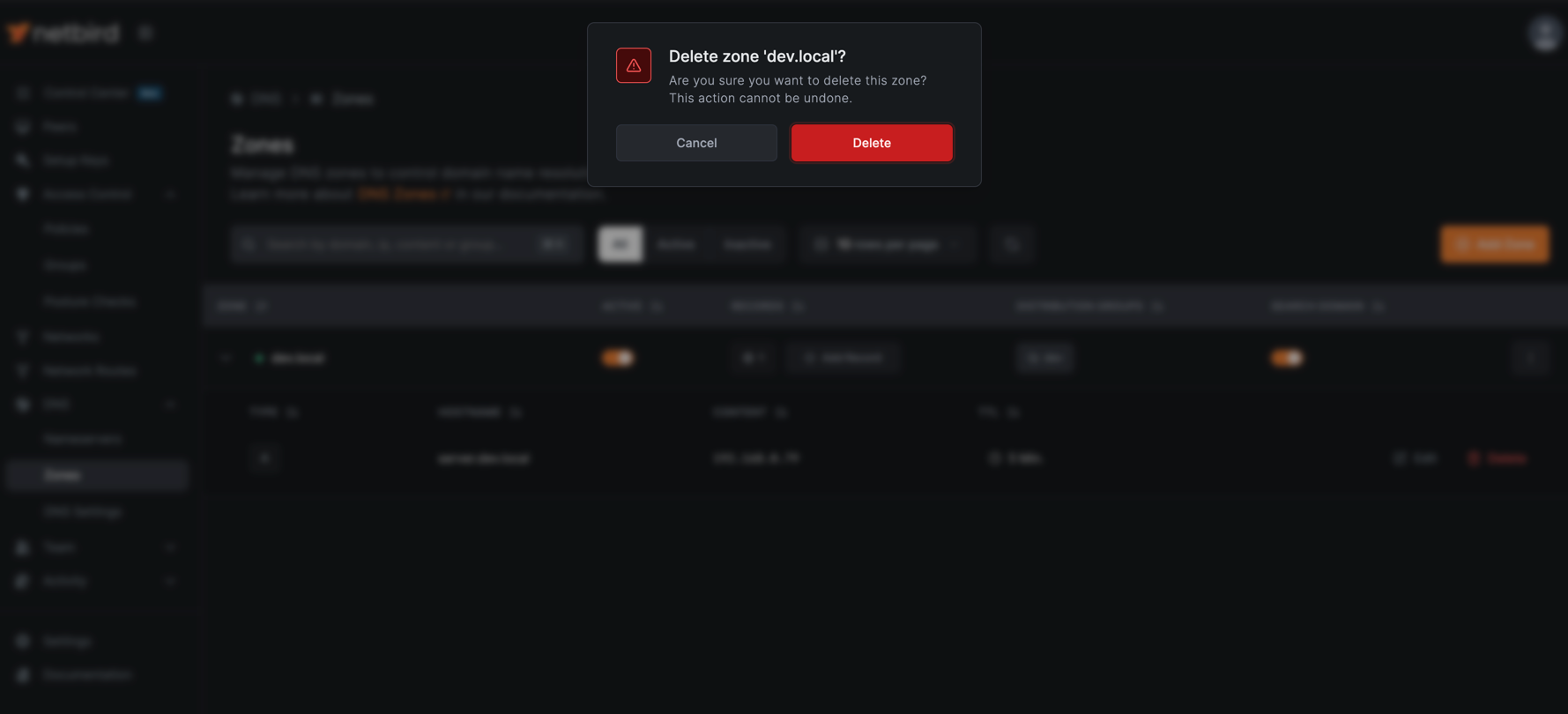
To delete a zone, click the three dots next to the zone, select Delete, and confirm the deletion when prompted.
Deleting a zone will also remove all existing records within that zone. If only a single record needs to be removed, delete the individual record instead of the entire zone.
Behavior
DNS Resolution Precedence
Custom DNS Zones take precedence over nameservers when there is a conflict. If a nameserver is configured with a match domain that is the same as a Custom DNS Zone domain, the zone's records will be resolved first, and the nameserver will not be queried for that domain.
Limitations
Custom DNS Zones have the following limitations:
- Domain cannot be changed: Once a zone is created, its domain cannot be modified. The zone must be deleted and recreated with a new domain
- Cannot use peer DNS domain: Zone domain must not conflict with your NetBird peer DNS domain (e.g.,
netbird.cloud,netbird.selfhosted, or a custom domain configured via the--dns-domainflag or in Settings > Network > DNS Domain) - CNAME exclusivity: CNAME records cannot coexist with A or AAAA records for the same hostname
- Empty zones not distributed: Zones without any DNS records are not distributed to peers
- Requires managed DNS: Peers in groups listed under DNS > DNS Settings (Disable DNS Management), or started with
netbird up --disable-dns, run in unmanaged mode and will not resolve zone records, even when the zone's distribution groups include them