

OpenWrt Installation
Updated
The NetBird client allows a peer to join a pre-existing NetBird deployment. If a NetBird deployment is not yet available, there are both managed and self-hosted options available.
NetBird is available in the official OpenWrt package feed. The packaged version depends on your OpenWrt release (versions listed as of the time of writing; the package feeds receive updates over time):
| OpenWrt release | NetBird version | Package manager |
|---|---|---|
| 23.05 | 0.24.x | opkg |
| 24.10 | 0.59.x | opkg |
| 25.12 and later | 0.66.x | apk |
Prerequisites
- SSH access to your OpenWrt router
- Enough free flash storage for the NetBird package (the binary is relatively large, low-storage routers may not have space)
- A setup key to authenticate and register the router
The NetBird one-line installation script (pkgs.netbird.io/install.sh) does not support OpenWrt. Use the OpenWrt package feed as described below.
Installation
-
Log in to your router via SSH
ssh root@192.168.1.1 -
Install the NetBird package
On OpenWrt
24.10and earlier:opkg update opkg install netbirdOn OpenWrt
25.12and later:apk update apk add netbird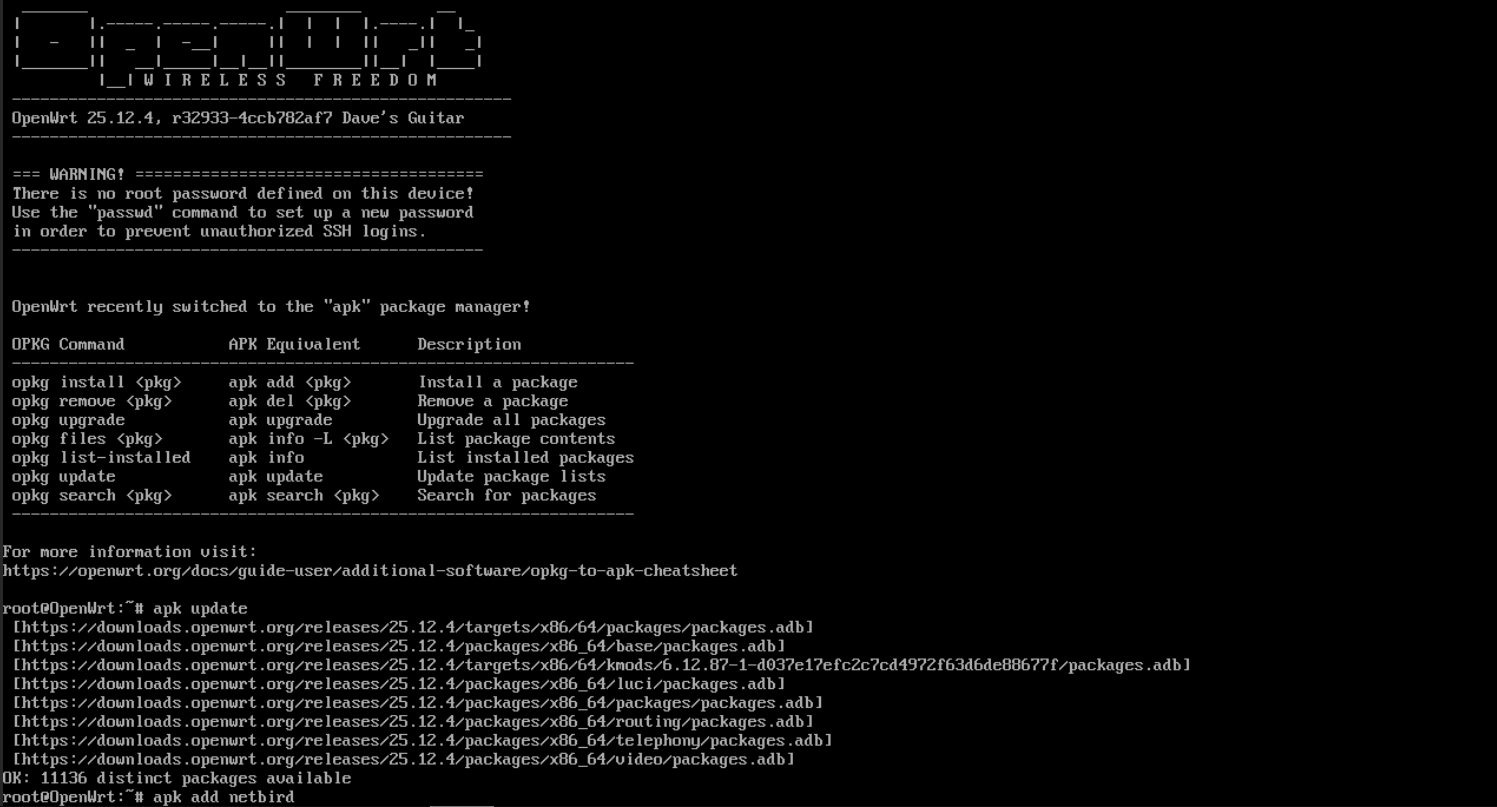
-
Enable and start the NetBird service
The package installs a procd init script at
/etc/init.d/netbird:/etc/init.d/netbird enable /etc/init.d/netbird start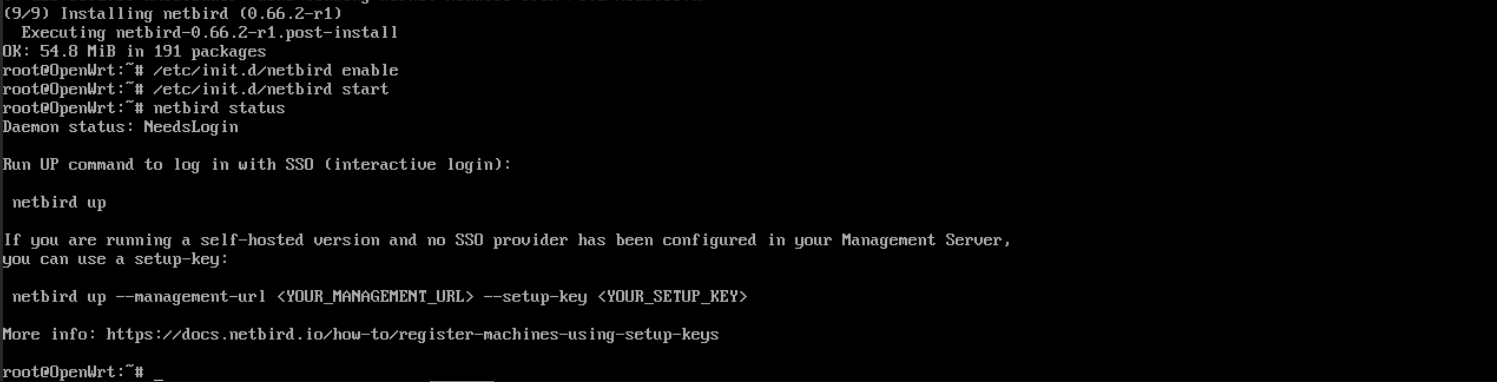
Connect the router to your NetBird network
Authenticate with a setup key:
netbird up --setup-key <SETUP_KEY>
If you are self-hosting NetBird, point the client to your management server:
netbird up --setup-key <SETUP_KEY> --management-url https://netbird.example.com:443
Verify the connection:
netbird status -d
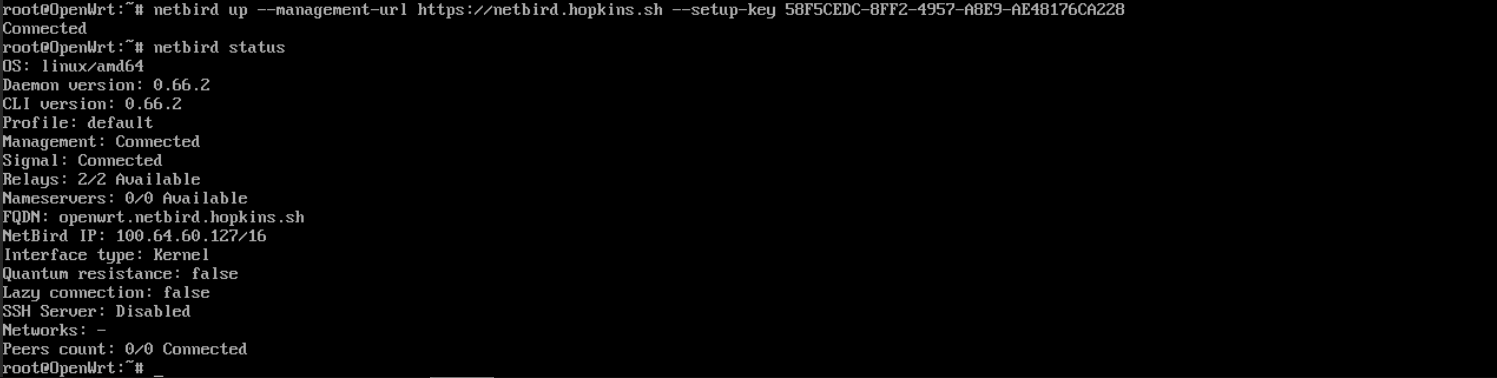
Once connected, the router appears on the Peers page in the NetBird dashboard. NetBird creates a WireGuard interface named wt0 and manages it directly. Do not configure wt0 through the OpenWrt WireGuard UI or LuCI, NetBird fully manages the interface and keys.
DNS configuration
OpenWrt runs dnsmasq on port 53, which conflicts with NetBird's managed DNS. To use NetBird DNS features such as domain resources and peer name resolution, run NetBird's resolver on an alternative port and forward NetBird domains to it through dnsmasq.
-
Set a custom DNS resolver address
When port 53 is taken, NetBird automatically falls back to an alternative port, but pinning the address keeps the dnsmasq forwarding rule below valid:
netbird up --dns-resolver-address 127.0.0.1:5053 -
Forward NetBird domains in dnsmasq
Add a server entry to
/etc/config/dhcpunder thednsmasqsection, replacingnetbird.cloudwithnetbird.selfhostedor your custom DNS domain if you are self-hosting:uci add_list dhcp.@dnsmasq[0].server='/netbird.cloud/127.0.0.1#5053' uci commit dhcp /etc/init.d/dnsmasq restart
Routing LAN traffic through NetBird
As a simple client peer, no additional network or firewall configuration is required. To use the router as a routing peer so devices on your LAN can reach NetBird resources, or so peers can reach your LAN, you need to configure the OpenWrt firewall for the wt0 interface.
-
Add the NetBird interface to the network configuration
uci set network.netbird=interface uci set network.netbird.proto='none' uci set network.netbird.device='wt0' uci commit network -
Create a firewall zone and allow forwarding
uci add firewall zone uci set firewall.@zone[-1].name='netbird' uci set firewall.@zone[-1].input='ACCEPT' uci set firewall.@zone[-1].output='ACCEPT' uci set firewall.@zone[-1].forward='ACCEPT' uci set firewall.@zone[-1].masq='1' uci add_list firewall.@zone[-1].network='netbird' uci add firewall forwarding uci set firewall.@forwarding[-1].src='lan' uci set firewall.@forwarding[-1].dest='netbird' uci add firewall forwarding uci set firewall.@forwarding[-1].src='netbird' uci set firewall.@forwarding[-1].dest='lan' uci commit firewall /etc/init.d/firewall restartThis permits all traffic on the NetBird interface so that NetBird's own access control policies govern access restrictions.
-
Advertise your LAN in NetBird
Add the router's LAN subnet as a network resource in the NetBird dashboard with the router as the routing peer.
Persistence across reboots and upgrades
The OpenWrt package preserves NetBird's configuration across sysupgrade, so the router stays registered after firmware upgrades. No extra steps are needed. The storage location depends on the package version:
- On OpenWrt 25.12 and later, the service stores state in
/root/.config/netbird. - On OpenWrt 24.10 and earlier, the configuration lives at
/etc/netbird/config.json.
Both paths are registered as package configuration files and are included in the sysupgrade backup.
Get started
- Make sure to star us on GitHub
- Follow us on X
- Join our Slack Channel or Discord server
- NetBird latest release on GitHub