Automate Deployments and Onboard Machines at Scale with Setup Keys
Updated
A setup key is a pre-authentication token used to register new machines in your network. On a machine's first run, it associates that machine with your account.
Registering Machines Using Setup Keys
Pass the setup key to the netbird up command to authenticate a machine without interactive SSO login.
This unlocks automated, unattended deployments and integrates cleanly with infrastructure-as-code tools such as Ansible, CloudFormation, and Terraform.
netbird up --setup-key <SETUP KEY>
You can also pre-populate the client configuration ahead of first start, so peers come up fully configured and register with no manual steps. See Bootstrap peers via config file.
Types of Setup Keys
There are two types of setup keys:
- One-off key — can be used only once to authenticate a single machine.
- Reusable key — can be used multiple times to authenticate a configurable number of machines.
Ephemeral Peers
You can create a setup key with the ephemeral peers option enabled. Peers registered with this key are automatically removed from NetBird after staying offline for more than 10 minutes.
This is useful for short-lived workloads such as containers or autoscaling instances.
Managing Setup Keys
Setup keys are available in the NetBird Management Dashboard under Settings → Setup Keys.
Use this page to view and manage your setup keys.
From there, you can add new keys or revoke existing ones.
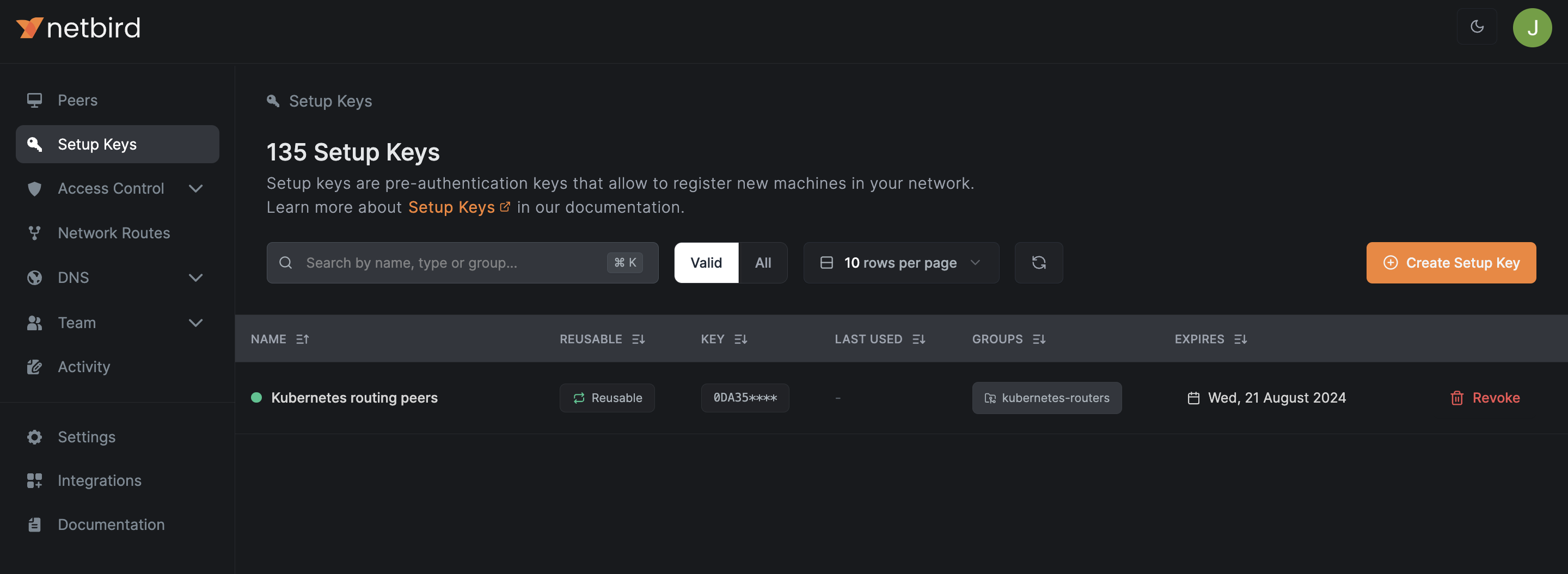
When you revoke a key, all machines already authenticated with it remain connected to the network. The same applies when the key expires.
Expiration
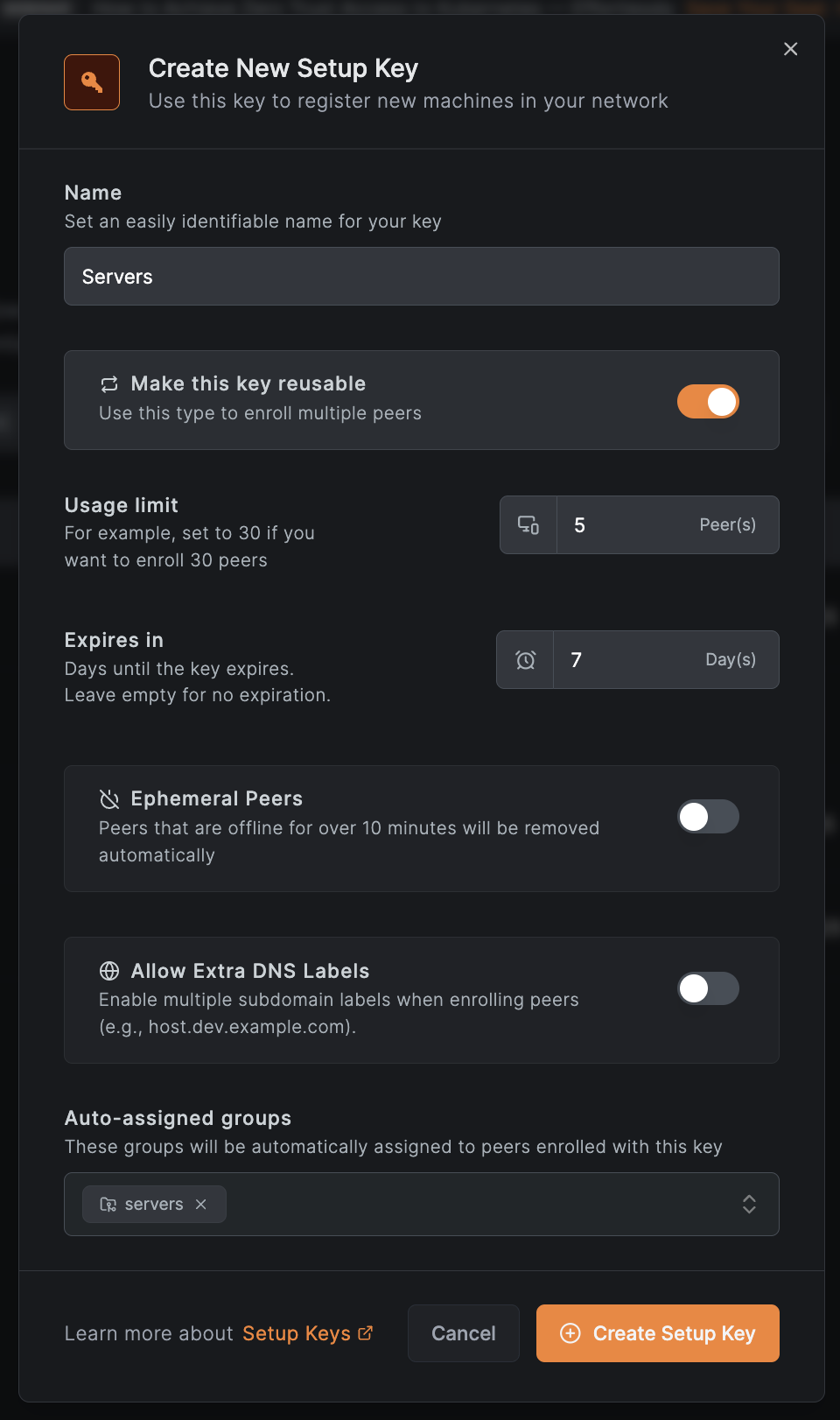
You can set an expiration date when creating a key. Once expired, the key can no longer be used. The create-key dialog pre-fills an expiration of 7 days. Leave the field empty to create a key that never expires.
Usage Limit
By default, every reusable key has unlimited usage. We recommend limiting the number of times a key can be used — for example, set it to 30 if you only need to enroll 30 machines.
Allow Extra DNS Labels
You can create a setup key with the Allow Extra DNS Labels option enabled.
When enabled, peers registered with this key can set additional DNS names using the --extra-dns-labels flag, so other peers in the network can reach them by those names.
If multiple peers share the same label, they form a DNS round-robin group for that label, with queries distributed across all of them.
See Extra DNS Labels for full details, including wildcard labels and usage examples.
Peer Auto-Grouping
NetBird offers a powerful access control feature for managing access to your resources. In a typical setup, you create multiple groups of peers and define access rules that determine which groups can reach each other. Adding peers to groups manually can become time-consuming in large networks with dozens of machines.
Starting with NetBird v0.9.2, you can specify a list of auto-assign groups when creating or updating a setup key. Every peer registered with this key is automatically added to those groups, and all access control rules for those groups apply automatically.
To configure Auto-assign groups, open Settings → Setup Keys and create or update a setup key.
Then use this key to enroll new machines.
You can also edit the auto-assigned groups of an existing key directly from the Groups column of the setup keys table, provided your role allows updating setup keys.
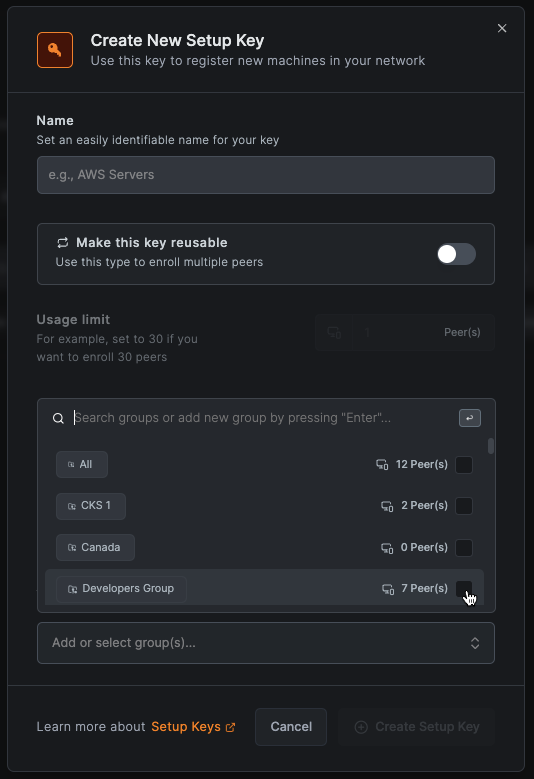
Auto-assign groups will apply only to newly registered machines.
Create Setup Key
Go to Settings → Setup Keys and click the Create Setup Key button.
In the dialog that opens, give your new key a recognizable name, choose its type, set a usage limit, and assign auto-groups.
The defaults are suitable for most cases. For security reasons, we recommend using one-off keys.
You can also generate a setup key while adding a peer. Go to Peers → Add Peer and click Generate Key. This is the most common path when enrolling a new server or routing peer. It creates a one-off key that expires in 24 hours with no auto-assigned groups. To control the key type, expiration, usage limit, or auto-groups, create the key from Settings → Setup Keys instead.
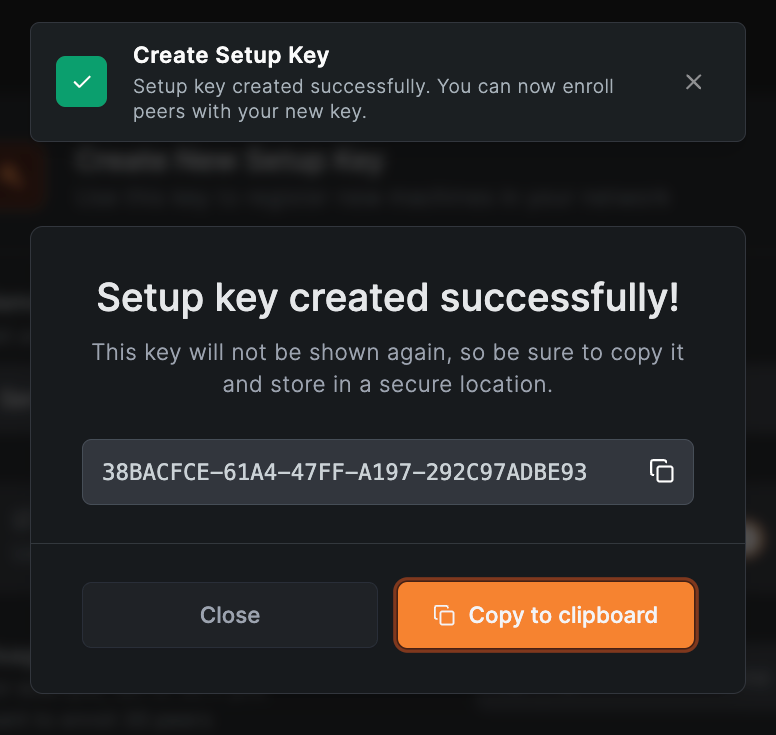
Once the key has been created, copy it and store it in a secure location.