

Authentik on NetBird Cloud
Updated
You can use Authentik as your Identity Provider with NetBird, but it will require some additional configuration steps. Authentik is an open-source identity provider focused on flexibility and security. It serves as a self-hosted alternative to commercial solutions like Okta and Auth0, providing single sign-on (SSO), multi-factor authentication (MFA), access policies, user management, and support for SAML and OIDC protocols.
Support for OIDC-compliant IdPs is available on the Team plan and higher. The Free plan supports Google, Microsoft, and social logins. Self-hosted deployments support OIDC-compliant IdPs in both the open source Community Edition and the Enterprise Commercial License. See self-hosted identity providers.
- You need to create a new Application and Provider.
-
Browse to the Applications Administration menu, click on Application, and then click on Create with Provider.
-
Name the Application
NetBirdand select a suitable explicit user flow. -
Click Next and select the OAuth2/OpenID Provider type.
-
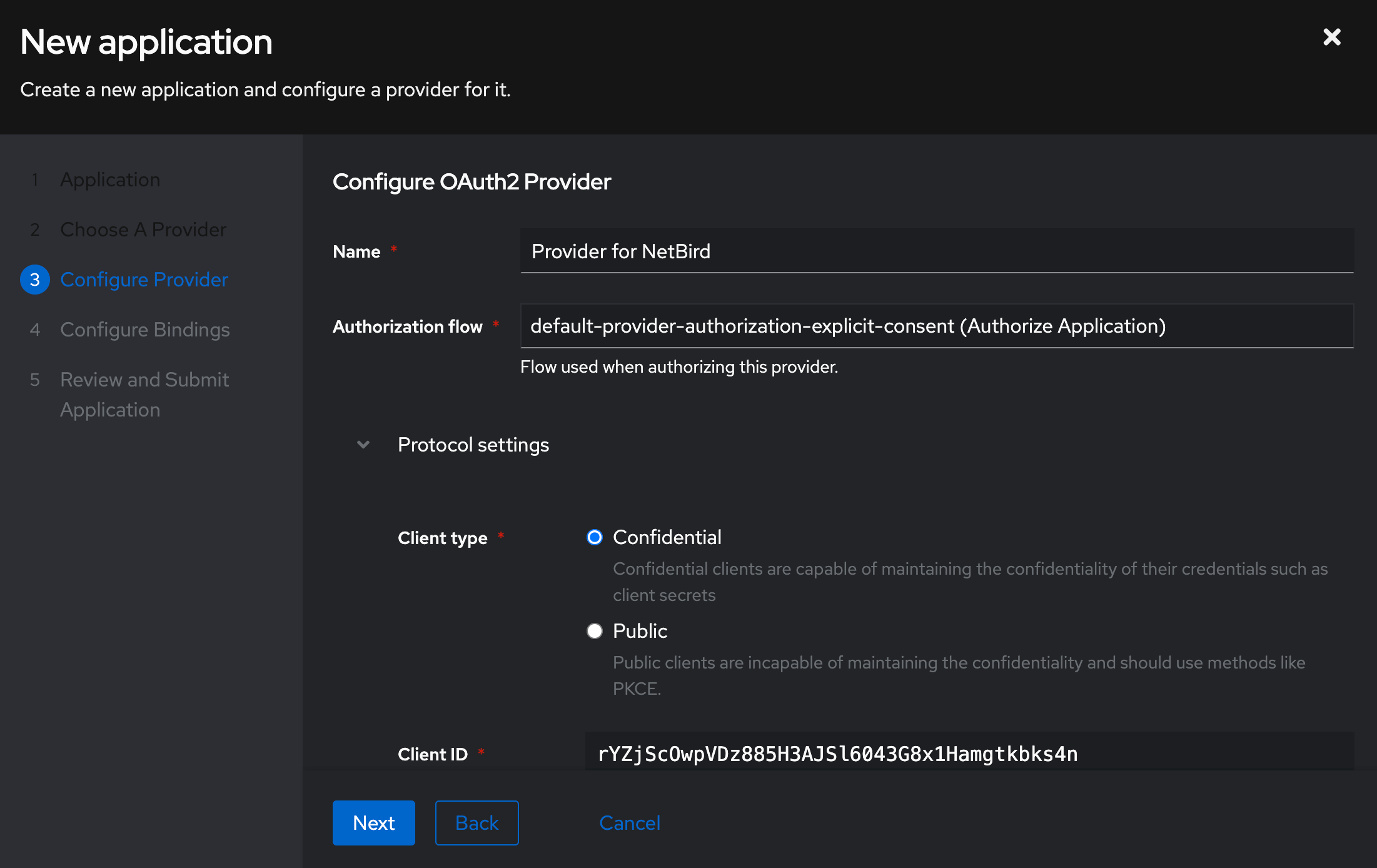
Click Next and select an explicit user authorization flow, then take note of the Client ID and Client Secret:
-
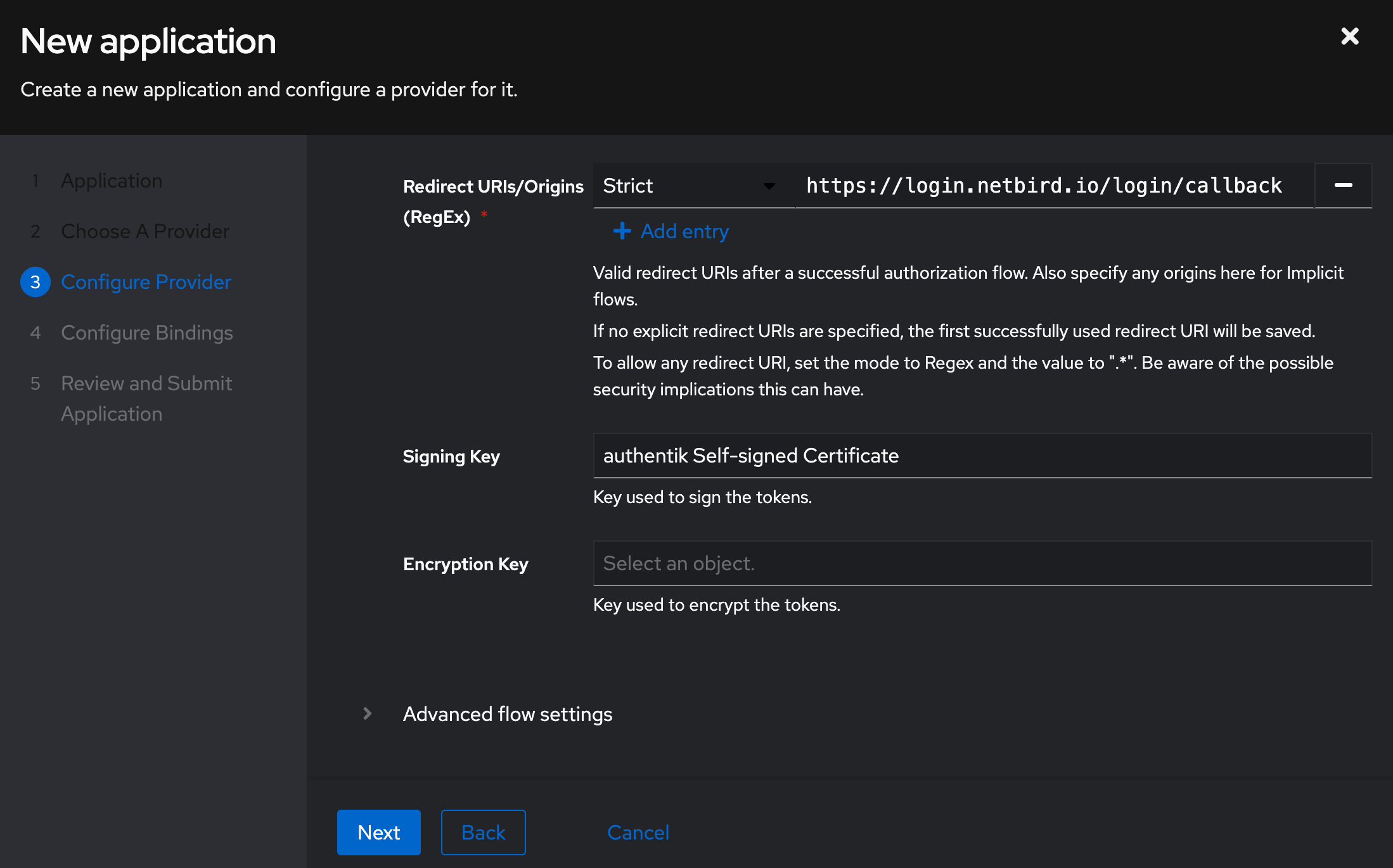
- Add the following redirect URL and select a signing key:
URL:https://login.netbird.io/login/callback
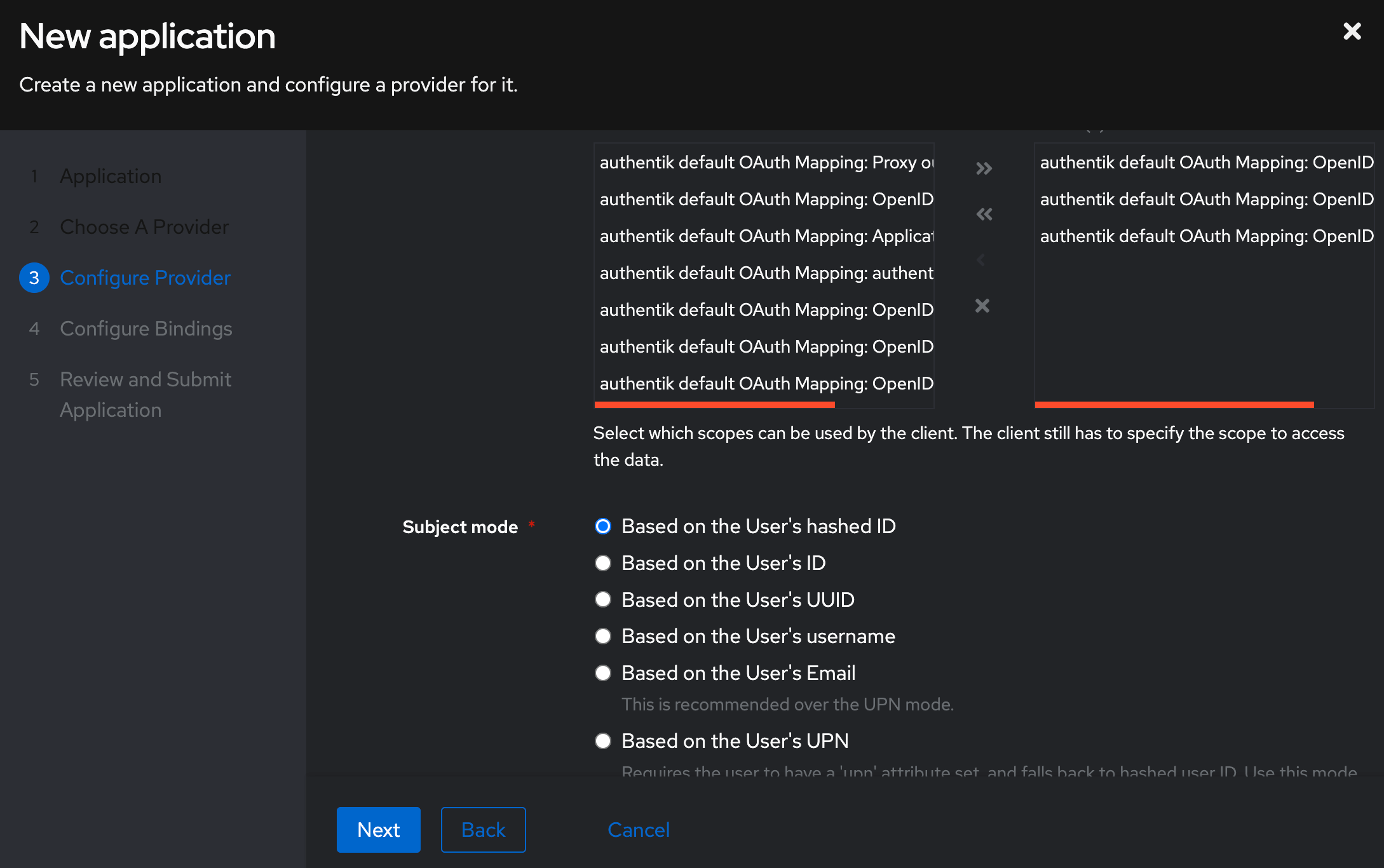
- Click on Advanced protocol settings and ensure that the email, opened, and profile scopes are selected and that Based on the User’s Hash ID is selected for Subject mode:
-
Click Next on the following two screens and Submit to create the provider and application:
-
The new application now appears in the Applications list.
- We need to copy the OpenID Configuration URL for the new provider. You can do that by navigating to Providers in the left menu and then selecting the newly created provider. There you should see a windows similar to the following:
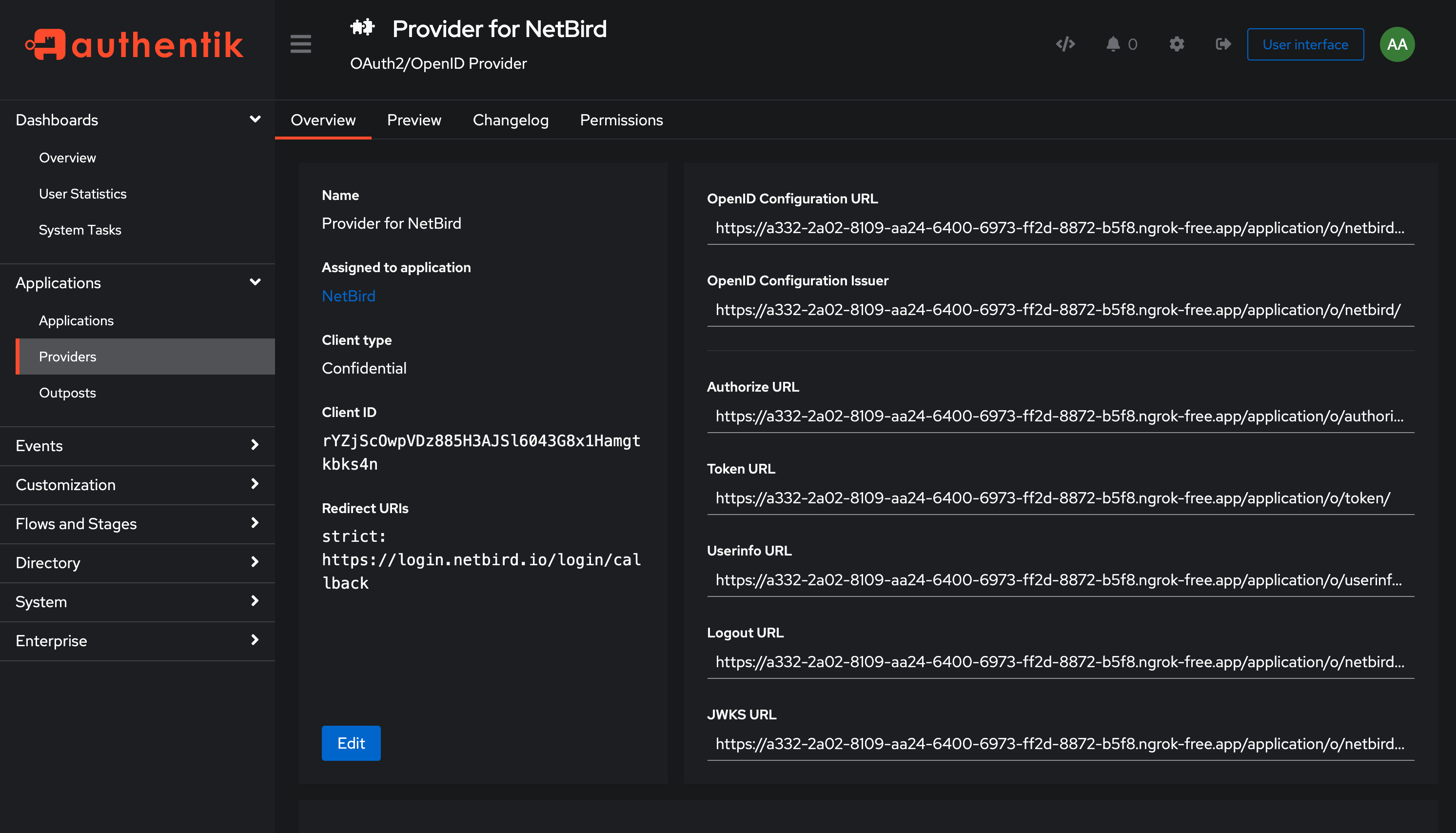
- Copy the OpenID Configuration URL.
- Then, share the following information with the NetBird support team at support@netbird.io:
- Client ID
- Client Secret
- OpenID Configuration URL
- Email domains for your users
We recommend using a secure channel to share the Client’s secret. You can send a separate email and use a secret sharing service like:
https://onetimesecret.com/en/
https://password.link/en