

Connectivity issues
Updated
Peer connectivity and relay problems on a self-hosted deployment. For other areas, start from Troubleshooting.
Debugging relay connections
When peers can't establish a direct connection, they fall back to the NetBird relay. In the combined setup, netbird-server runs the relay itself and serves it at /relay on TCP/443 through your reverse proxy. It also runs STUN on UDP/3478. There is no TURN server.
To check the relay, run netbird status -d on a client and read the Relays: list. A working setup lists your STUN server and relay as available:
Relays:
  [stun:netbird.example.com:3478] is Available
  [rels://netbird.example.com:443] is Available via ws
If it reads Unavailable, reason: ..., the reason names the failure. The most common cause is a reverse proxy that doesn't route /relay to netbird-server or doesn't allow the WebSocket upgrade. Compare your proxy with the routes in External Reverse Proxy Setup.
Debugging TURN connections
This section applies to older multi-container deployments that run Coturn, configured in the TURNConfig section of management.json. The combined setup has no TURN server; use Debugging relay connections instead.
To test it, open the Trickle ICE test tool. In the ICE servers box, remove the default server and add your TURN server. Replace netbird.DOMAIN.com and PASSWORD with your STUN/TURN details from the TURNConfig section in management.json, then click Add server.
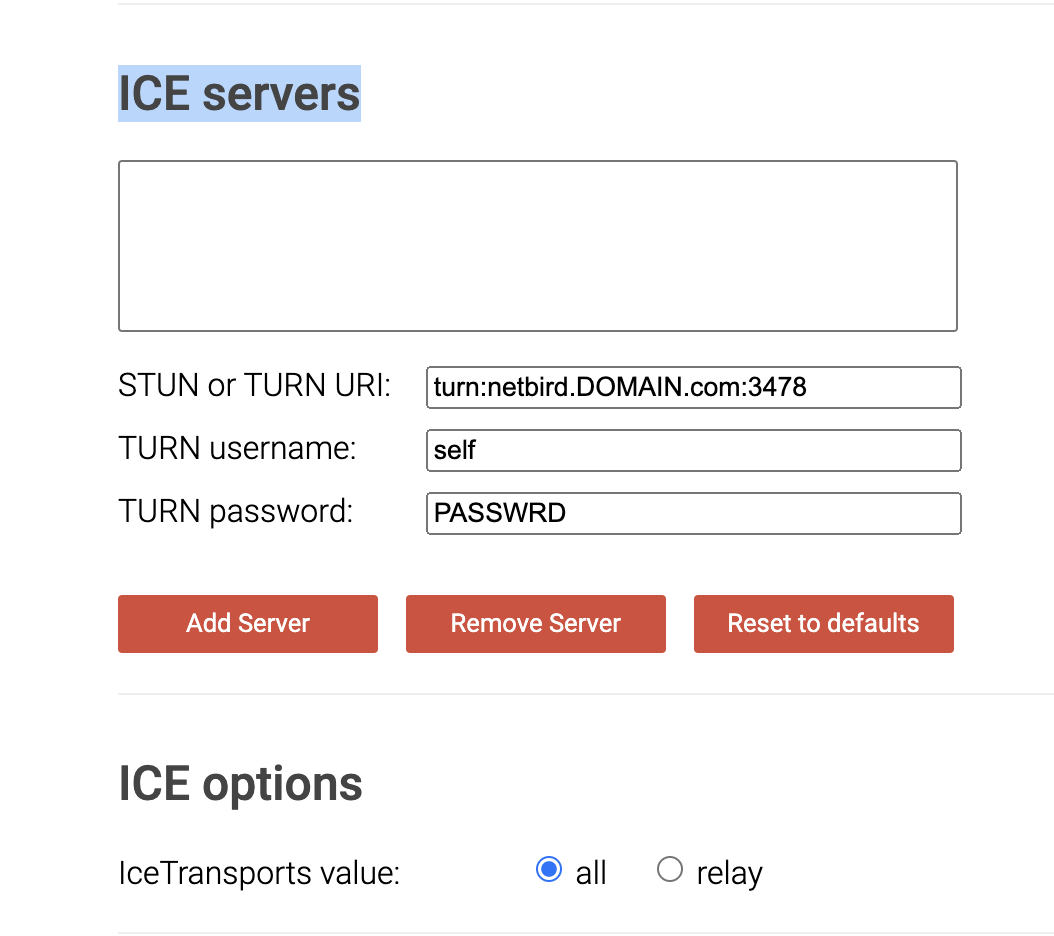
Add your STUN/TURN server in the ICE servers box, then click Add server.
Gather candidates and read the result:

A working TURN server returns srflx and relay candidates.
The candidate types are host (local address), srflx (STUN reflexive address), and relay (TURN relay address). If srflx and relay are missing, the TURN server is not working or not reachable. Review the required ports in the requirements section.
Peers can't connect to each other
Symptom: Peers are registered and show in the dashboard, but can't establish a connection between them.
Likely causes and fixes (most common first):
- STUN or the relay is unreachable. Confirm UDP/3478 (STUN) and TCP/443 are open, then check the relay with Debugging relay connections.
- A host firewall is dropping traffic on one or both peers. Check the local firewall rules on each peer.
- The peer itself is unhealthy. Run
netbird status -don both peers and check the connection type and last handshake.
Confirm: netbird status -d on both peers shows Status: Connected and a recent WireGuard handshake.
Management service unreachable
Symptom: Clients can't register or stay connected, reporting that the Management service is unreachable.
Likely causes and fixes (most common first):
- TCP/443 is blocked between the client and the server. Confirm the port is open end to end.
- DNS doesn't resolve your domain to the server's public IP. Check resolution from the client.
- Management is down or erroring. Review
docker compose logs netbird-server(managementon installs from before v0.65.0), and test the endpoint through your proxy:curl -s https://YOUR_DOMAIN/api/instance.
Confirm: curl -s https://YOUR_DOMAIN/api/instance returns JSON with a setup_required field, and netbird status shows Management: Connected.