

Auth0 on NetBird Cloud
Updated
You can use Auth0 as your Identity Provider with NetBird, but it will require some additional configuration steps. Auth0 is a flexible, drop-in solution to add authentication and authorization services to your applications. It's a managed service that offers extensive customization options, developer-friendly APIs, universal login, social identity providers, and advanced security features like anomaly detection and breached password detection.
-
Access the Auth0 console and navigate to Applications > Applications
-
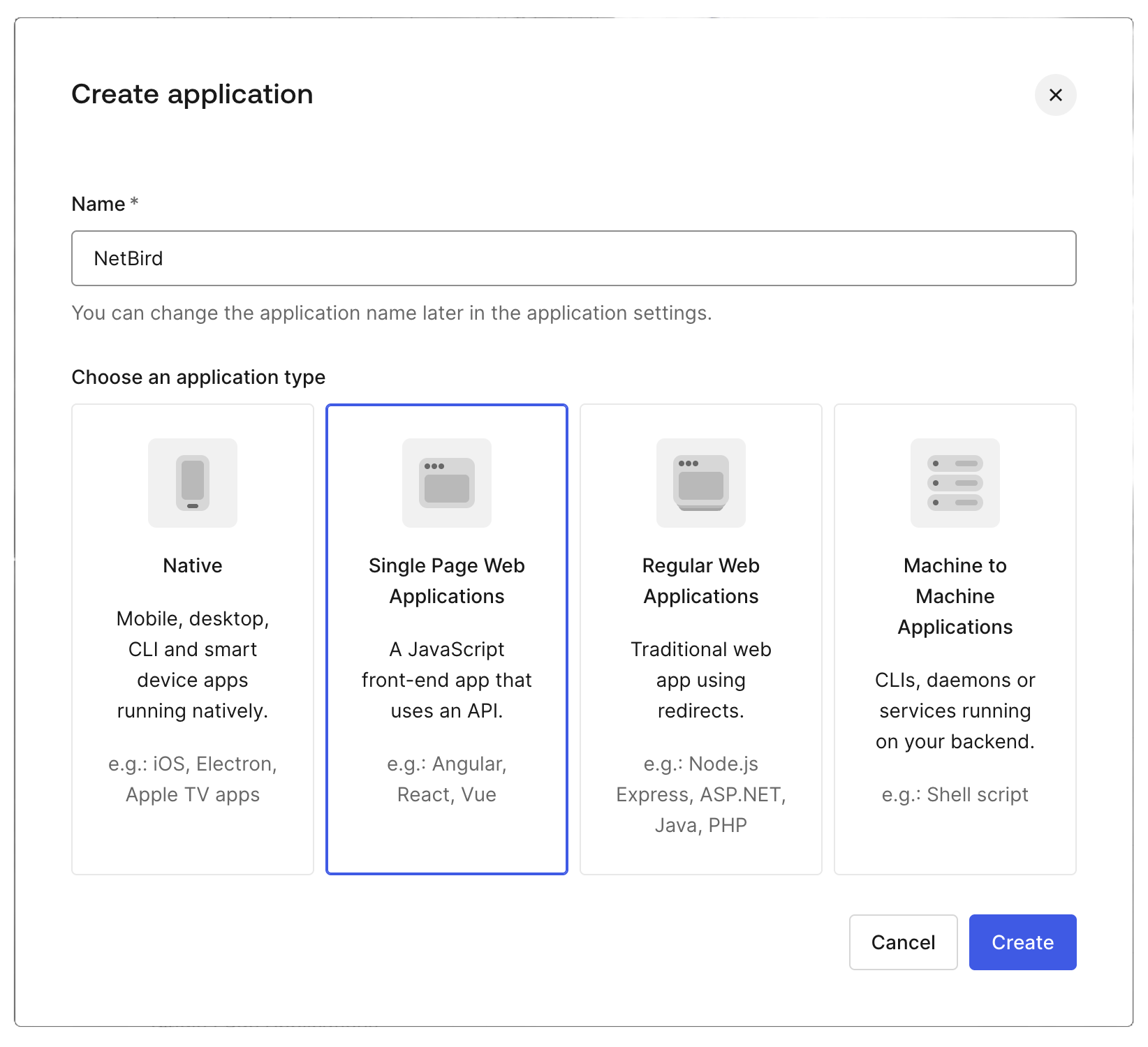
Click + Create Application
-
Enter NetBird as the name, select Single Page Web Applications as the application type and click Create
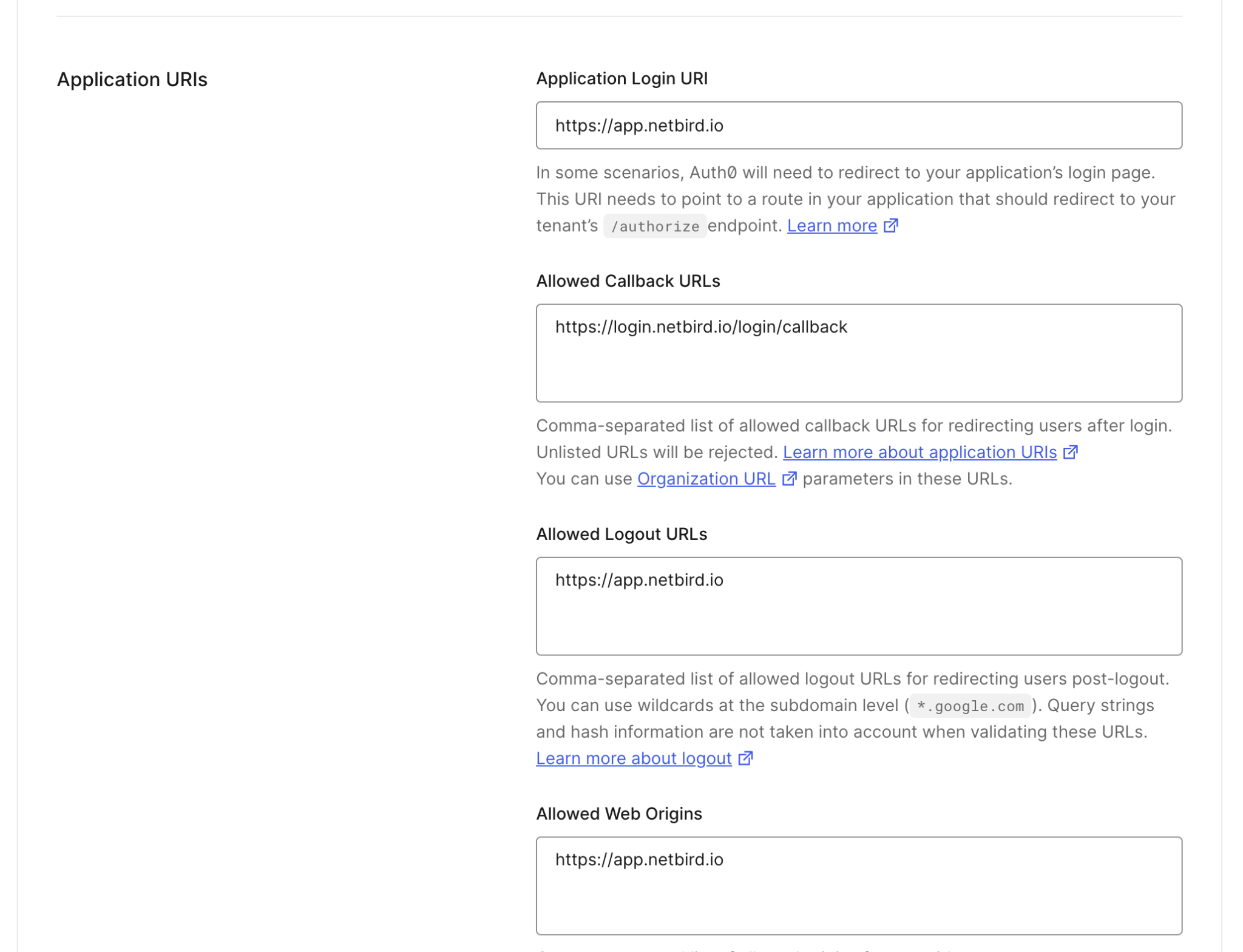
- On the New Application screen, go to the Settings tab and under Application URIs set the following values:
- Application Login URI: https://app.netbird.io
- Allowed Callback URLs: https://login.netbird.io/login/callback
- Allowed Logout URLs: https://app.netbird.io
- Allowed Web Origins: https://app.netbird.io
-
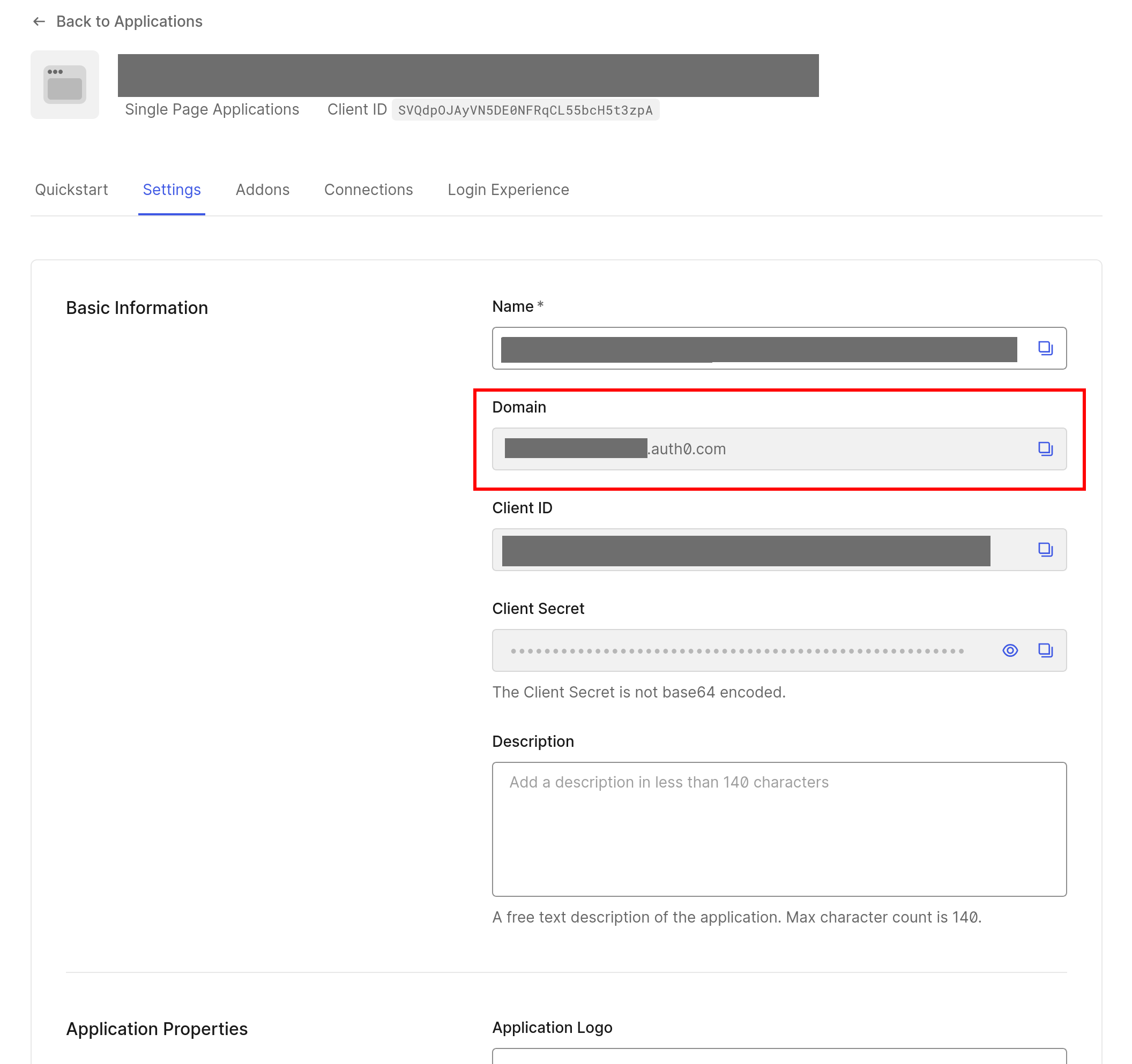
Record the Client ID and Client Secret that Auth0 generates for your application.
-
Retrieve Application's Domain from the Basic Information tab
- Share following with our team. Please use a secure method for sharing the sensitive parts of this information:
- Application's Domain,
- (sensitive) Client ID and Client Secret,
- list of email domains to be registered for this SSO configuration,
We recommend using a secure channel to share the Client’s secret. You can send a separate email and use a secret sharing service like: